
Skip To A Section
Accessibility is no longer just a compliance requirement, it is a critical part of modern user experience and a growing factor in search visibility. For Adobe Commerce stores, accessible design ensures that all users, including those with disabilities, can browse, interact with, and purchase products without barriers.
Inclusive SEO bridges accessibility and search optimisation by aligning websites with how search engines interpret usability, structure, and content clarity. Many accessibility best practices such as semantic HTML, descriptive alt text, logical heading structures, and clear navigation also help search engines better understand and rank pages. By prioritising inclusive design, Adobe Commerce retailers not only improve usability for real users but also strengthen their foundations for long-term organic search performance.
Key Takeaways
-
Accessibility strengthens SEO and UX: Accessible websites are easier for search engines to crawl and understand, while also delivering better user experiences that drive engagement and conversions.
-
Adobe Commerce demands specialist accessibility knowledge: Complex templates, dynamic content, and layered navigation mean accessibility and inclusive SEO must be implemented with Adobe Commerce–specific expertise.
-
Inclusive SEO future-proofs eCommerce growth: Building accessibility into your SEO strategy protects long-term visibility, supports compliance, and ensures your store is ready for evolving user expectations and search standards.
What Is Accessibility in eCommerce?
Digital accessibility ensures that websites and online platforms can be used by all people, including those with disabilities. In eCommerce, this means that every customer can browse products, complete purchases, and interact with services without encountering barriers, creating a more inclusive and user-friendly experience. Accessibility also benefits SEO, as search engines reward clear structure, descriptive content, and semantic markup.
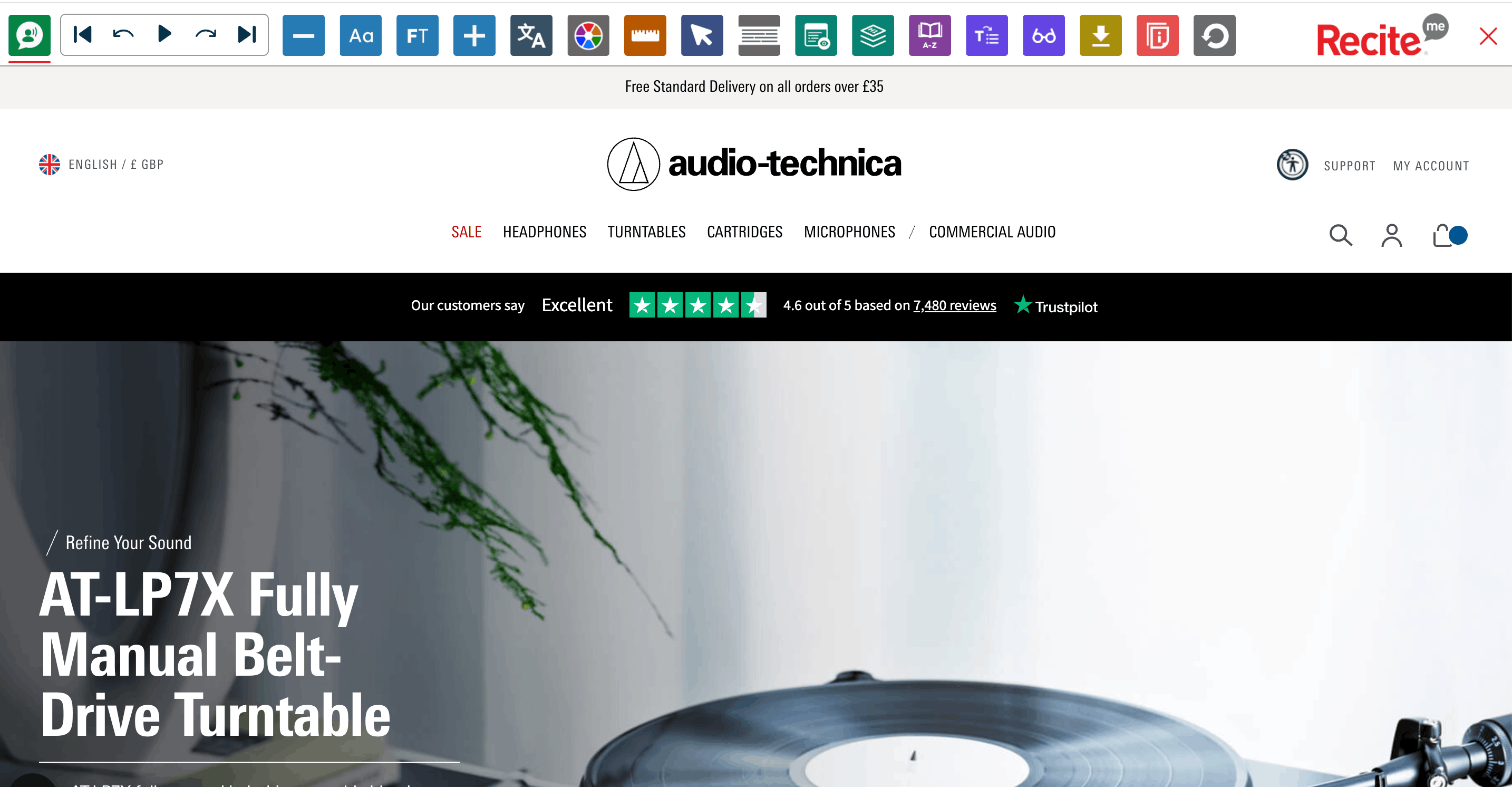
Web Content Accessibility Guidelines (WCAG)
The Web Content Accessibility Guidelines (WCAG) are the most widely accepted technical standards for making websites and digital content accessible. Developed by the World Wide Web Consortium (W3C), WCAG provides clear rules that designers and developers can follow to ensure digital experiences are inclusive.
WCAG is built around four key principles, often summarised as POUR:
-
Perceivable - Information must be presented in ways all users can perceive.
-
Examples: Alt text for images, captions for videos, accessible charts and graphs.
-
Operable - The interface must be navigable by everyone, including keyboard-only users.
-
Examples: Keyboard navigation, focus indicators, avoiding time-limited actions without alternatives.
-
Understandable - Content must be clear and predictable.
-
Examples: Consistent layouts, clear instructions, simple language.
-
Robust - Content must work reliably across current and future assistive technologies.
-
Examples: Semantic HTML, ARIA roles, proper code validation.
The WCAG 2.1 Level AA standard is widely adopted and often required under accessibility laws in both the EU and U.S.
Key areas WCAG covers in eCommerce:
-
Alt text for images
-
Proper use of headings and page structure
-
Colour contrast between text and background
-
Clear, descriptive link text
-
Accessible forms with labels
-
Keyboard navigation
-
Semantic HTML and ARIA roles
European Accessibility Act (EAA)
The European Accessibility Act (EAA) is a binding law across the EU, enforceable by the end of June 2025. It ensures that digital products and services, including eCommerce websites, online banking platforms, ticketing systems, and digital customer support, are accessible to consumers with disabilities.
Under the EAA, businesses must comply with WCAG 2.1 Level AA standards or risk fines, penalties, and restricted market access if they operate in the EU.
Americans with Disabilities Act (ADA)
In the U.S., the ADA is a civil rights law prohibiting discrimination against people with disabilities. Courts and the Department of Justice use WCAG 2.1 Level AA as the standard for website accessibility.
Any business targeting U.S. customers particularly retailers, hospitality, education, and financial services face potential legal risks if its website is inaccessible. ADA-related lawsuits have become increasingly common in recent years.
Common accessibility barriers in online stores
Despite clear guidelines, many eCommerce sites still contain accessibility issues that affect real users. Common barriers include:
-
Images without descriptive alt text, making products inaccessible to screen reader users
-
Poor colour contrast between text and background, especially in buttons and promotional banners
-
Navigation menus, filters, or pop-ups that cannot be used with a keyboard
-
Form fields without labels or unclear error messages during checkout
-
Dynamic content (such as modals or AJAX updates) that isn’t announced to assistive technologies
-
Inconsistent heading structures that make pages hard to navigate non-visually
These issues often go unnoticed during development but can significantly impact usability, conversion rates, and legal compliance. Addressing them early helps create a more inclusive shopping experience and reduces friction for all users, not just those with disabilities.
Accessibility vs Usability
Accessibility and usability are closely related, but they are not the same thing. Accessibility focuses on ensuring that people with disabilities can access and interact with a website, while usability is about how easy and efficient a site is for all users to use.
A website can be usable for many people but still inaccessible, for example, a visually clean checkout that cannot be completed using a keyboard. Equally, a site may technically meet accessibility requirements but still be frustrating to use if navigation is confusing or content is poorly structured. The best eCommerce experiences consider both together.
Where accessibility and usability overlap
Accessibility and usability overlap wherever good design removes friction. Clear navigation, logical page structure, readable text, and consistent interactions benefit users with disabilities and users without them.
Examples of overlap include:
-
Clear headings and page structure that help screen reader users and make content easier to scan
-
Keyboard-friendly navigation that also supports power users and those on alternative devices
-
Descriptive buttons and links that reduce confusion for all shoppers
-
Simple, well-labelled forms that improve checkout completion rates
When accessibility is built into usability decisions, the result is a smoother, more intuitive shopping experience overall.
Why accessibility benefits all users
Accessibility improvements rarely help only one group. Features designed to support users with disabilities often improve performance and clarity for everyone.
For example:
-
High colour contrast improves readability in bright environments and on mobile devices
-
Larger clickable areas help users with motor impairments and those using touchscreens
-
Clear error messages reduce frustration and cart abandonment for all shoppers
-
Faster, more semantic code improves performance, SEO, and compatibility across devices
In eCommerce, accessibility isn’t just about compliance it’s about creating stores that are easier to use, easier to understand, and more likely to convert. By addressing accessibility barriers, online retailers improve the experience for every customer, regardless of how they browse or interact with the site.
What Is Inclusive SEO?
Inclusive SEO is an approach to search engine optimisation that considers the diverse needs of all users, including those with disabilities, different languages, devices, or browsing preferences. Unlike traditional SEO, which primarily focuses on keywords, rankings, and technical optimisation, inclusive SEO integrates accessibility, usability, and content clarity into your optimisation strategy.
Inclusive SEO ensures that your website is easy to navigate, readable, and understandable for everyone, from screen reader users and keyboard-only navigators to mobile shoppers or people with cognitive or visual impairments. By designing content and site structure with inclusivity in mind, your store becomes more discoverable, engaging, and user-friendly for a wider audience.
Why Inclusive SEO Matters for Adobe Commerce Stores
Adopting inclusive SEO practices in your Adobe Commerce store isn’t just about compliance, it directly benefits your business in several ways:
Larger reachable audience
By making your store accessible and readable for diverse users, you open your brand to a broader market, including people with disabilities who might otherwise be unable to navigate your site.
Better engagement and conversion rates
A site designed inclusively ensures smoother navigation, clearer messaging, and fewer barriers to purchase, which leads to higher engagement, lower bounce rates, and improved conversions.
Improved crawlability and indexation
Inclusive SEO practices, such as semantic HTML, alt text for images, descriptive links, and proper heading structures, not only help users but also improve how search engines crawl and index your site. This can boost your organic visibility and overall SEO performance.
How Accessibility Impacts SEO Performance
Accessibility and SEO share many foundational principles, meaning that improving accessibility often directly benefits search engine optimisation. By making your Adobe Commerce store easier to navigate, understand, and interact with, you’re not only supporting users with disabilities but also improving your site’s search visibility, engagement, and overall performance.
Crawlability and Semantic HTML
Proper heading hierarchy
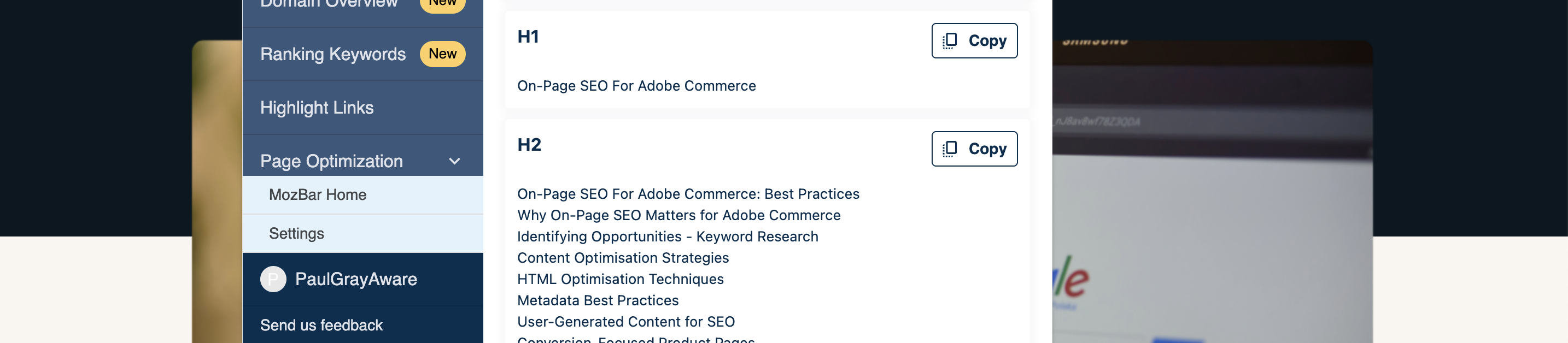
Using clear and logical heading structures (H1, H2, H3) helps both screen reader users and search engines understand the hierarchy of your content. Semantic headings improve readability for all users and make it easier for search engines to index pages correctly.
Landmarks and structural elements
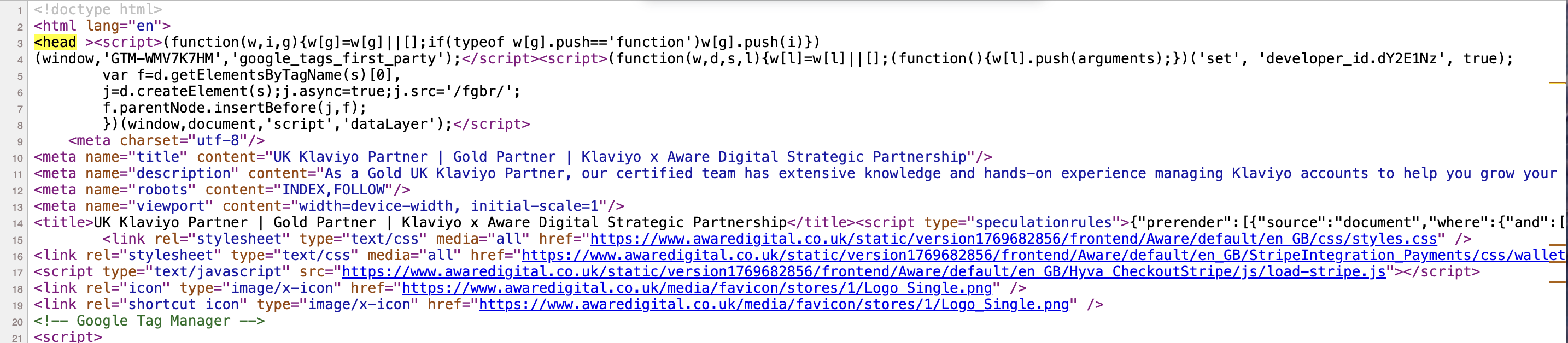
HTML5 landmarks such as <header>, <main>, <nav>, and <footer> guide users through your site, especially those using assistive technologies. For SEO, these elements help search engines interpret the page structure, prioritise key content, and understand the context of different sections.
Alt Text, Media, and Visual Content
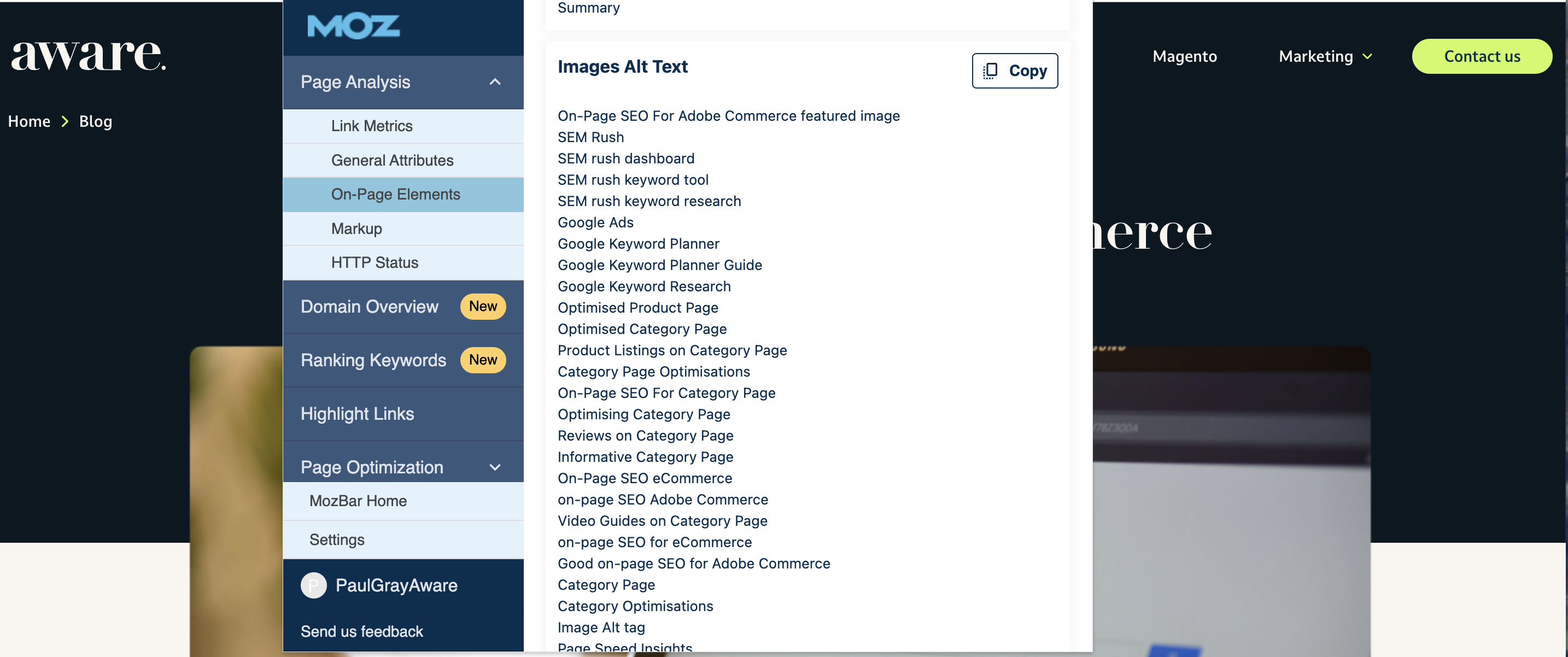
Image optimisation for screen readers and search engines
Alt text not only describes images for users with visual impairments but also provides search engines with context, improving content relevance and discoverability.
Accessible video and audio content
Adding captions, transcripts, and descriptive audio ensures that media is consumable by all users. For SEO, transcripts make your content indexable, enhancing keyword relevance and search performance.
Page Speed, UX, and Engagement Signals
Reduced bounce rates
Accessible sites are easier to navigate, which keeps users engaged and reduces bounce rates, a key signal to search engines that your content is valuable and relevant.
Improved Core Web Vitals
Optimising for accessibility often aligns with better performance metrics like faster load times, responsive design, and smoother interactions. These improvements contribute to Core Web Vitals, which are directly tied to Google rankings.
Accessibility Challenges Specific to Adobe Commerce
Adobe Commerce (formerly Magento) offers powerful eCommerce functionality, but certain platform characteristics can create accessibility challenges:
-
Theme and template limitations - Some themes may not follow accessibility best practices, making it difficult for users with visual or motor impairments to navigate.
-
JavaScript-heavy components - Interactive elements like sliders, pop-ups, and dynamic content often rely on JavaScript, which can break screen reader support or keyboard navigation if not implemented carefully.
Custom extensions and third-party plugins - While extensions can enhance functionality, they may introduce accessibility issues if they are not developed according to WCAG standards.
Common Adobe Commerce Accessibility Issues
-
Missing form labels - Forms without properly associated labels can confuse screen reader users and make completing checkout or registration difficult.
-
Poor keyboard navigation - Inaccessible elements or focus traps prevent users from navigating the site entirely with a keyboard.
Inaccessible navigation menus - Complex dropdowns or mega menus may not be operable by keyboard or screen readers, limiting access to essential pages.
Best Practices for Accessibility & Inclusive SEO on Adobe Commerce
Improving accessibility on Adobe Commerce not only supports users with disabilities, but also strengthens SEO, usability, and conversion rates. The following best practices help create a more inclusive and search-friendly experience.
Accessible Site Structure
A clear and logical structure helps both users and search engines understand your site.
Logical heading order
Use headings in a clear hierarchy (H1, H2, H3) to structure content meaningfully. This improves screen reader navigation and helps search engines interpret page relevance.
Clear navigation and internal linking
Ensure menus, breadcrumbs, and internal links are easy to follow and accessible via keyboard. Descriptive link text also improves context for screen readers and SEO.
Forms, Checkout, and User Journeys
Key user journeys, especially checkout, should be accessible to everyone.
Accessible checkout flows
Make sure all form fields have associated labels, focus states are visible, and steps in the checkout process are clearly communicated to assistive technologies.
Error handling and form feedback
Provide clear, descriptive error messages that are announced by screen readers. Errors should explain what went wrong and how to fix it, without relying solely on colour.
Content Optimisation for Inclusivity
Inclusive content improves comprehension, engagement, and discoverability.
Plain language content
Use clear, simple language wherever possible. This supports users with cognitive impairments and improves readability for all visitors, including non-native English speakers.
Readability and contrast considerations
Maintain sufficient colour contrast between text and backgrounds, use readable font sizes, and avoid overly complex layouts to ensure content is accessible across devices and abilities.
Tools for Testing Accessibility on Adobe Commerce
Regular accessibility testing helps identify issues early and ensures ongoing compliance as your Adobe Commerce site evolves. A combination of automated and manual testing provides the most reliable results.
Automated Testing Tools
Automated tools are useful for quickly identifying common accessibility issues, though they should not be relied on exclusively.
Lighthouse
Built into Chrome DevTools, Lighthouse provides an accessibility score and highlights issues such as missing labels, low contrast, and improper ARIA usage.
WAVE
WAVE offers visual feedback directly on your pages, making it easy to spot structural issues like missing alt text, form label errors, and heading problems.
Axe
Axe is a powerful accessibility testing engine available as a browser extension or integrated into development workflows, ideal for identifying WCAG failures in complex, JavaScript-heavy Adobe Commerce sites.
Manual Testing and User Validation
Manual testing is essential for uncovering real-world accessibility barriers that automated tools may miss.
Keyboard testing
Navigate the site using only a keyboard to ensure all interactive elements are reachable, usable, and have visible focus states.
Screen reader testing
Test key journeys using screen readers such as NVDA, JAWS, or VoiceOver to confirm content is announced correctly and navigation is logical.
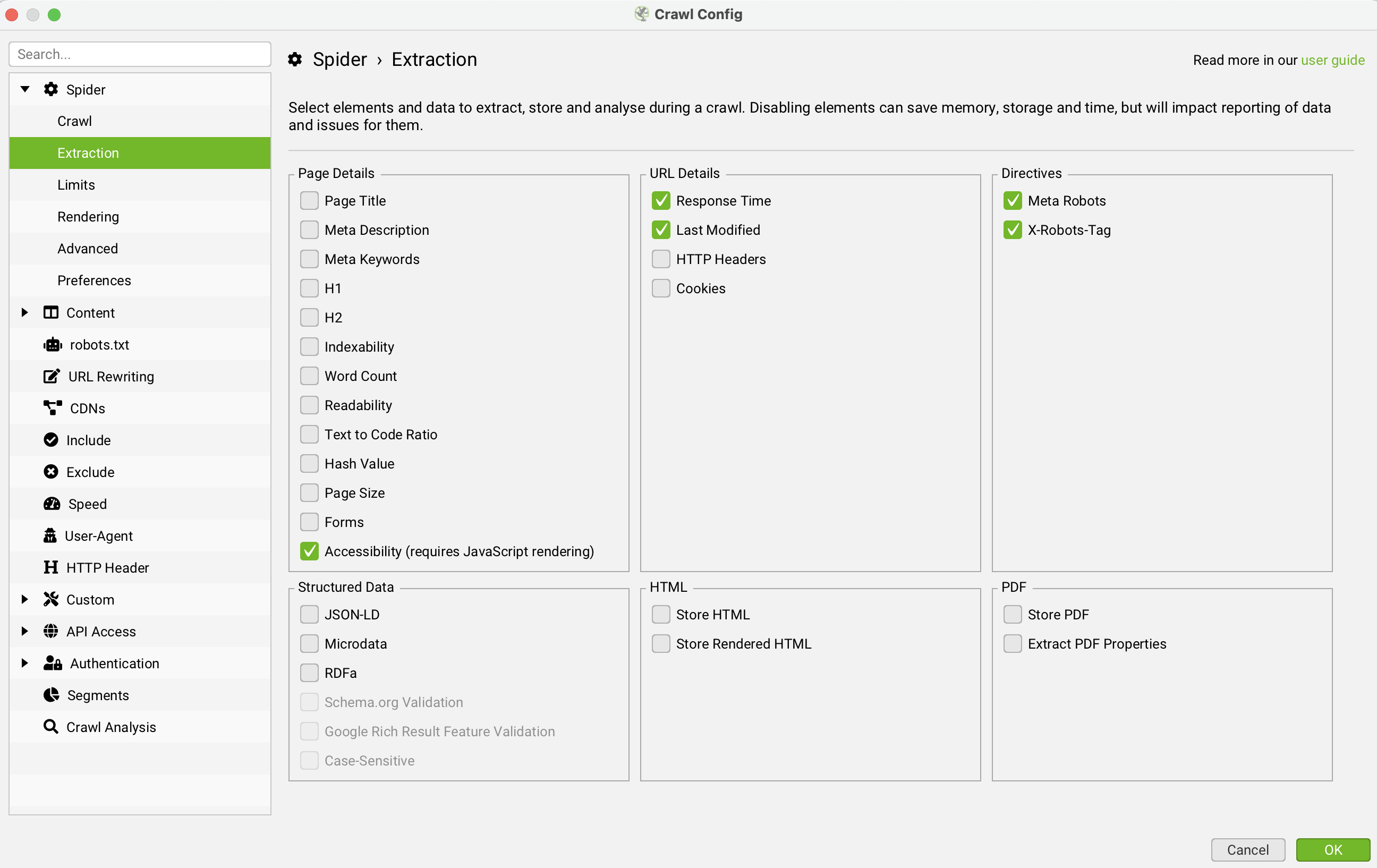
Screaming Frog accessibility crawl
Screaming Frog’s accessibility features can be used to crawl Adobe Commerce sites at scale, identifying issues like missing alt text, improper headings, and ARIA errors across thousands of URLs.
Legal, Compliance, and Business Benefits
Accessibility is not just a technical or ethical consideration for Adobe Commerce sites - it also has important legal and commercial implications, particularly within the UK and EU.
Accessibility regulations (UK & EU focus)
In the UK, the Equality Act 2010 requires businesses to make reasonable adjustments so disabled users are not disadvantaged when accessing digital services. Across the EU, the European Accessibility Act (EAA) sets accessibility requirements for eCommerce websites and digital services, with enforcement coming into effect in 2025. Aligning your Adobe Commerce site with WCAG 2.2 helps demonstrate compliance with both frameworks.
Reducing legal risk
Poor accessibility can expose organisations to complaints, enforcement action, and reputational damage. Proactively addressing accessibility issues reduces the risk of legal challenges and shows due diligence in meeting statutory obligations.
Building brand trust and inclusivity
Accessible websites are easier to use for everyone, including older users, mobile users, and those with temporary impairments. Demonstrating a commitment to inclusivity builds trust, improves customer loyalty, and strengthens brand perception, particularly for businesses operating in competitive eCommerce markets.
Accessibility as a Long-Term SEO Strategy
Accessibility should be treated as an ongoing optimisation process rather than a one-off compliance exercise. For Adobe Commerce sites, this long-term approach delivers sustained SEO and performance benefits.
Accessibility as ongoing optimisation, not a one-off task
Themes, extensions, content, and JavaScript functionality are regularly updated in Adobe Commerce. Each change can introduce new accessibility issues if not monitored. Embedding accessibility checks into development, content publishing, and QA workflows ensures consistent improvements to usability, crawlability, and user experience over time.
Aligning accessibility with future-proof SEO
Search engines increasingly reward sites that offer clear structure, usable navigation, and positive user experiences, all of which overlap with accessibility best practices. By aligning WCAG-compliant design with SEO fundamentals such as semantic HTML, logical internal linking, and readable content, Adobe Commerce sites are better positioned to adapt to future algorithm updates, AI-driven search experiences, and evolving user expectations.
How We Support Accessible Adobe Commerce SEO
Accessibility and SEO work best when they are approached together, not as separate initiatives. Our Adobe Commerce focused services are designed to help businesses improve inclusivity, compliance, and organic performance in a sustainable way.
Brief service positioning
We specialise in accessible SEO for Adobe Commerce websites, combining technical accessibility expertise with search-led optimisation. This ensures accessibility improvements support visibility, usability, and conversion, not just compliance.
Audits, implementation, and ongoing optimisation
We start with a comprehensive accessibility and SEO audit to identify WCAG issues, platform-specific risks, and search opportunities. From there, we support implementation across themes, templates, and extensions, and provide ongoing monitoring and optimisation to ensure accessibility and SEO improvements are maintained as your site evolves.