What are Core Web Vitals?
Google introduced Core Web Vitals (CWV) to assess how smooth and enjoyable a webpage feels to users. These metrics determine whether a website provides a stable, fast and responsive experience.
The three Core Web Vitals we’ll be covering are:
-
Largest Contentful Paint
-
First Input Delay (Also known as Interaction to Next Paint)
-
Cumulative layout shift
Importance of Core Web Vitals in SEO
Core Web Vitals play a significant role in SEO Google uses them to rank your site and show searchers relevant information. Websites that load slowly and generally have poor CWV scores are likely to experience poor ranking and performance.
A smooth, fast-loading site benefits your CWVs and enhances user experience, leading to lower bounce rates and higher conversion rates. It’s obvious, but customers are more likely to stay on a website that doesn’t feel clunky or broken.
Detailed breakdown of Core Web Vitals
So, what are the LCP, FID and CLS? And what do they mean for your website?
Largest Contentful Paint (LCP)
LCP measures how long it takes for the largest visual element, like an image or content block, to load on the screen. It’s a huge factor in the perception of page speed, so even if your site loads mega-fast, if you’ve got a huge image that takes a while to load, it might be perceived that your whole site loads slower. Websites should aim for an LCP score of 2.5 seconds to ensure a fast and responsive user experience.
First Input Delay (FID)
FID is a Core Web Vitals metric that measures the time between a user's first interaction with a site, like clicking a button or link, and the browser's response. FID specifically focuses on interactivity; a good site reacts almost instantly, with the ideal score being under 100 milliseconds. High FID scores are usually the result of heavy JavaScript execution, which blocks the browsers from processing user input properly. To fix any issues you may have, you should optimise your site. You can minimise third-party scripts, use lazy loading for non-essential resources and optimise your JavaScript execution. It’s important to note that FID is no longer a key metric in Google’s ranking algorithm. In 2024, it was replaced by Interaction to Next Paint, which provides a more comprehensive evaluation.
Cumulative Layout Shift (CLS)
CLS measures how much a website’s layout shifts unexpectedly while loading. Sudden shifts can lead to frustrating user experiences, like clicking the wrong button or trouble seeing product specifications. Websites should aim for a CLS score below 0.1 to maintain visual stability and improve usability.
Tools for measuring Core Web Vitals
Several tools can help measure and analyse Core Web Vitals. Our favourites are:
-
Page speed insights: This is a free tool from Google that provides analysis of a website's performance and offers insights on how to improve.
-
Web Vitals Chrome Extension: A browser extension that tracks LCP, INP and CLS in real time
-
GTMetrix: A tool that offers in-depth performance reports that combine Google Lighthouse data with additional insights
-
Chrome DevTools & CrUX report: These offer advanced tools for developers to conduct a deeper, more technical analysis of website performance.
Strategies for improving Core Web Vitals
Once you understand where and why you’re failing, you should be able to improve your Core Web Vitals score by following and implementing a few changes.
Optimising LCP
To optimise your LCP, improve server response time by reducing your Time to First Byte. This is a huge factor in a slow LCP - we recommend using a fast web host, enabling caching, using a Content Delivery Network and reducing unnecessary redirects as a starting point.
Separately, you also need to compress your images and use lazy loading, as well as minifying your CSS and JavaScript to reduce file size and improve loading times.
Enhancing FID
Regardless of whether you’re looking at FID or INP, these tips will help you improve both.
Firstly, optimise your JavaScript execution, minimise your main thread blocking time, defer or remove any unnecessary JavaScript and use code splitting where needed - heavy JavaScript is the main cause of a high FID. Once you fix this, run your site again, and you’ll see what a dramatic change this has made.
Then, reduce third-party scripts, like ad networks, social media widgets and analytics tools. Prioritise critical resources optimise the main thread and implement efficient event handling.
All of these tricks should enhance your site and supercharge your CWVs.
Reducing CLS
Unexpected layout shifts are the downfall of any good site. To prevent this, consider specifying size attributes for images and videos to prevent layout adjustments, along with avoiding inserting content above existing content, like pop-ups or ads. We’d also avoid using animations that move the layout, but instead use transform animations.
Broader performance metrics beyond core web vitals
In addition to the three CWVs, it’s important to note other equally important performance metrics. We’ve touched on them in this blog; however, metrics like Time to First Byte measure how long it takes for a server to respond to a request, First Contentful Paint - tracks when the first piece of content appears on the screen and Speed Index, how quickly content is displayed, are all crucial.
Actionable tips for enhancing user experience
We say it all the time, but our number one tip for enhancing user experience is to think about mobile first. Make sure you’ve got the responsive design and touch-friendly navigation in mind and implement Accelerated Mobile Pages (AMP) to deliver a faster mobile experience.
Our final thoughts
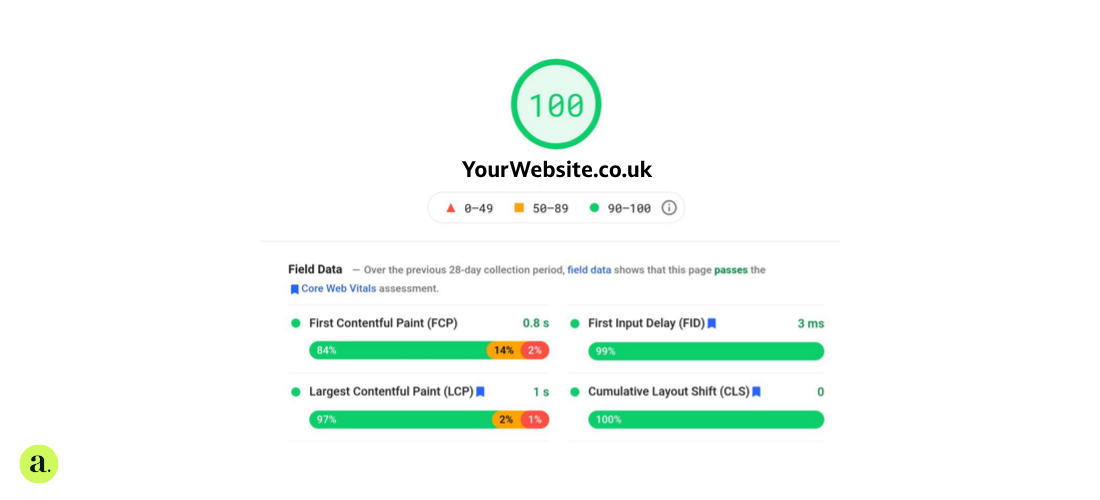
Regularly performing audits to monitor your progress and performance is key. The journey to strong CWVs is an ongoing one; even if you score 100 on performance today, that’s not guaranteed to be the same tomorrow.
FAQs
Why should you care about Core Web Vitals?
Core Web Vitals impact user experience, SEO and conversion rates. Faster, more stable sites rank higher and keep visitors more engaged.
How is your Lighthouse performance score calculated?
Lighthouse scores are based on performance metrics like load speed, interactivity, and visual stability measured on a scale of 0-100.
What is the Google page experience update?
The update prioritises user-friendly websites by considering Core Web Vitals, mobile friendliness, HTTPS security and high-quality content.
Why does Google incorporate web performance into ranking decisions?
Faster, more stable sites provide a better user experience, reducing bounce rates and increasing engagement. These are all key factors for ranking.