
Skip To A Section
On-Page SEO For Adobe Commerce: Best Practices
In the ever growing competitive landscape of Ecommerce, being found on search engines is crucial to your store’s success. Connecting with your audience at the point they are searching for products is vital to ensuring they consider your offering. To do this you need SEO.
There are many factors to consider when optimising your website for search engines, you can read our full post SEO strategies for Adobe Commerce: Beyond the basics for a comprehensive guide to all the factors you need to implement for a good SEO strategy.
In this article we will cover the best practices of on-page SEO for Adobe Commerce. We are assuming your store is built on Adobe Commerce, hence the title and you coming this far. If not, and if your website is built on Wordpress, Shopify or any other Ecommerce builders, there is still information you can take from this guide.
Adobe Commerce is a powerful platform to build stores that handle thousands of products and transactions and require complex features that a simple Wordpress with Woocommerce store could not achieve.
On-page SEO is the process of optimising your website to perform well on search engines. It means making adjustments to the website, things you have to do ‘on the website pages’, hence the phrase: “on-page”. 49% of marketers say that SEO provides a better return on investment than any other strategy. This is because users search for products directly on search engines, more transactional searches are performed than they are on say social media.
In this guide we will cover how to optimise your content, HTML, and Metadata. We will discuss how user-generated content is good for your SEO and how to implement this on your website and we will look at how to create conversion-focused product pages.
We will also discuss some of the most common SEO mistakes when working on Adobe Commerce websites. Besides this, we will teach you how to identify keywords to use throughout your on-page optimisation efforts.
Why On-Page SEO Matters for Adobe Commerce
When running an Adobe Commerce store, having a nice design and a robust product catalogue is only half the battle. Without effective on-page SEO even the biggest and best looking sites can struggle to achieve visibility.
On-page SEO helps your product, category and other landing pages appear higher in search results for relevant keywords. By optimising your website, you can drive more organic visitors to your store, which means you can become less reliant on paid advertising methods or generate more revenue by tapping into a different marketing channel.
Adobe Commerce offers powerful built in features to optimise for search such as, customisable URLs, canonical tags, XML sitemaps and meta data. Using these tools gives you a foundation for long term organic growth.
Good on-page SEO isn’t just about search engines, user data such as engagement rate is a factor taken into consideration for ranking your website. You need to ensure that your store is optimised for search engines, but also optimised to provide a good user experience.
SEO bridges the gap between your products, and customers who are searching for them, on-page SEO is not optional, it's essential to driving traffic from organic search.
With so much competition in most Ecommerce niches, technical SEO and off-page SEO isn’t enough. You need well structured, optimised pages to make the difference from being buried on page 10 of the search results to being found on page 1.
Identifying Opportunities - Keyword Research
Before optimising any website content, you need to know what search terms your product, category and landing pages are targeting. For example, a category page with the title: ‘Food Packaging, Boxes & Disposable Food Packaging | Buy Online’, could be optimised for the keywords ‘Food Packaging, Food Packaging Boxes and Disposable Food Packaging’.
You would have 1 primary keyword and 2 or 3 secondary keywords. In the example, the primary keyword would be ‘Food Packaging’ and the secondary keywords would be ‘Food Packaging Boxes and Disposable Food Packaging’.
Keywords that have high search volume like ‘Food Packaging (2900)’ will be more difficult to rank for as the competition will be higher. A tip is to look for long-tail keywords that have less competition, in this case it could be ‘Disposable Food Packaging (90)’.
Using long-tail keywords can help you achieve rankings faster as there is less competition competing for the keyword.
To identify keywords for your website there are multiple tools you can use, I am sure all SEO’s have different guides and opinions on which is the best. I will go through the tools that we use for performing keyword research.
SEM Rush Keyword Research
First one on the list SEMrush, a paid account is better but you can perform limited keyword research with a free account. The first thing you need to do is go to the website and sign up for an account.
Once you are signed up, you will be redirected to the page below:
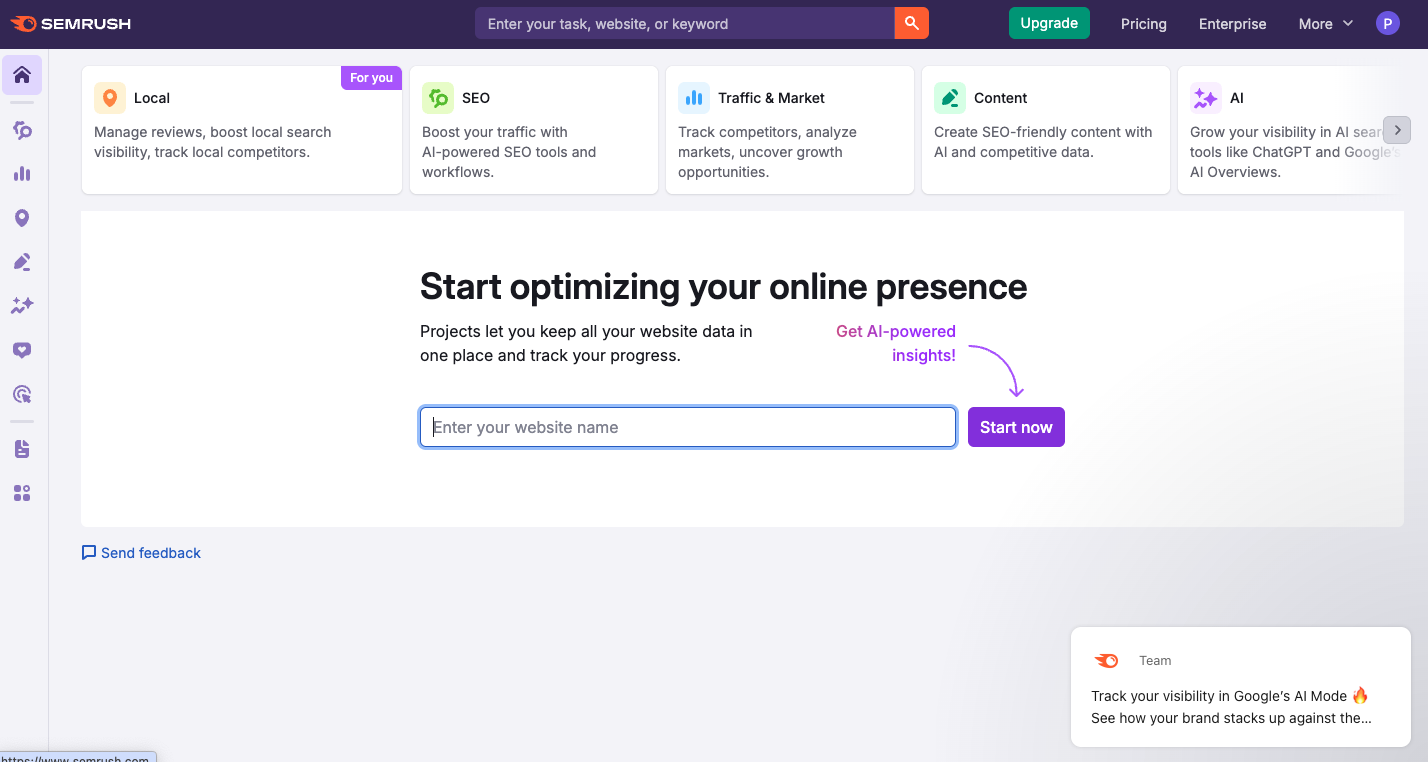

In the left hand column you have a lot of options to choose from, you want to hover over the 2nd icon in the list, this will bring up a sub-menu as shown below:
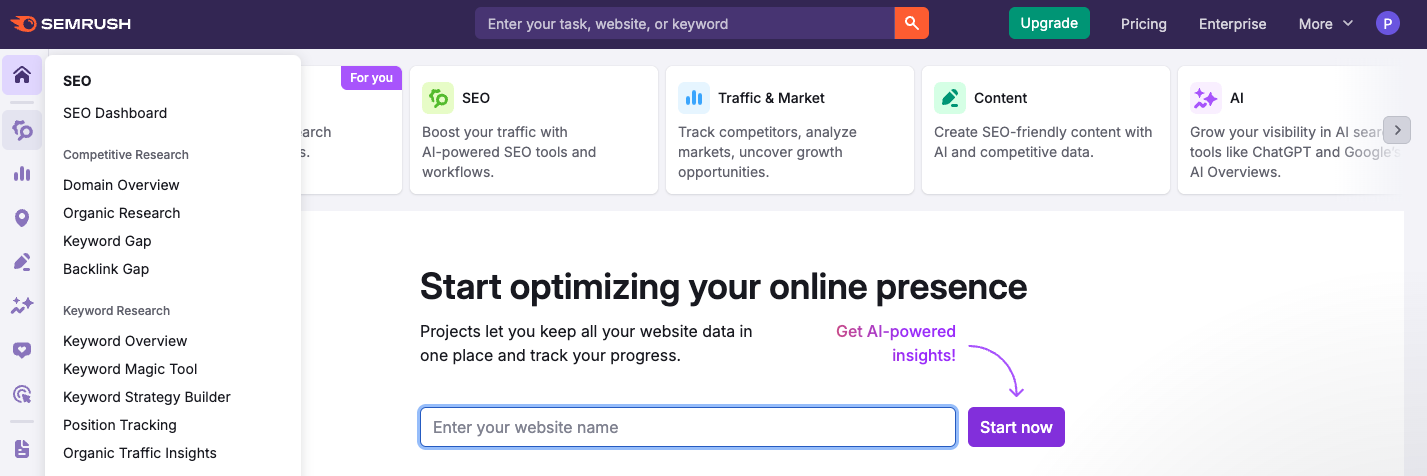
From here click on ‘Keyword Magic Tool’ which will then load a page where you can get some ideas of potential keywords. In the search bar you can enter your category, landing page or product page title and even attach your website, make sure you change the country to your target country before performing a search.
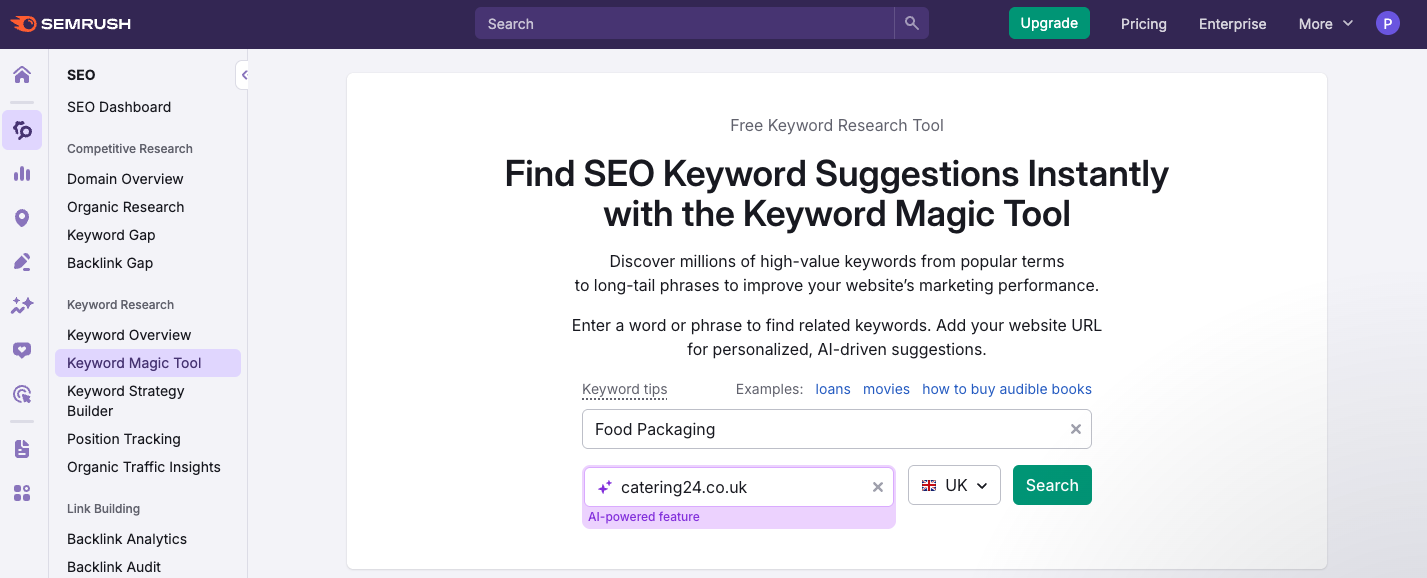
The Free version of SEMrush will allow you to perform 10 searches per day, for more you will need to upgrade to the paid version. Once you have clicked the search button, you will see a page with a list of keywords, the volume of the keywords, the difficulty, the cost per click and more.
You need to focus on volume and KD%, this will allow you to identify keywords with a lower difficulty score as these will be easier to rank for in search results. Generally the lower the volume, the lower the keyword difficulty score.
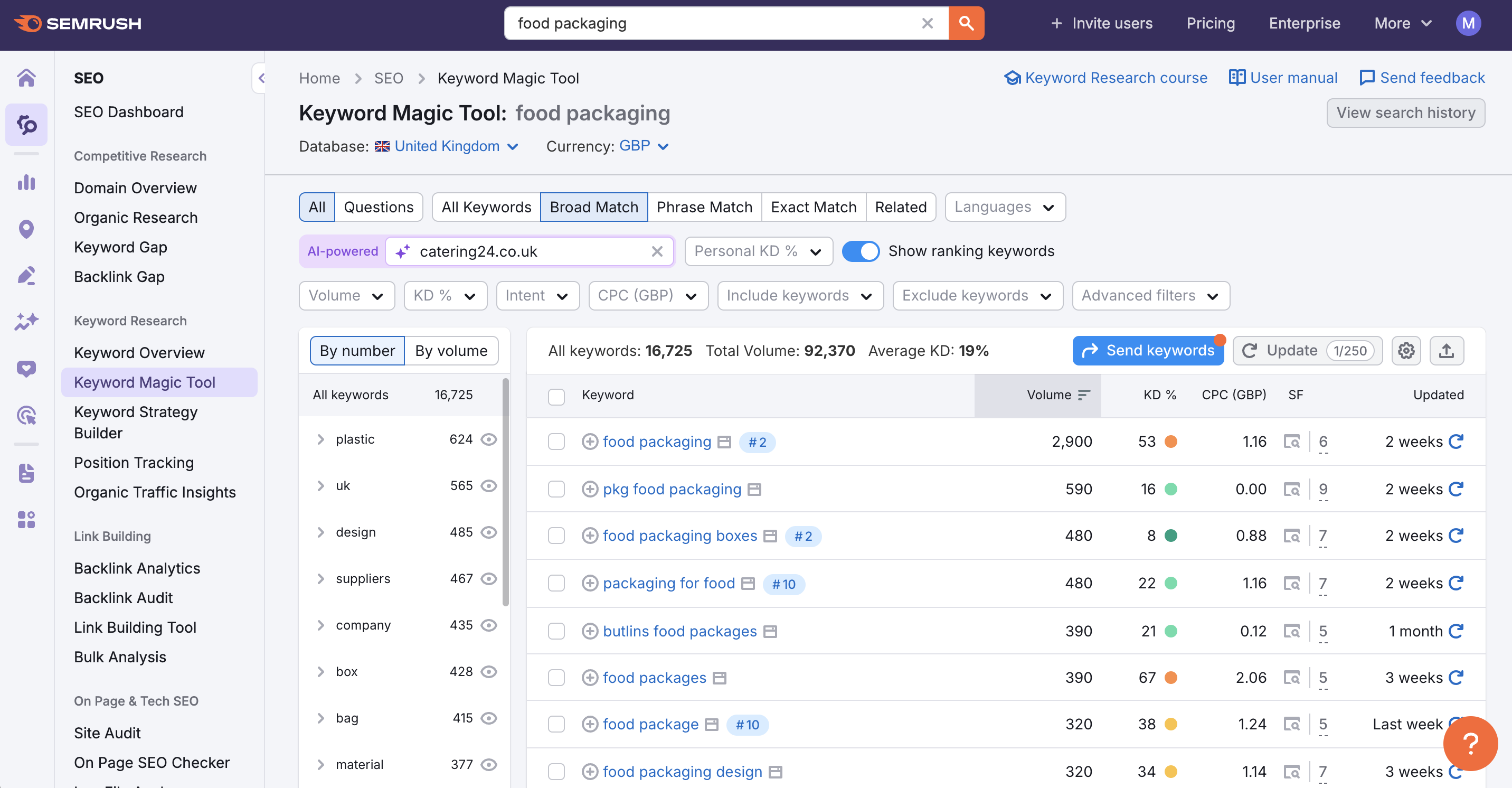
As you can see the keyword ‘Food Packaging’ has a high keyword difficulty so we could try optimising for ‘packaging for food’ or ‘food packaging boxes’. You can also group keywords together so we could optimise for the main keyword ‘food packaging’ and some secondary keywords ‘packaging for food’ and ‘food packaging boxes’ as we have done on the page I am using as an example.
Once you have identified the keywords you want to rank for, add them to a spreadsheet, group them and map them to the URLs you are going to optimise.
Google Keyword Planner
The next tool I am going to discuss is Google Keyword planner, this tool is available on Google Ads. This tool is completely free and allows you to see keywords, the search volume, the cost per click and competition level. To use Google Keyword Planner you need to navigate to Google Ads and sign in or create an account.
When you have logged in you will be directed to the following page:
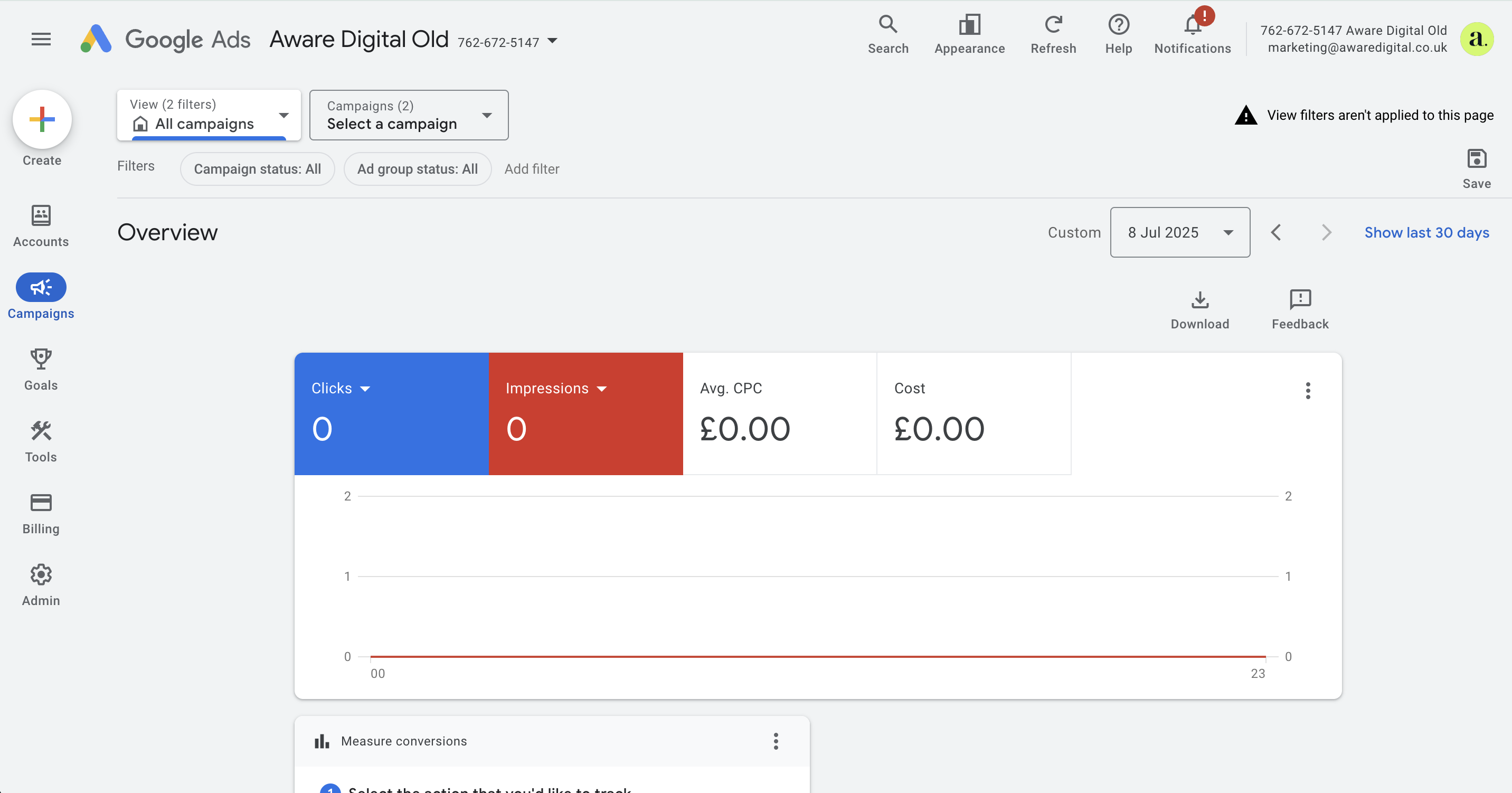
On the left hand column you have the options of ‘create, accounts, campaigns, goals, tools, billing and admin’, you need to hover over the ‘tools’ section and a sub-menu will appear.
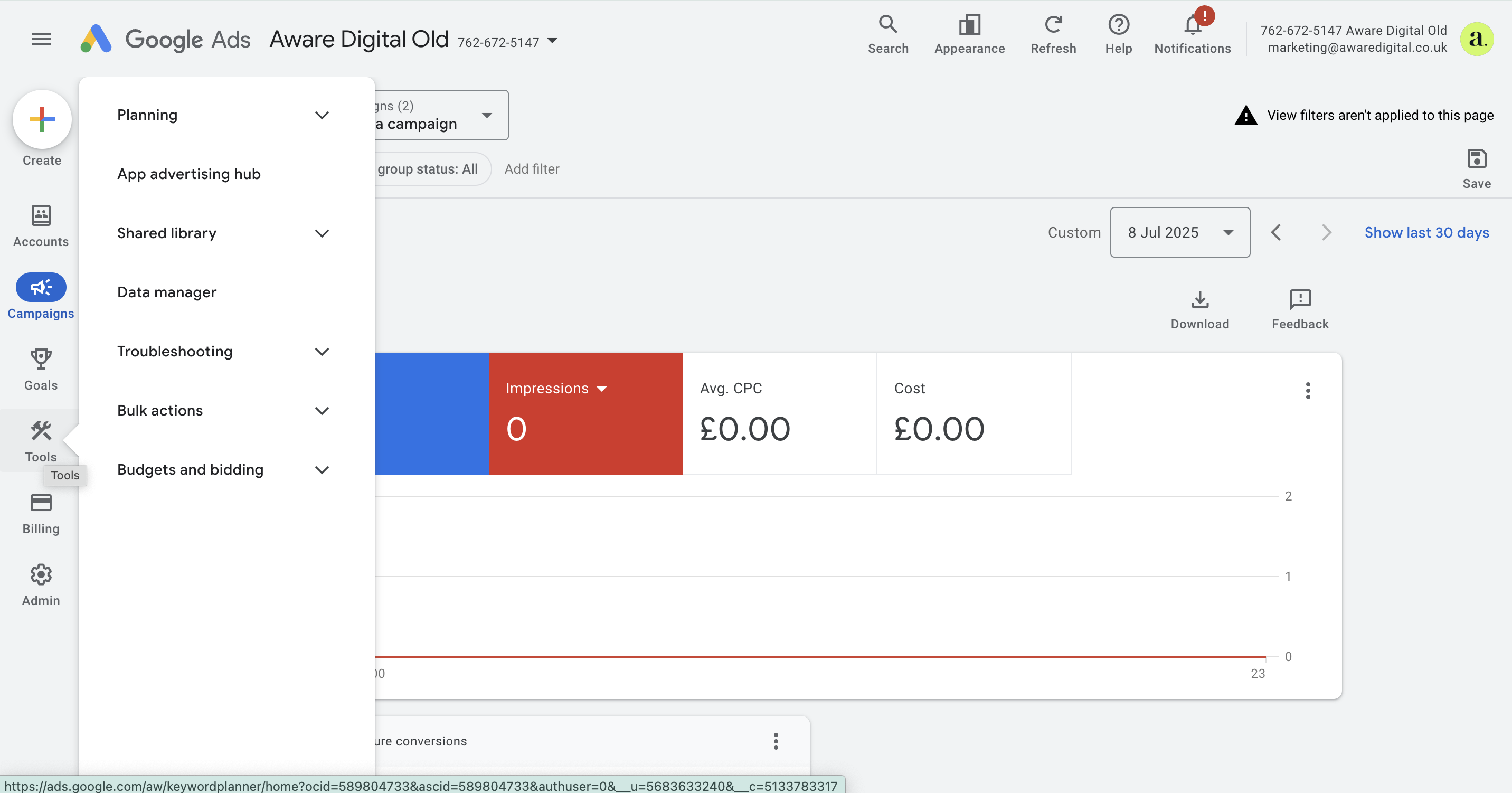
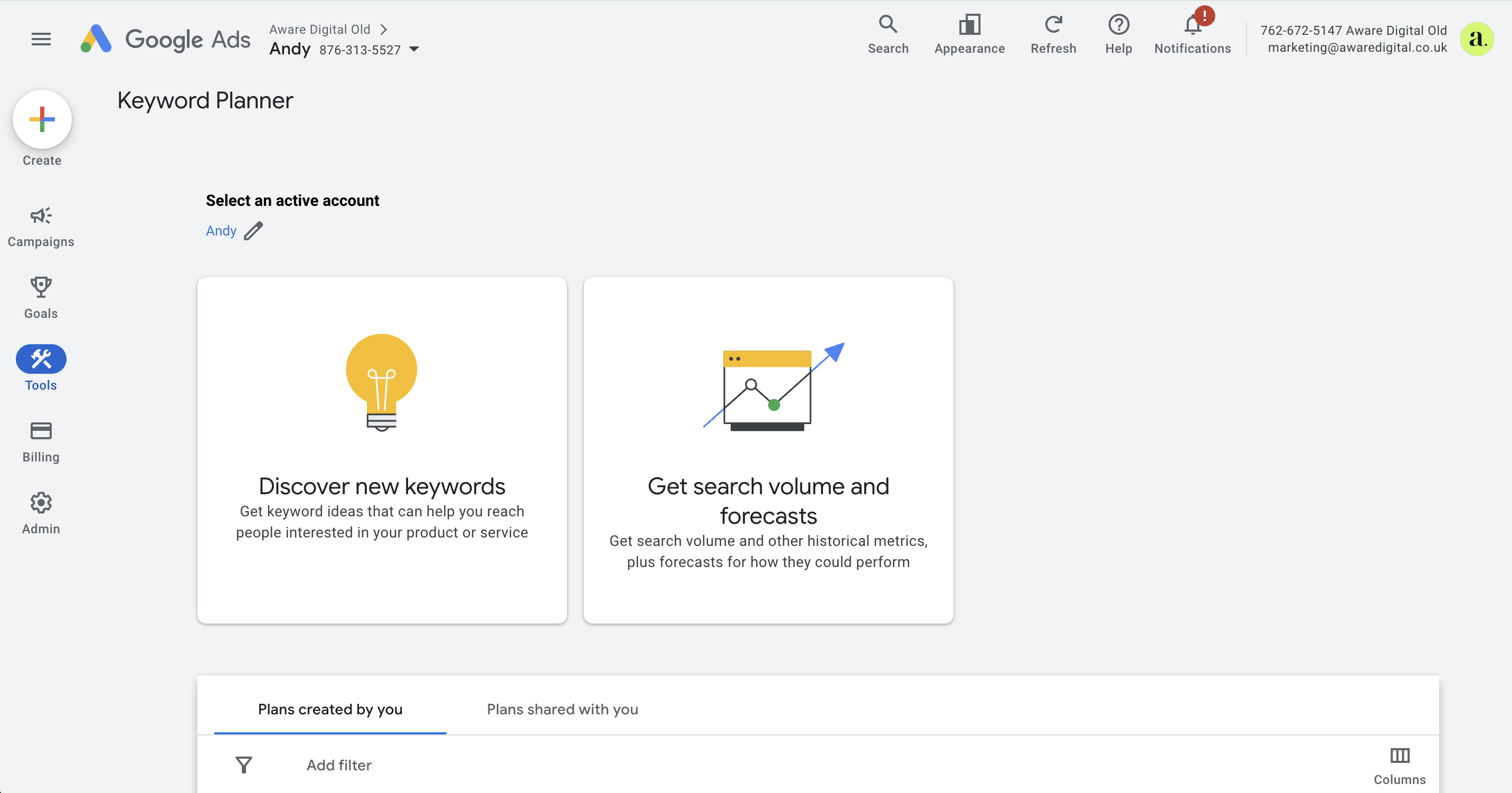
On the tools menu, select planning and then you will see ‘keyword planner’. You will then see 2 options ‘discover new keywords’ and ‘get search volume and forecasts’. Below this you can also see all the previous plans you have created so you can return to your research at a later stage.
You are identifying new keywords, so you need to click on ‘discover new keywords’, the next page allows you to put in some keywords and the website URL, again, I will use ‘food packaging’ and include the domain I am optimising. Once you have done this, click on ‘get results’.
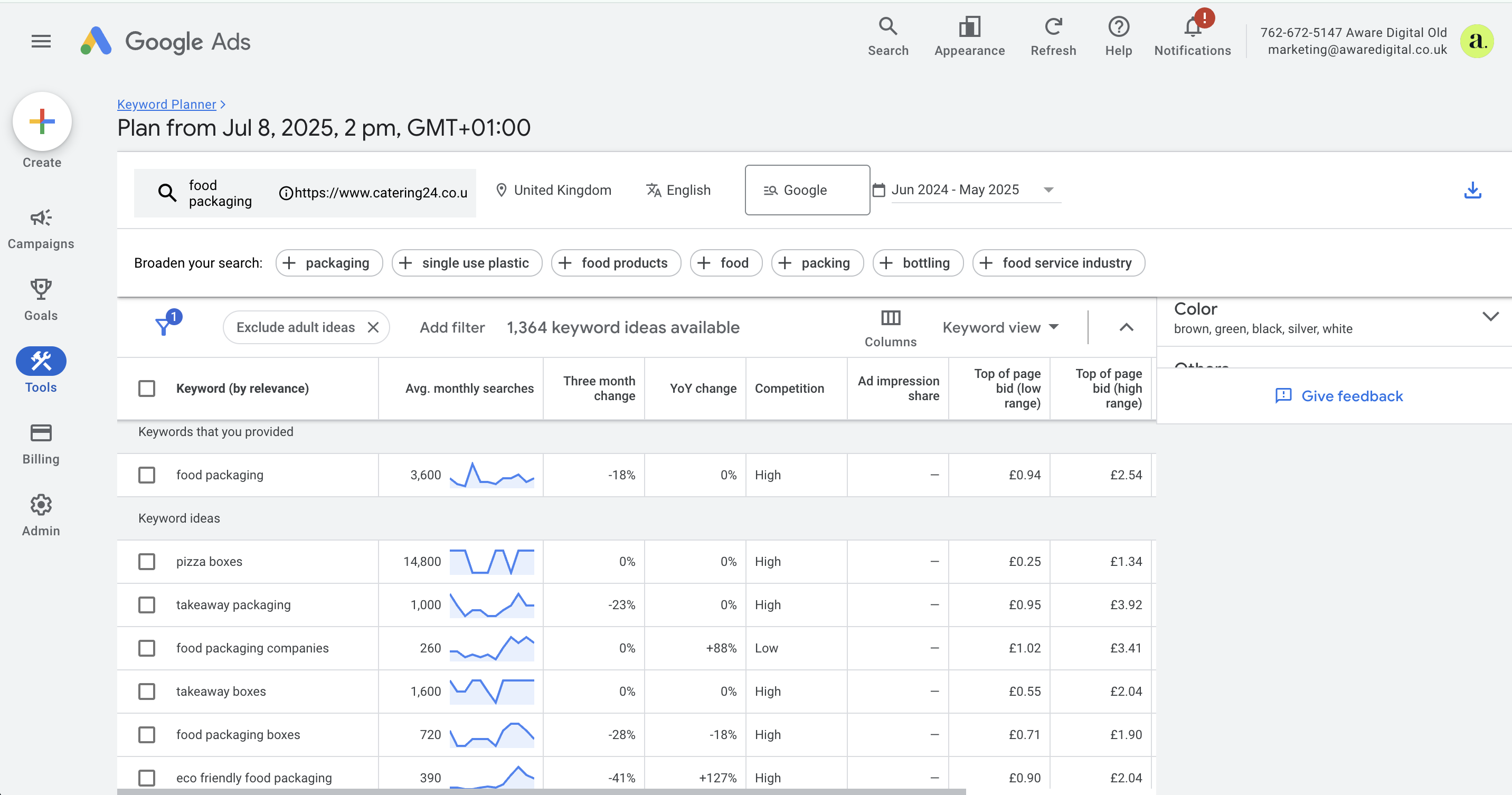
You will then see a results page that looks like this, it will contain a graph at the top with data, but we want to look at the table below the graph. The table includes a list of keywords and shows the average monthly searches, the competition and the cost per click if you were running PPC ads.
As you can see from the image, we could take the keyword ‘food packaging companies’ as this has 260 average monthly searches with low competition. This would be a good one if we were optimising a new website and wanted to gain rankings quickly.
Use the same process as before, add the keywords you discover to a spreadsheet and group them with primary keywords and secondary keywords and decide which category page on your website is the best one to optimise for the discovered keywords.
The benefit with using Google Keyword Planner is that it is completely free to use so you can perform as many searches as you want in order to get a concise list of keywords you want to target and rank for.
Keyword Research Summary
When you have identified keywords, added them to a spreadsheet and grouped them, you are ready to start optimising your website for the keywords. Remember relevance matters, if the product page you are optimising is for ‘white t-shirts’ you need to find keywords that naturally fall around this, for example ‘white t-shirt for sale’, ‘cheap white t-shirts’ etc.
Key Takeaways
Don’t optimise 2 pages for the same keyword and don’t optimise pages for keywords that aren’t relevant, when doing your keyword research it is good to list the URL of the product, category or page in a spreadsheet with a column next to it for ‘Target Keywords’, this way you can ensure each URL is optimised for unique keywords and you can be sure they are all relevant.
Note: you can also use the tools to see what your competitors are ranking for, and use that as a starting point when coming up with your keyword strategy.
Content Optimisation Strategies
Optimising page content is important, not only for search engines but also to provide a good user experience. In August 2024 Google launched a core update which was focused on improving the amount of useful content users are served with, rather than just showing them pages that are created for the sole purpose of ranking well.
Now more than ever, you need to ensure you are creating well structured content that is helpful to users, gone are the days of stuffing keywords into headings, titles, images and content.
When optimising your on-page content such as category pages, product pages or landing pages you need to do it naturally. Answer queries to help users and provide them with valuable insights and information that will guide them.
The next section of the article will guide you through using structured content and optimising your meta data, this section just gives you tips on how to make your content more relevant to buyer intent and gives you guidance on what needs to be included within your on-page content.
Product Descriptions
Your product description is the description located on your product page, when creating these you need to ensure you are writing unique, detailed and keyword rich descriptions. You need to include Alt text within the product images, using the keyword where it naturally fits and optimising headings where possible.
Write your content using customer centric language, don’t overwhelm users with jargon, you need to write in a way that resonates with your audience and allows them to understand what you are telling them.
Another key point for product optimisation is to answer common questions customers have about your product. To do this you can include an FAQ, listing these questions and providing the answers to them.
Remember when doing this to include structured data markup to qualify for Google’s rich results. You can read more about this in our technical SEO for Adobe Commerce article.
Category Pages
Your category pages are vital to ensuring your products are noticed, you can perform keyword research to decide which keywords your category pages should target, while you can also do this with product descriptions, you have more opportunities when it comes to category pages as it is more generic than a specific product.
When writing category pages, avoid duplication across multiple categories, and avoid writing thin content that doesn’t have any real information to help your users. You can optimise an introductory paragraph and then have a button such as ‘read more’ to bring up more information if the user chooses to do so.
As with the product pages, including an FAQ and answering common questions will help with providing more value to the user. You also need to include your keywords throughout the content but only do it where it naturally fits, stuffing keywords into your content will only damage your on-page optimisation rather than helping it.
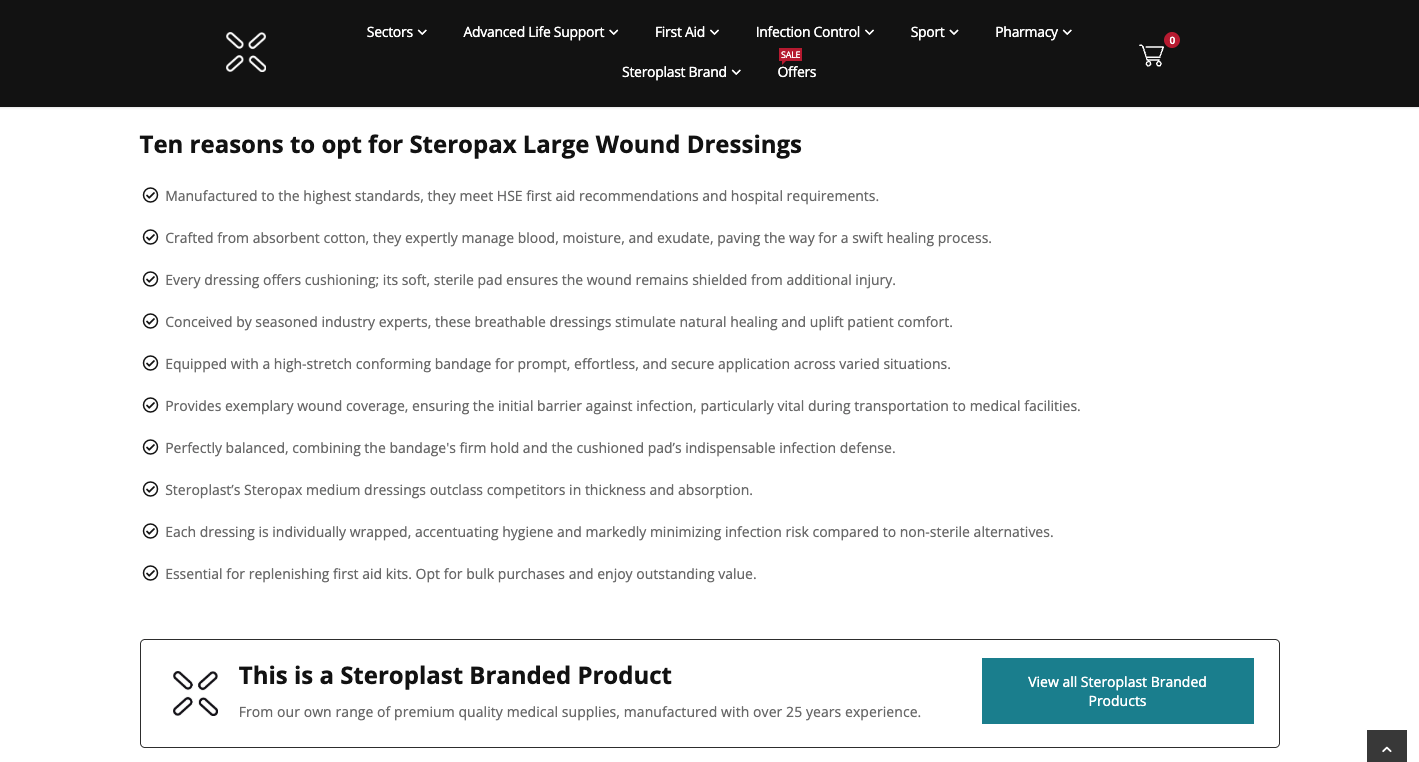
Lets take a look at a well optimised category page:
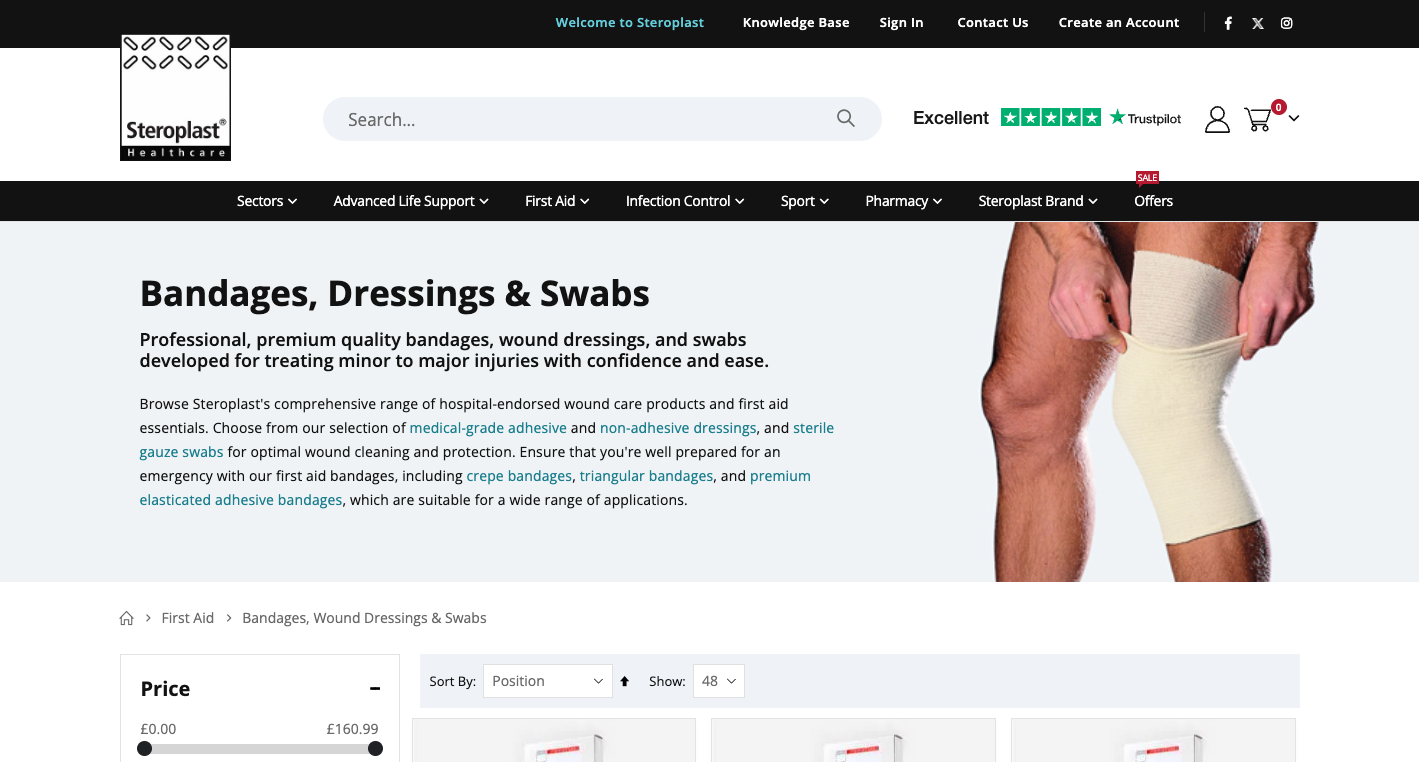
As you can see at the top of the category page they have a heading telling you what the page is all about, which contains a H1 tag. They then have two small paragraphs which include the keywords, with links through to products, showcasing a good internal linking structure.
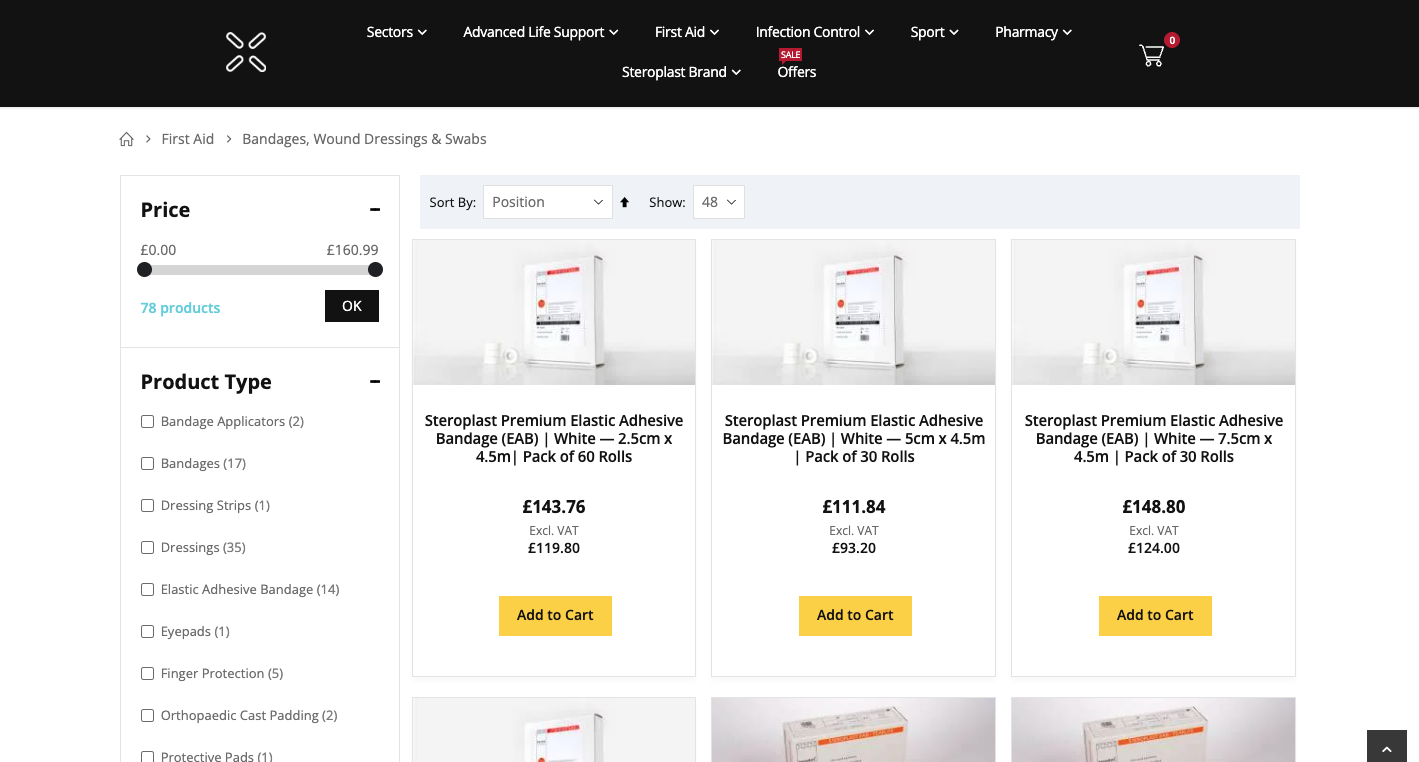
Further down the category page they have all the products listed with a good filter navigation to the left. At the bottom of the product listings they have pagination so you can go to the next page of products and not bloating the category page with too many products.
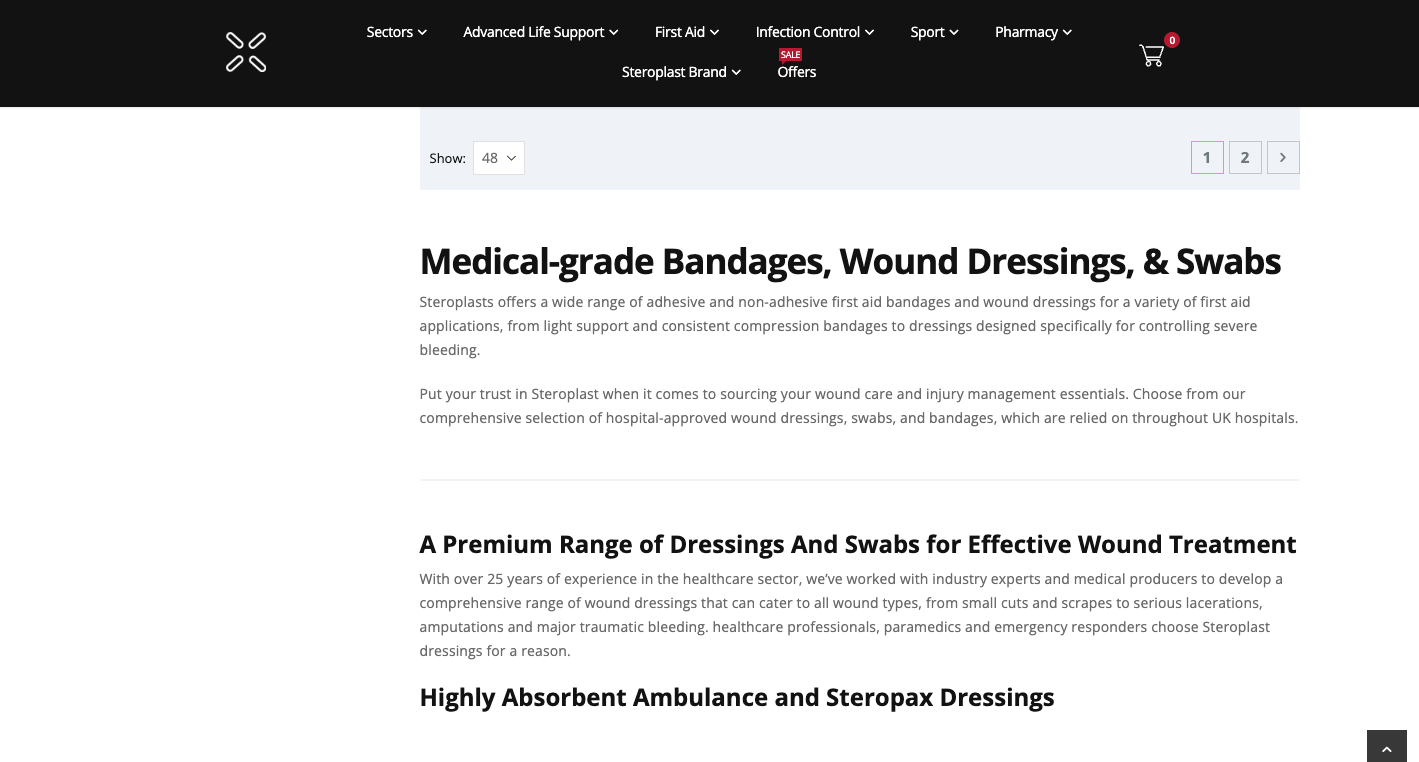
Underneath the product listings, they have more helpful information. Allowing the user to find more details about the range they have in stock.
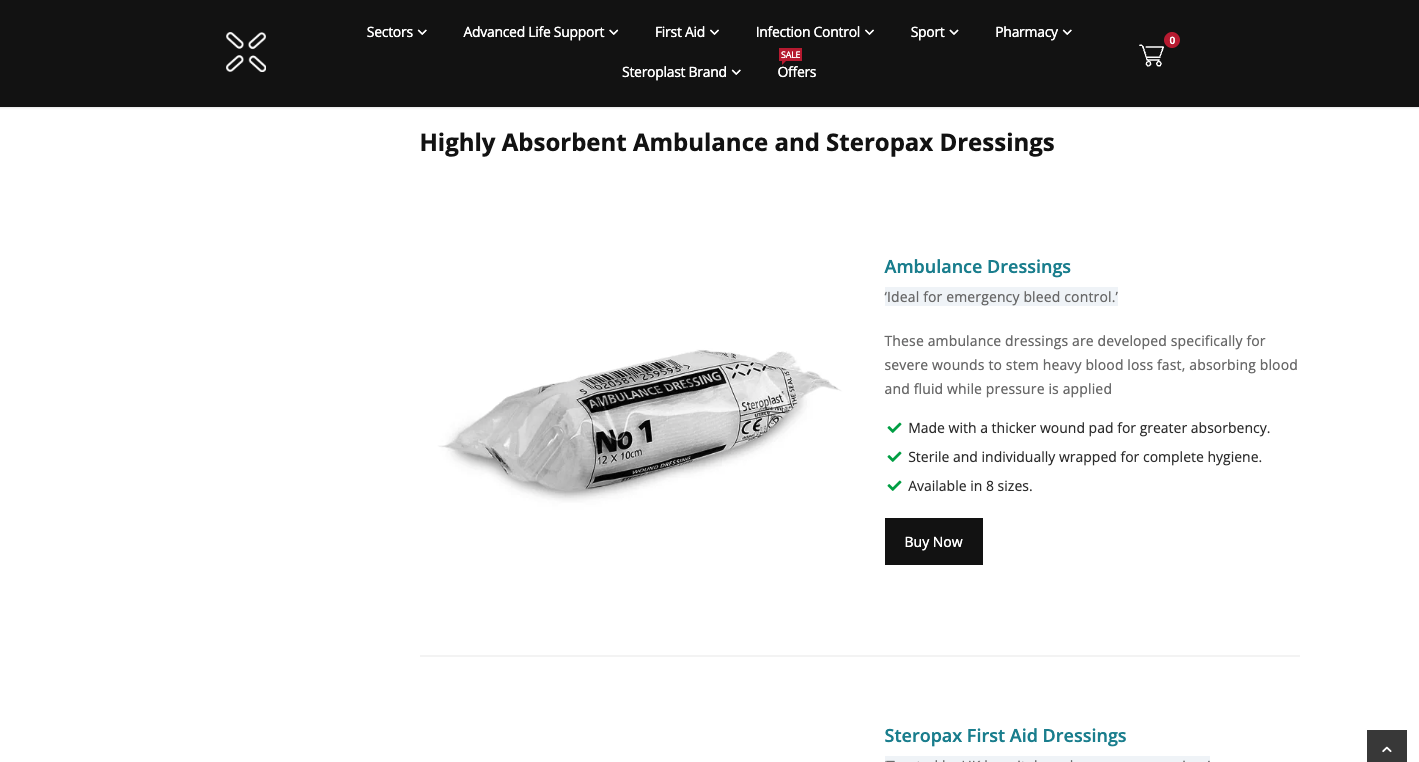
They then have more information about types of bandages and dressings they have and the different use cases.
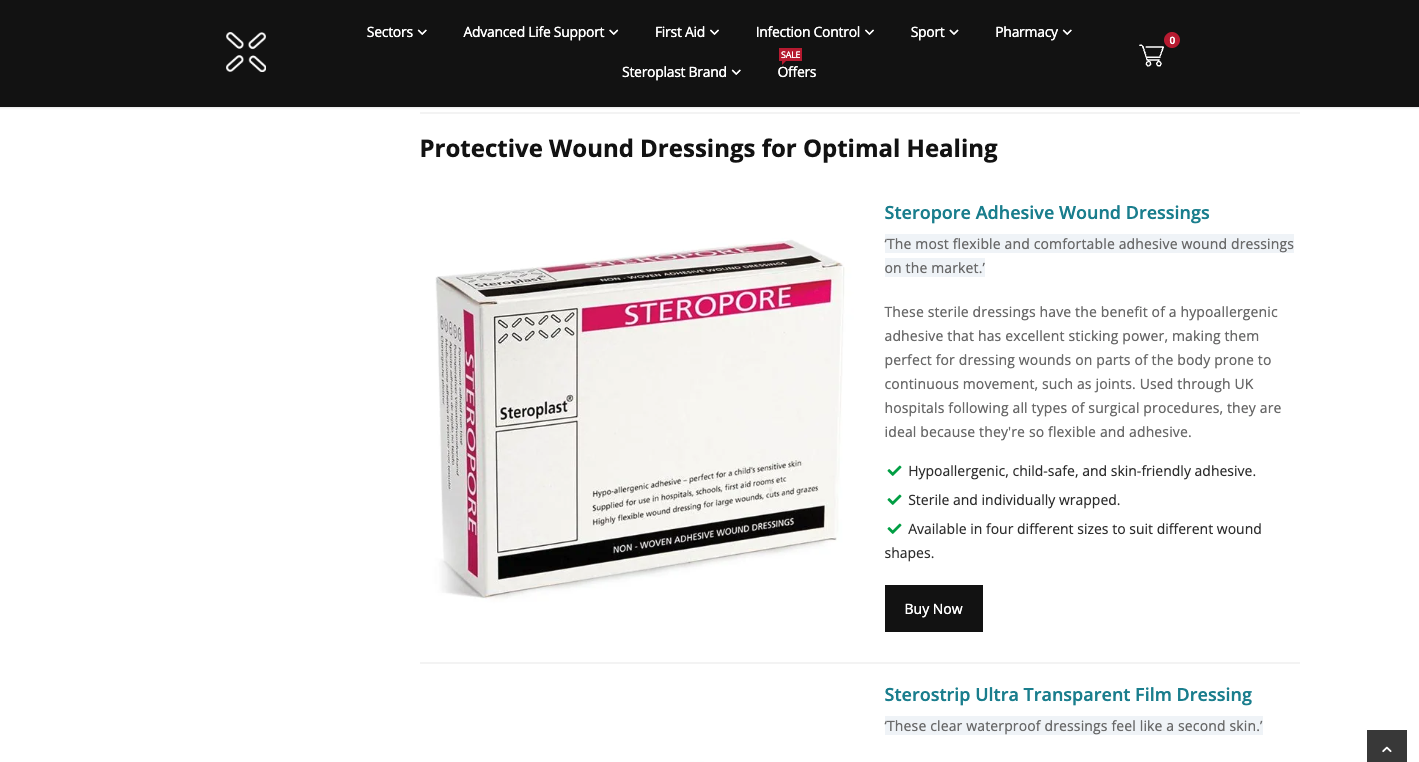
In doing this they are providing the user with lots of helpful information to help them make a decision when purchasing, it also takes away from manual work of replying to customer emails and chats. Providing as much information on the category page as possible.
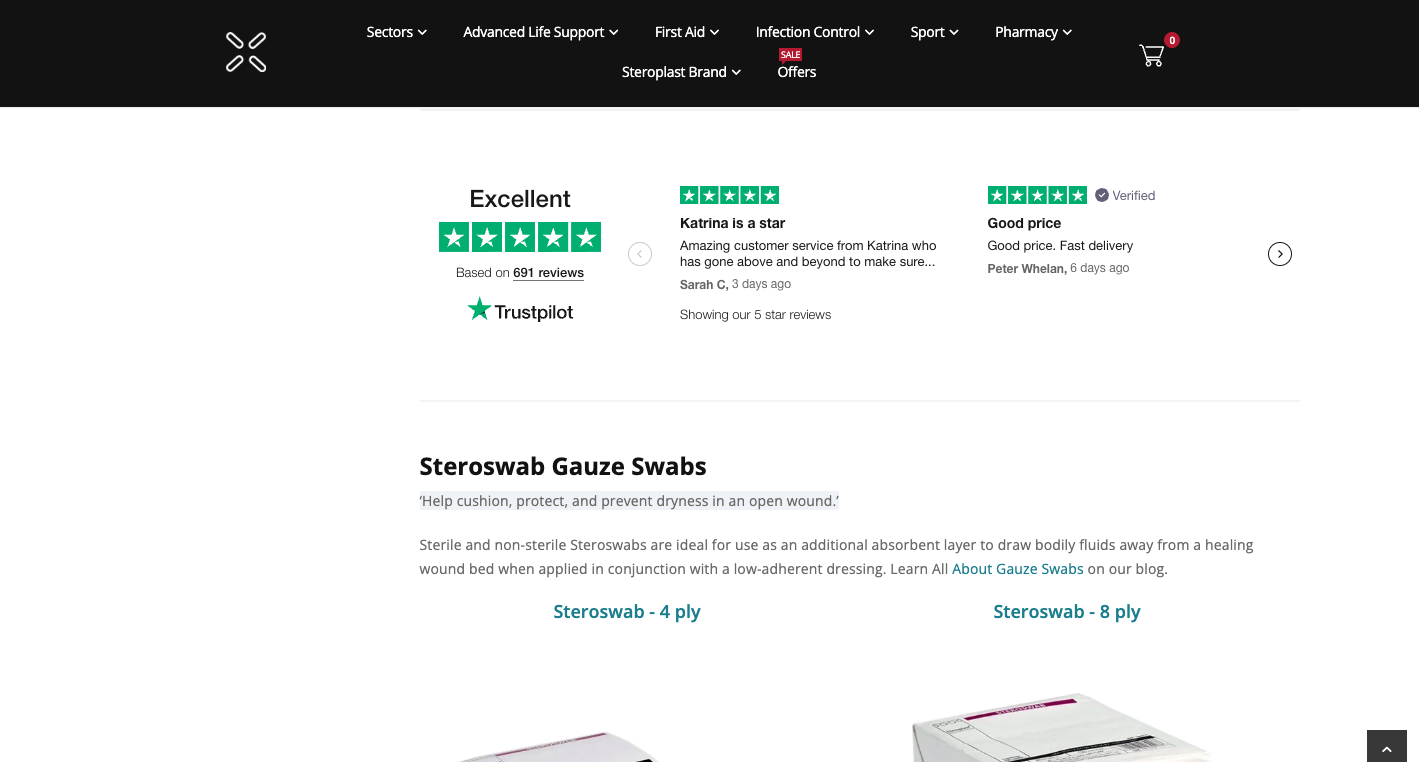
They have then displayed reviews and even more information, with links to relevant products. Again, guiding the user with as much helpful content as they possibly can.
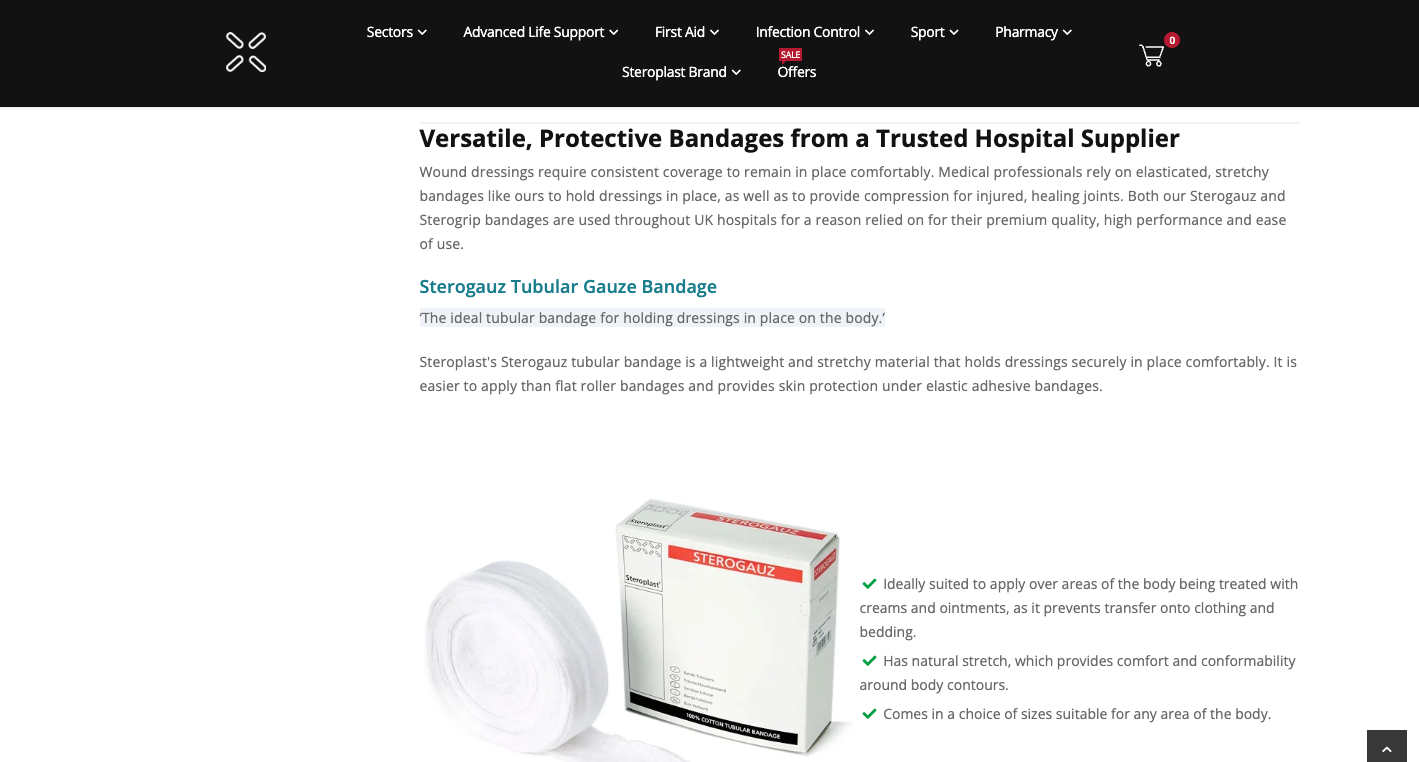
Below this is even more information, and mentions hospital supplier, which helps showcase the authority and the product quality within the given category. Below this they have even more information about the products and again, display more relevant products with links to them.
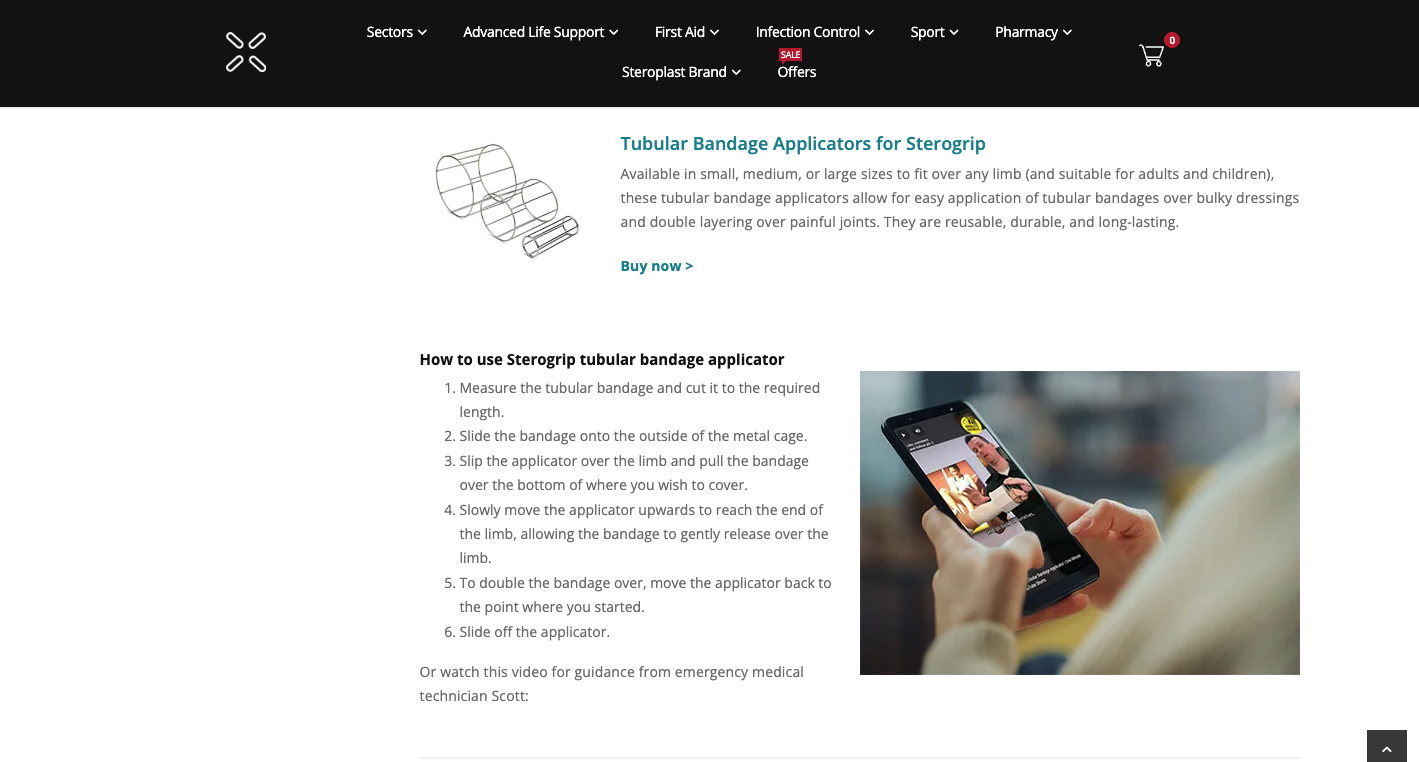
They then showcase more products, with a section on how to use them. Which again, is helping the user even more.
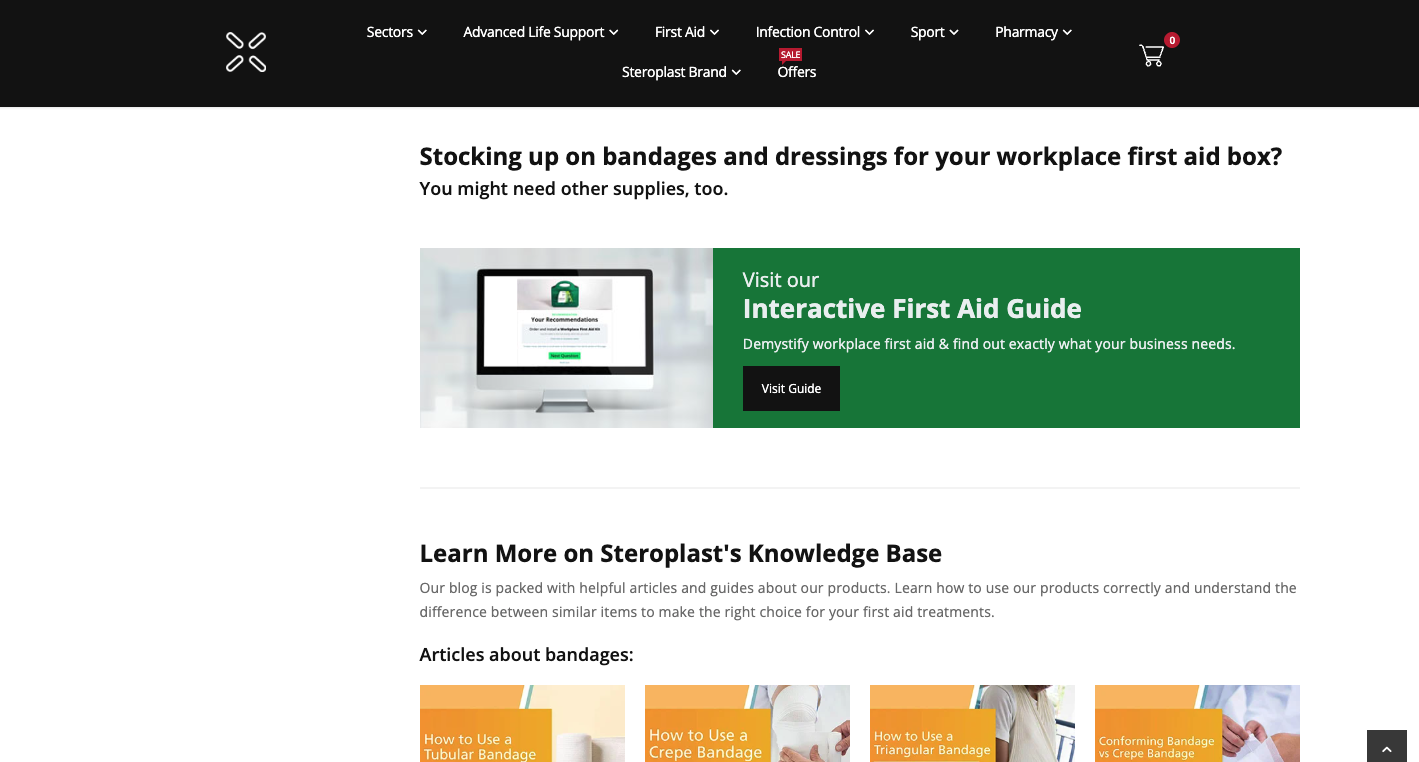
The category page then links to a knowledge base which contains articles about the category products. Giving users the option to discover more information if they want to and providing more value to them.
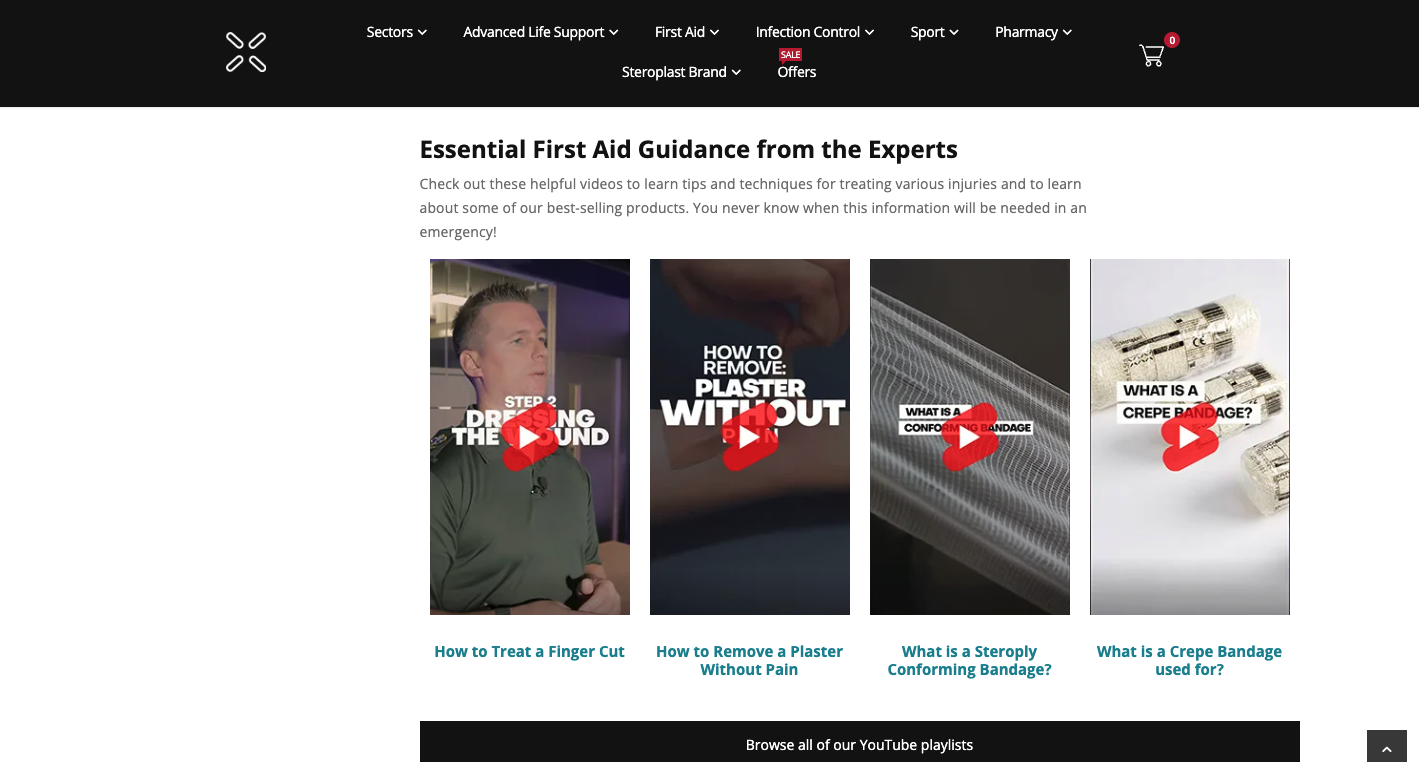
The website also displays relevant videos helping users even further and providing the option to see how the products within the category are used, or, what they are used for.
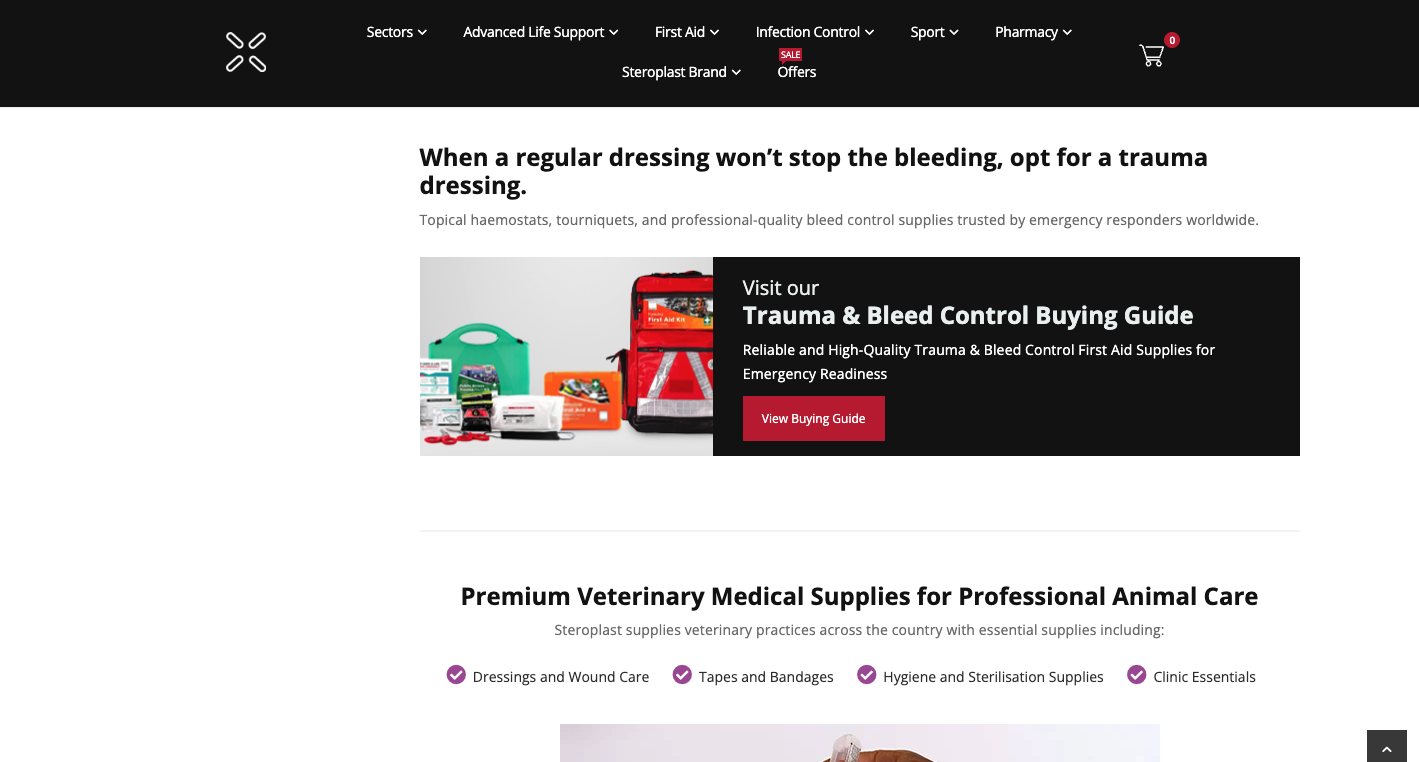
Below that they have links to a buying guide. This is to provide the user with even more information and help when they are choosing the products they want. They then also give another use case and industry which the bandages are suitable for.
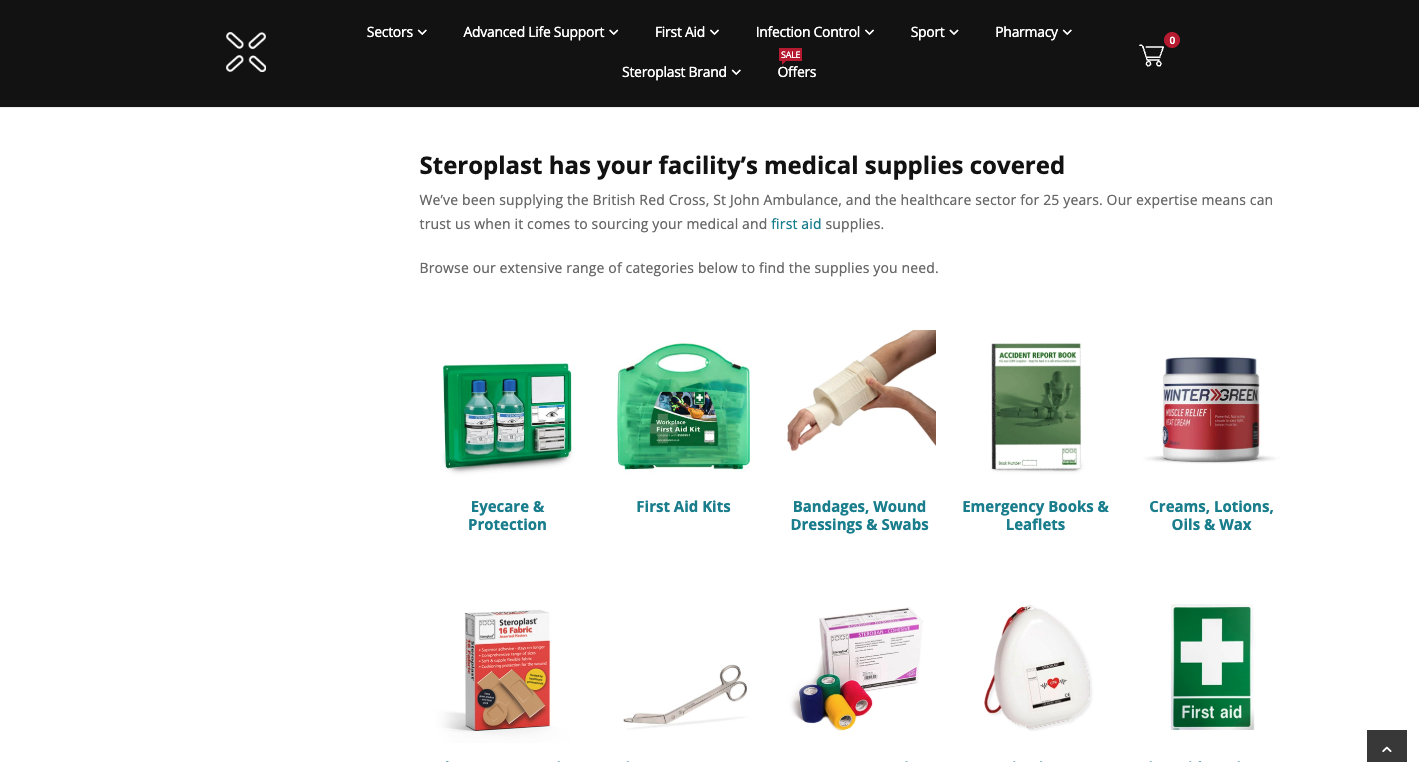
Even further down the category page they have links to other categories in which they stock products. Allowing users to see the other types of products they stock and to continue browsing if they haven’t found the product they need on the current category page.
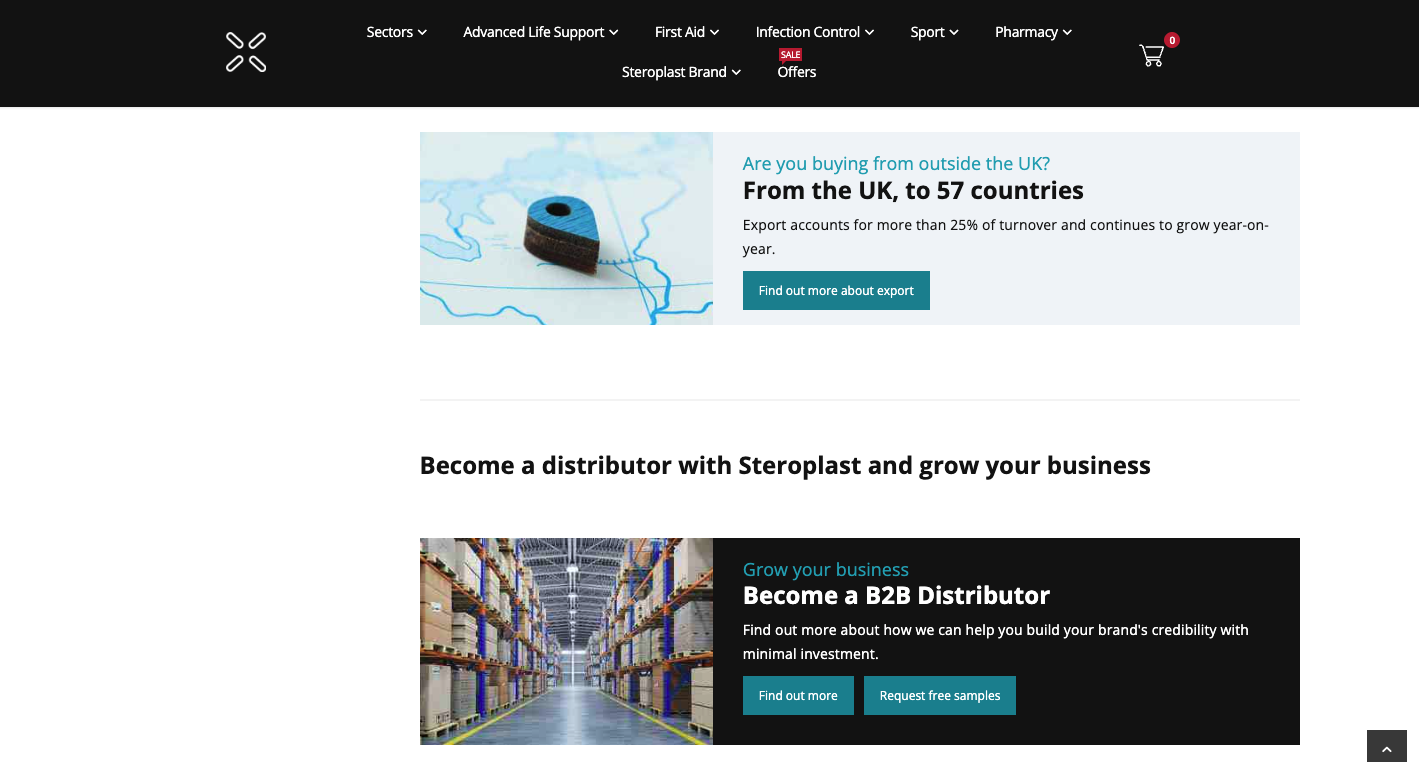
They then have a section which discusses international shipping, in case the user is based in another country and a section about becoming a distributor, guiding the user in even more ways.
This is an example of a page optimised for user experience but also optimised for keywords. It allows users to continue the journey, it allows for users to find products and it allows for users to find out all the information about the products within the category without having to reach out for information.
The content on the category page is well structured, containing headings for each section, it contains internal links and includes valuable information throughout.
The only thing this page lacks is a frequently asked questions section which would allow them to give answers to questions they get asked a lot from the customers and website users. As you can see the category page is well optimised and provides the user with as much helpful content as possible. Which is the backbone of the most recent Google updates.
Now lets compare with a page that is not optimised quite as well so you can see a difference.
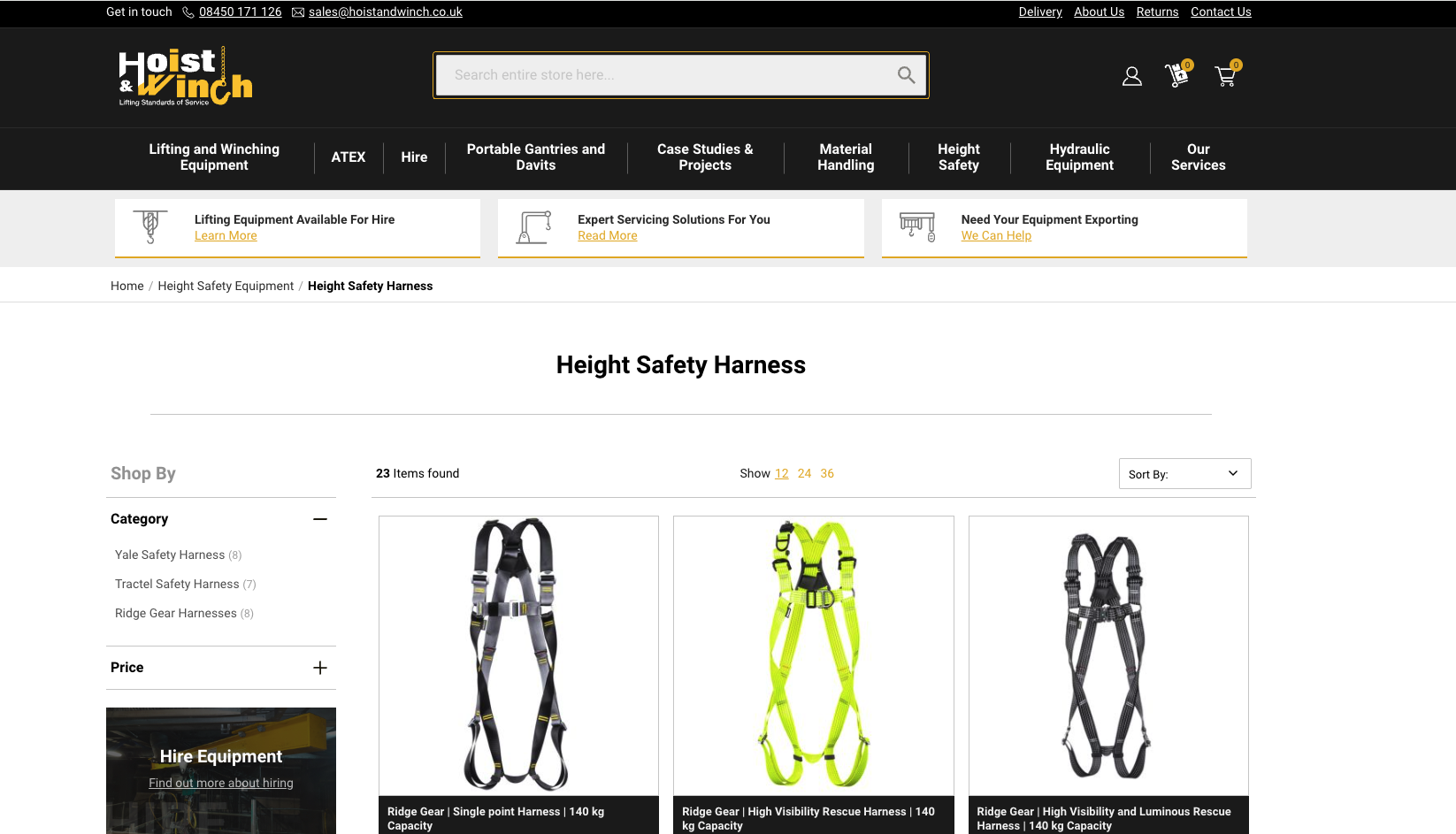
So here you can see they have a heading for ‘Height Safety Harness’ but no introductory paragraph at the top of the page, they get straight into listing all the products.
Then as you scroll down the page they have all the products listed, they have no links to brands, or types of harnesses, they have no content to inform the user of safety or harness sizes, they have optimised this page to just include a shop with all the harnesses.
As you come to the bottom underneath the product listings they have included some more written content.
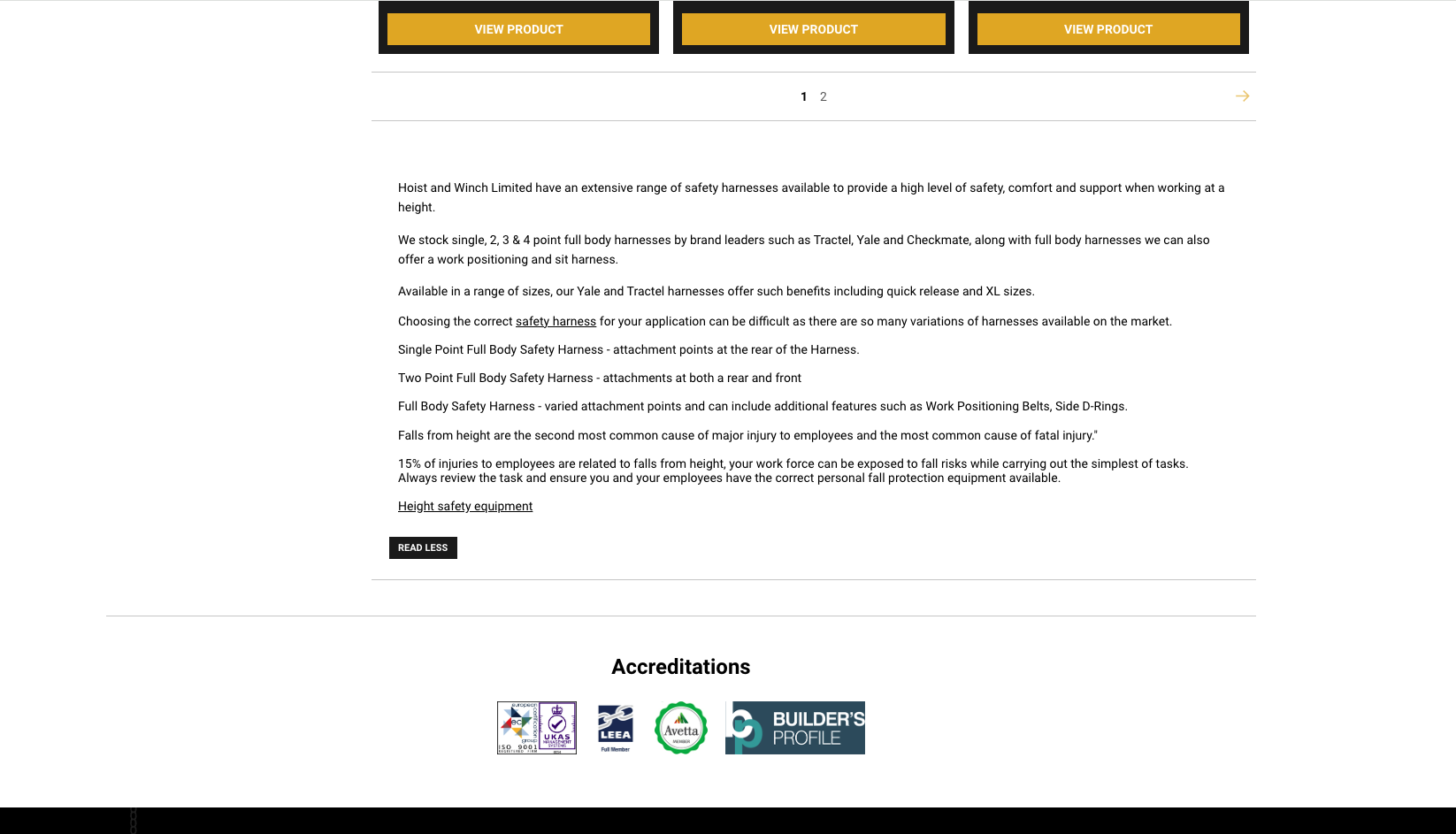
In the content they have included the keyword but they have no headings, no structure to the text, they have not answered common customer questions nor have they given the user valuable information about their ‘height safety harnesses’.
When comparing the two, it is clear to see that one is providing value to the user, whilst the other is not. This is how you should optimise your category pages, by providing value and relevant information to the user whilst also showcasing your products.
Content Refresh Cycles
Updating your content regularly, especially stale product listings and categories will have a number of benefits, such as recrawling and re-indexing from Google and other search engines more frequently, it keeps your information relevant and up-to-date, it ensures consistency with current brand values and it battles content-decay.
Lets take a category page that has declining search traffic and rankings. You have a good backlink profile and a high number of links pointing to the category page, if it is losing rankings, rather than creating a new category or trying to gain rankings for different keywords, refreshing the content could be key.
You won’t lose the links, you can add more value to the page by updating it with relevant content and up-to-date information, such as new common questions, new reviews or new shipping methods.
Content Optimisation Summary
Providing value and relevant information to your users whether on category pages, product pages or landing pages throughout your website is essential and in line with Google’s August core update.
Websites that use keyword stuffing or create content just for SEO purposes will be penalised, if not now, in the future. The shape of organic search has shifted, it is no longer enough to optimise a page just based on keyword research. You have to optimise the page based on creating value to your users.
Of course, using your keywords is essential for ranking and you should do this, but allow it to occur naturally within page content for best results. If you are providing value on a certain topic or product, then there is an opportunity to include your keywords throughout the content organically without having to stuff them into certain places for SEO purposes.
When writing content, readability is also key to keep your users engaged, a good practice for readability is to use an active voice, common words that people understand and to use short paragraphs with clear topics.
The Flesch score was developed by Robert Flesch and later turned into the Flesch-Kincaid score as a formula for the US Navy to grade how easy a piece of text was to understand. You can use this as a guidance to create readable content.
HTML Optimisation Techniques
HTML optimisation is crucial for search engines, search engines don’t necessarily see the content as we do on the front-end, they read the code behind the design. Optimising your HTML is vital for search engines, now this doesn’t mean you need to be a coding expert, you just need to structure your content correctly on your pages.
When creating a page whether on Magento page builder, Wordpress, Shopify or any other website builder you just need to ensure you are including H2 headings, H3 headings and H4 headings. You also need to ensure you are using alt tags on images, using modern image formats and using internal linking to your benefit throughout the content.
Properly structuring your pages and ensuring you are optimising the content with the keywords when possible is best practice you should follow.
Semantic HTML Structure
H1 tag - this should contain your keyword, ensure you only have one H1 tag on your page as having multiple will confuse search engines on what the content is about. This could be similar to your page meta title which we will discuss later in the article. You also need to include subheadings which will be H2, H3 and H4 tags.
There is no limit to how many subheadings you can use, just ensure logical hierarchies when doing so. For example you wouldn’t have a section with a H3 tag and then a H2 underneath then a H4 and then another H2.
You would have the H2 followed by H3 followed by another H3 then split further with a H4 tag to break the content down within the section. When starting a new section on your content you could then use the H2 as the main heading.
For example and a visual explanation, see below:
H1 - Example Category
H2 - Example Category Details
H3 - Example Category Specifications
H4 - Example Category Specifications Explained
H3 - Example Category Delivery
H4 - Example Category Delivery Dates
H4 - Example Category Delivery Costs
H2 - Example Category Reviews
H2 - Example Category FAQ
As you can see from the example above there is a structure to the content and it isn’t just headings all over the place. This is best practice for search engines to understand your content on the page.
Image Optimisation
Image optimisation is vital for page performance, for the understanding of image content, for accessibility purposes and for help when ranking category or product pages. Alt tags were created for helping people who use screen readers or who have visual impairments.
These describe what an image is and they give us an opportunity to further increase our optimisation efforts.
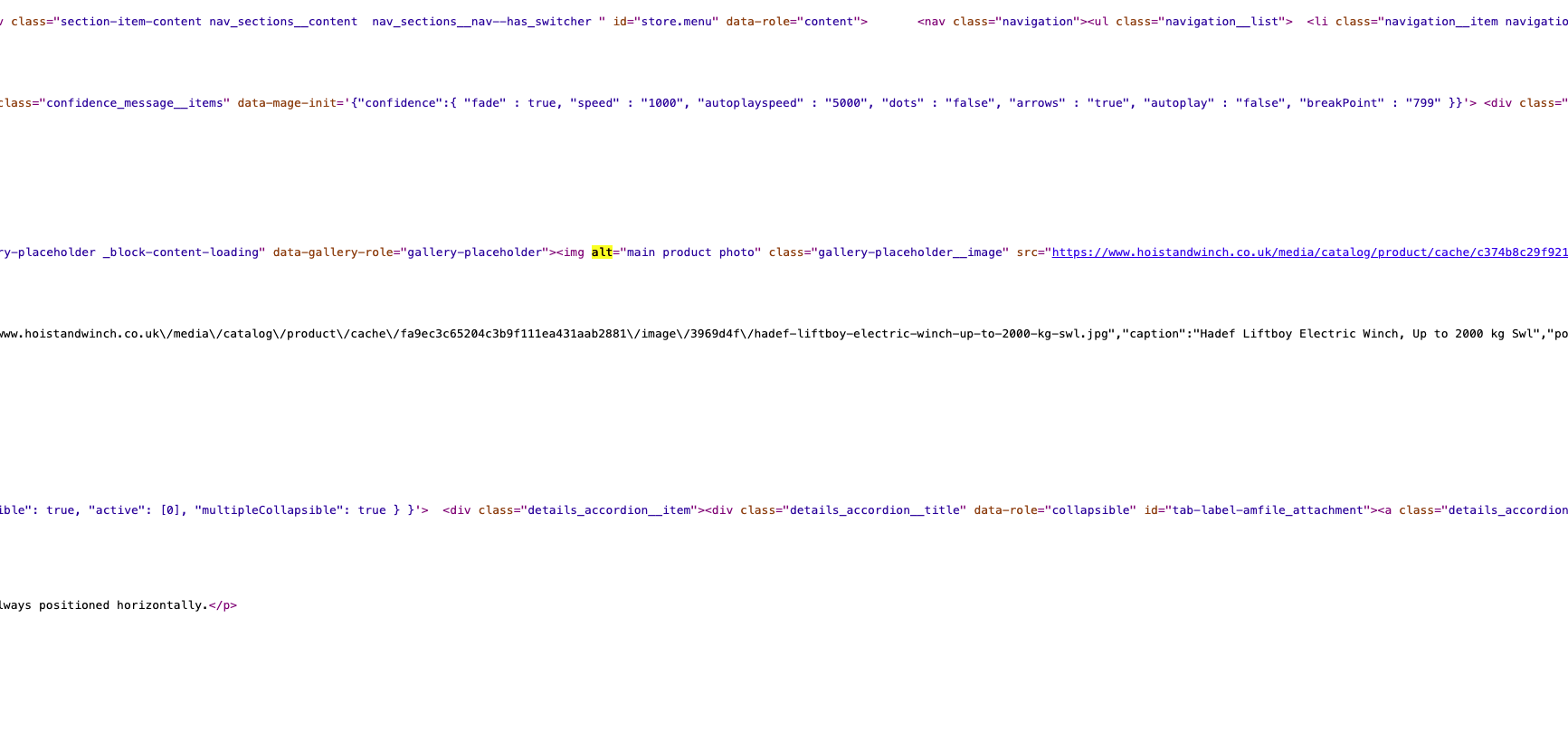
Using descriptive text and including our keywords in alt tags is a good practice as search engines read our alt tags, it can provide us with another way of including our keywords and further optimising a page.
Image compression is another crucial factor in image optimisation. Reducing the file size of our images on the page can ultimately speed up our website and provide a better user experience.
We can also opt for lazy loading images, this method will only load the images currently on the screen, which helps us gain quicker load times by not loading all image assets on a page and just loading them as they appear on screen.
Image formatting is another optimisation technique to ensure the best user experience. JPG and PNG files are old practices for website’s, you need to be using modern image formats such as WebP or AVIF when adding images to your website.
If you have a site with a high number of JPG or PNG images then you can convert them all using server side coding, a module or a plugin depending on what software you are using to develop your site.
Using tools like Page Speed Insights and GT Metrix will allow you to identify images that use the old formats and are slowing down your website.
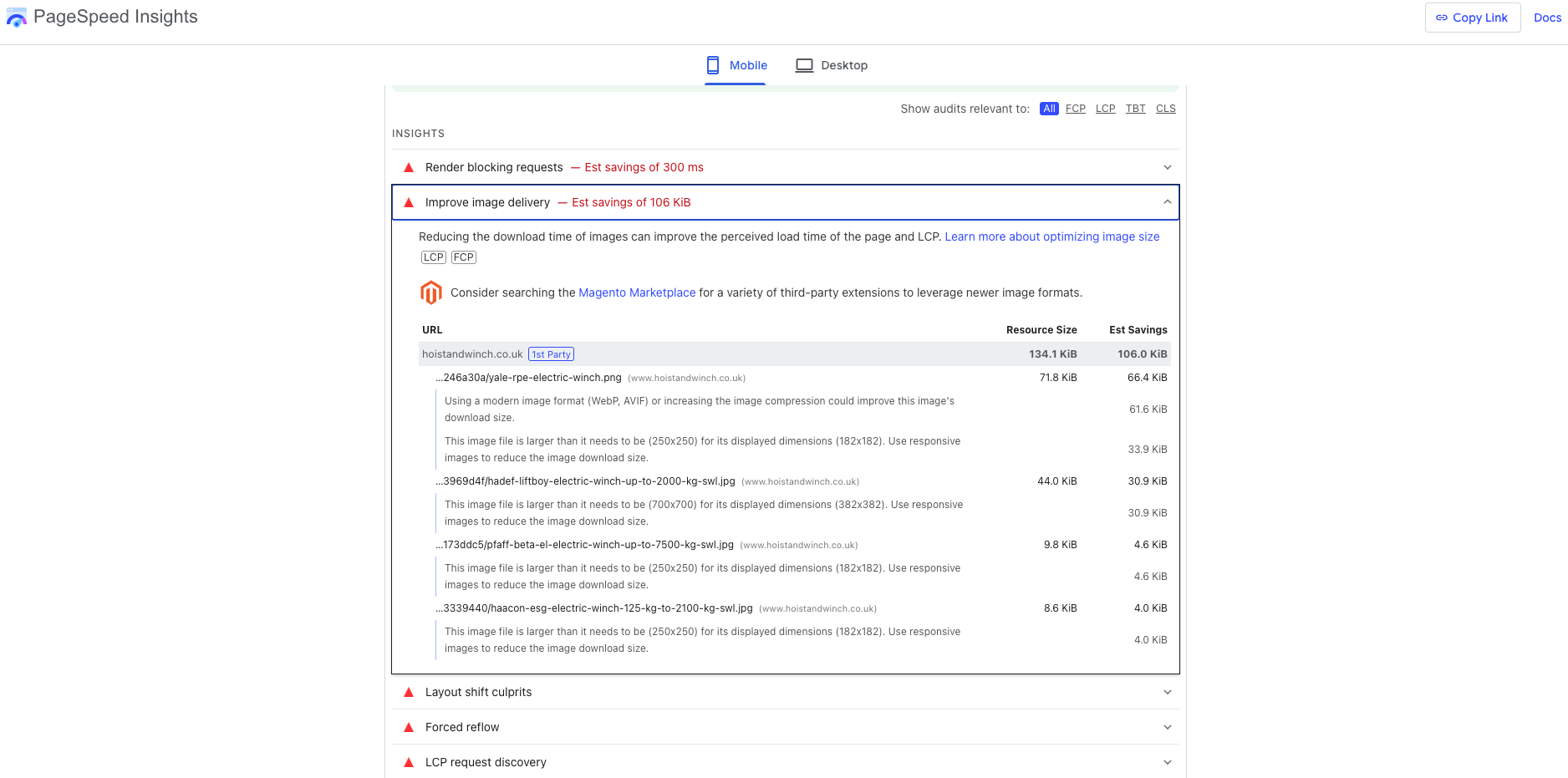
A slow loading website leads to a poor user experience, so image optimisation is crucial when optimising your website content.
Internal Linking
Internal linking is the process of providing links throughout your website to other pages within your website. It gives you an opportunity to send users to other relevant pages and create a good user experience. It also provides you with an opportunity to pass ‘link juice’ from different pages on your site.
Deep linking from a good blog post that gets traffic and readers and provides good value to a relevant product is important because you are not just ending with no follow through, you are giving your readers something else to look at.
Internal linking works with everything, you can link from product pages to category pages, category pages to product pages and so on. Just ensure the links are relevant, random internal links to places that don’t make sense won’t make sense to your users and won’t make sense to search engines, and therefore damage your SEO efforts.
When doing internal links you can use keyword rich anchor text, this practice is not recommended with external links inbound or outbound which we will cover in our article Off Page SEO For Adobe Commerce, but internal links with keyword rich anchor text helps.
HTML Optimisation Summary
Remember when optimising your HTML, ensure you follow these best practices for good on-page SEO. Use a good structure with headings and subheadings, optimise your image alt tags, file size and file type for lighting fast load times and a better user experience and use keyword rich internal linking to pass authority from page to page and to keep your users engaged with your site content.
Metadata Best Practices
Metadata is data that gives context or information about other data, it is important for search engines because it tells search engines and users alike what your content is about. For on-page SEO it provides us with another opportunity to include our keywords and optimise our pages further.
Title Tags
A title tag is the page title, sometimes shown on a page, it is a tag within the HTML that includes the name of the page. It is also displayed at the top of the website in the tabs section on desktops.

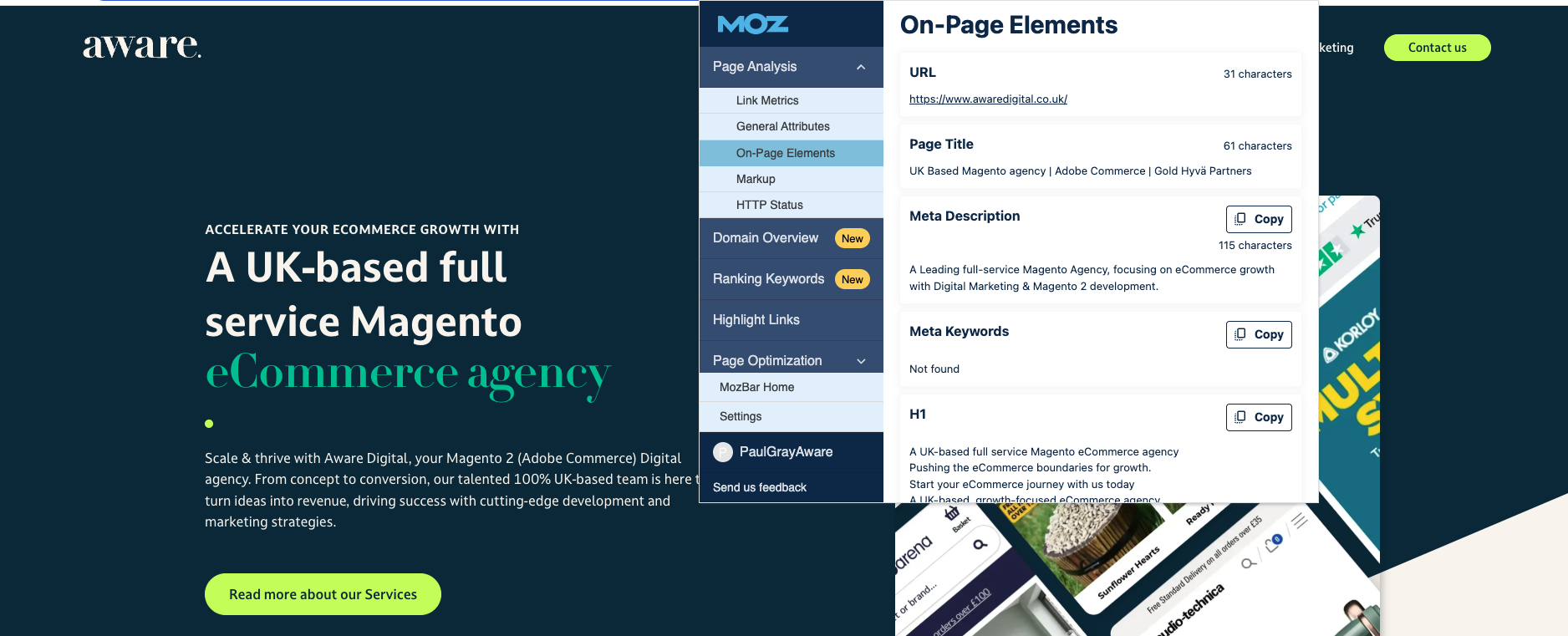
You can hover over the tab at the top of your desktop to see this, or you can look in the website code by viewing the page source. You can also use a toolbar extension like Moz to see this information as shown in the screenshot above.
The title is shown in search results plus it is what search engines read to determine what a page is all about. When writing your page title tag you need to aim for a minimum of 30 characters and a maximum of 60 characters. Any more will be cut off in the SERP.
Optimising your page title with your keyword and what your page is all about is best practice to ensure you are optimising this metadata effectively.
Meta Descriptions
A meta description is a small description of your page content. It is also shown in the search results, it is what users on Google will read. You need to make it informative and explain the content of the page.
A meta description is a big decider of whether people will click on your listing and it can play a vital role in increasing or decreasing your click through rate.
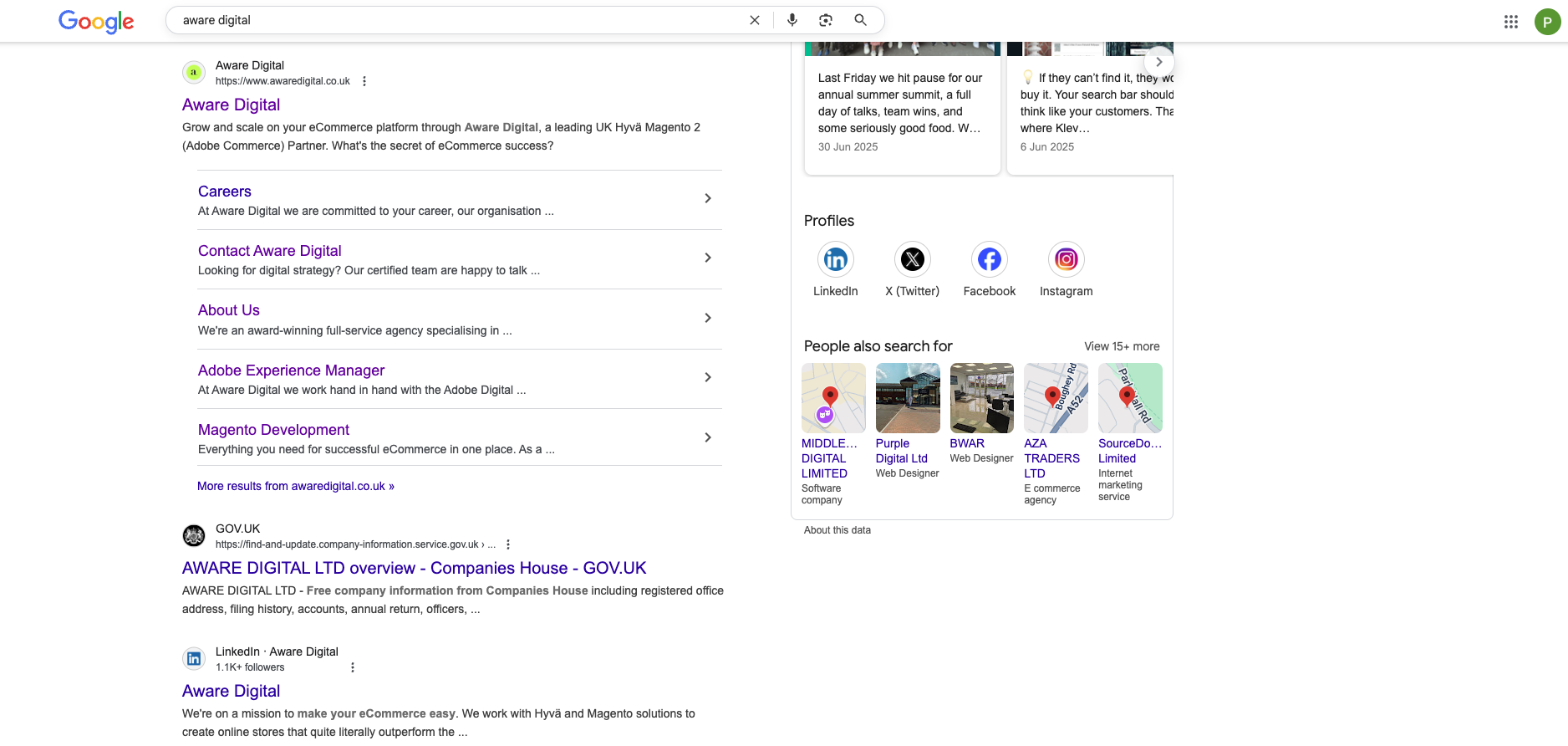
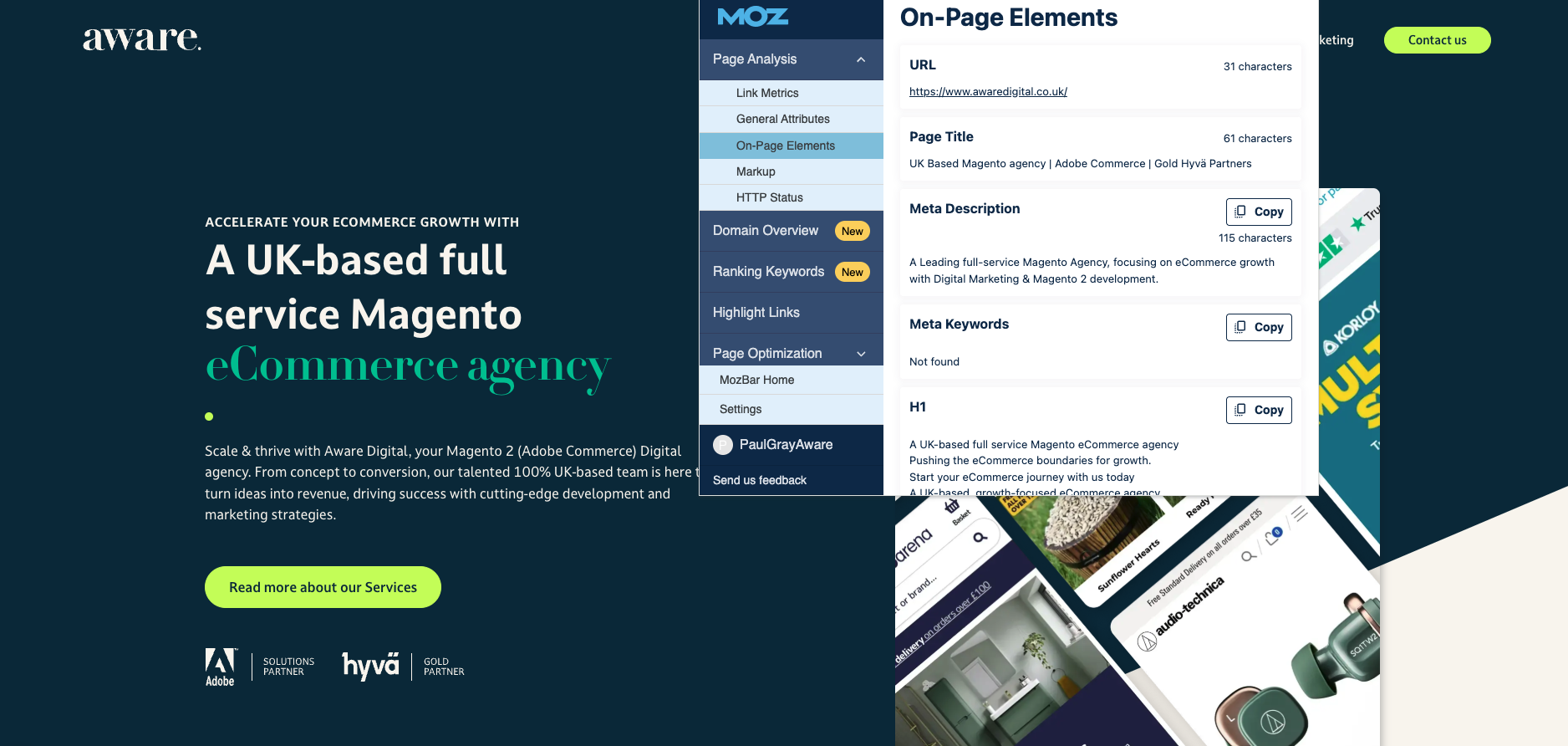
The meta description also shows up in the website HTML and is a factor that search engines will look at when deciding the relevance between your page and the user's search.
When writing a meta description you should include your primary and secondary keywords when possible, you should also aim for a minimum of 120 characters and a maximum of 158 characters.
URL Structure
The URL structure is the path in the URL. Optimising your URL to include your keyword is good practice in optimising the page meta data. You can use your title or the H1 you have specified in the URL.
Avoid using underscores and use dashes (-) to separate words. There isn’t necessarily a strict rule for how long your URL should be, you should try not to exceed 115 characters to ensure it isn’t flagged on tools like Screaming Frog.
Make sure when creating your URL you keep it readable, clean and keyword friendly as this will positively impact your on-page SEO.

Metadata Optimisation Summary
To summarise, meta data is important and a crucial part of your on-page optimisation. It is shown in search results, it is present in the code and it can lead to improved click through rates.
It is a way search engines can quickly identify what your page is all about, make sure you follow similar principles as the other optimisation factors mentioned, don’t stuff keywords into your meta data, it needs to be natural and guide users and search engines to the correct information.
User-Generated Content for SEO
User generated content is helpful for SEO and, as mentioned in the content optimisation section it can be a useful tool to help provide more value to your website users. User generated content can answer common queries, display real reviews and it can benefit your on-page SEO efforts in a great way.
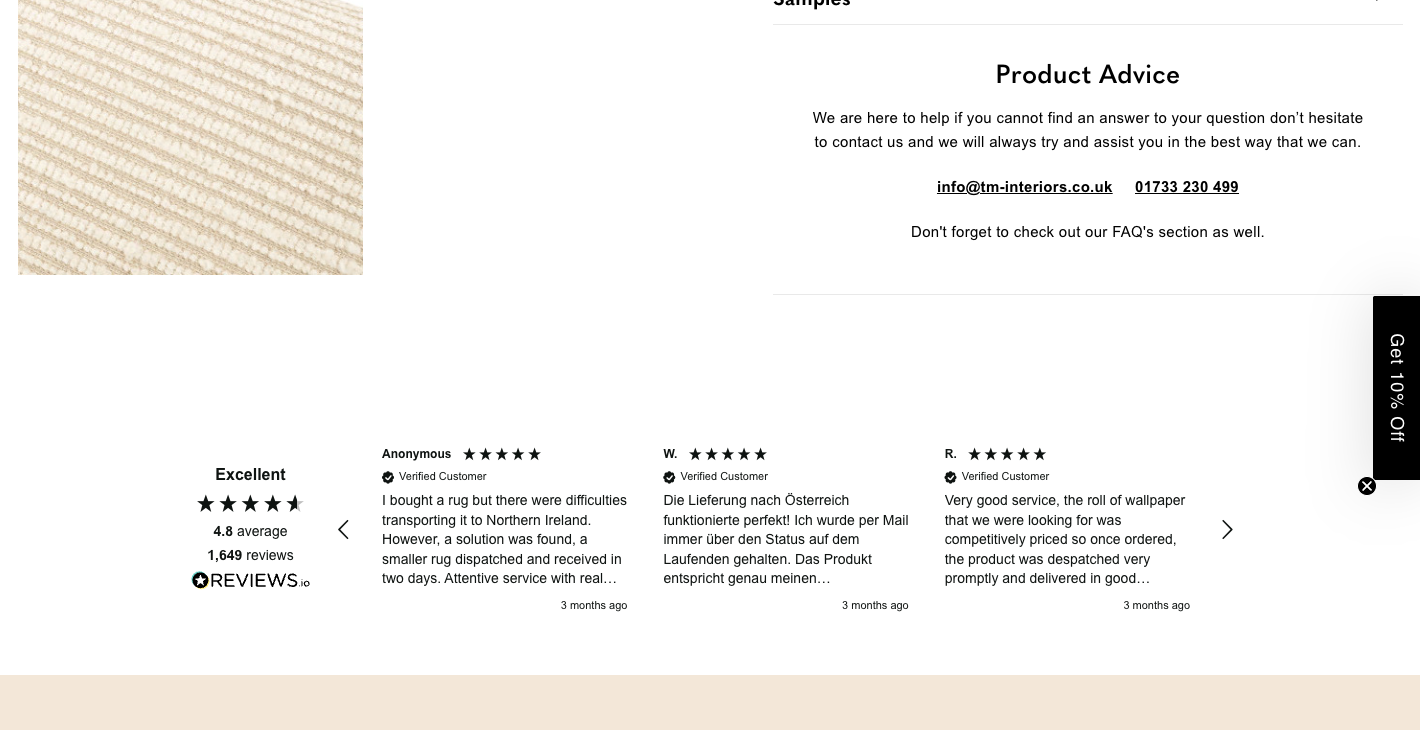
Customer Reviews and Ratings
Customer reviews on your product, landing and category pages can enhance your chances of ranking for customer centric language. They can enhance your long-tail keyword reach and help your pages become more visible for keywords you may not have been targeting beforehand.
In some cases, customers, depending on their location can use different terms for the same products.
Take for example a ‘remote control’, people in the North call this a ‘Doofer’ and in the South they call it a ‘Clicker’ but it remains the same product. So if your optimisations are focused on the actual phrase ‘remote control’ , allowing users to post reviews enhances your chances of being found for common local dialects.
Reviews also symbolise trust, which is a ranking factor in Google E-E-A-T update. Reviews also ensure your page content is being updated regularly and not becoming stale, fresh reviews going on the page often helps with your content refresh cycle.
Questions & Answers
Answering common questions is beneficial for a number of reasons, and we covered most of these in the content optimisation section. They allow you to include structured data markup on your page, qualifying for Google Rich Results.
Q&As also help provide the user with valuable information, which is part of Google's August update. Addressing common queries also takes away the need of manual work, from answering emails and chats with questions, users can find the answers they are looking for on the pages.
Below is an example of a Google Rich Result based on websites using schema markup on their page answering common queries:
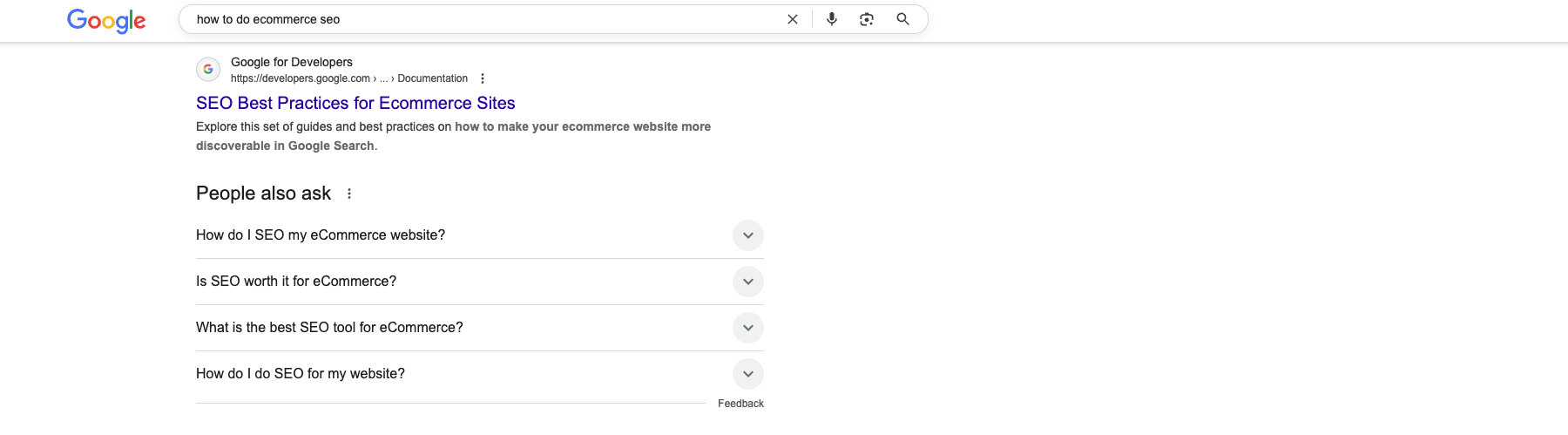
As you can see the section for ‘people also ask’ is displayed above 90% of the organic search rankings. Optimising for common questions with structured data is vital to increasing your website visibility.
Conversion-Focused Product Pages
Focusing on optimising your product pages for conversions is vital to on-page SEO. If your product page returns low engagement rates, this is a factor Google will consider when deciding on your ranking position in the search results.
If your engagement rate and conversion rate is low, they will push a website with higher ones up above you. The goal of Google is to provide users with what they are looking for, so if your engagement rates are poor it will signal to Google that users are finding your page but not engaging with it, therefore it must be less relevant.
Page Speed and Mobile Optimisation
Having lighting fast load times is essential to improving engagement and conversion rates. If your website takes long to load, users aren't going to wait and this will negatively impact your SEO. I mentioned earlier in the article that you can use tools like GT Metrix and Page Speed Insights to get an overview of how quickly your different pages load up and get improvements on how to make them quicker.
Performing these tasks is vital to your website's performance, especially organic performance. Following best practices like using images in WebP or AVIF instead of JPG, using compressed images with the lowest file size, using responsive images, combining your CSS and JS files when possible, eliminating unnecessary fonts, libraries and plugins/modules.
These are just some of the things you can do, however when testing your website on Page Speed Insights it will give you a list of improvements you can make.
Trust Signals
Trust signals can help increase the conversion rate on your product pages and will help increase the credibility of your website within the eyes of the website users. Trust signals are things like security badge, shipping and return policies, reviews and having a secure website.
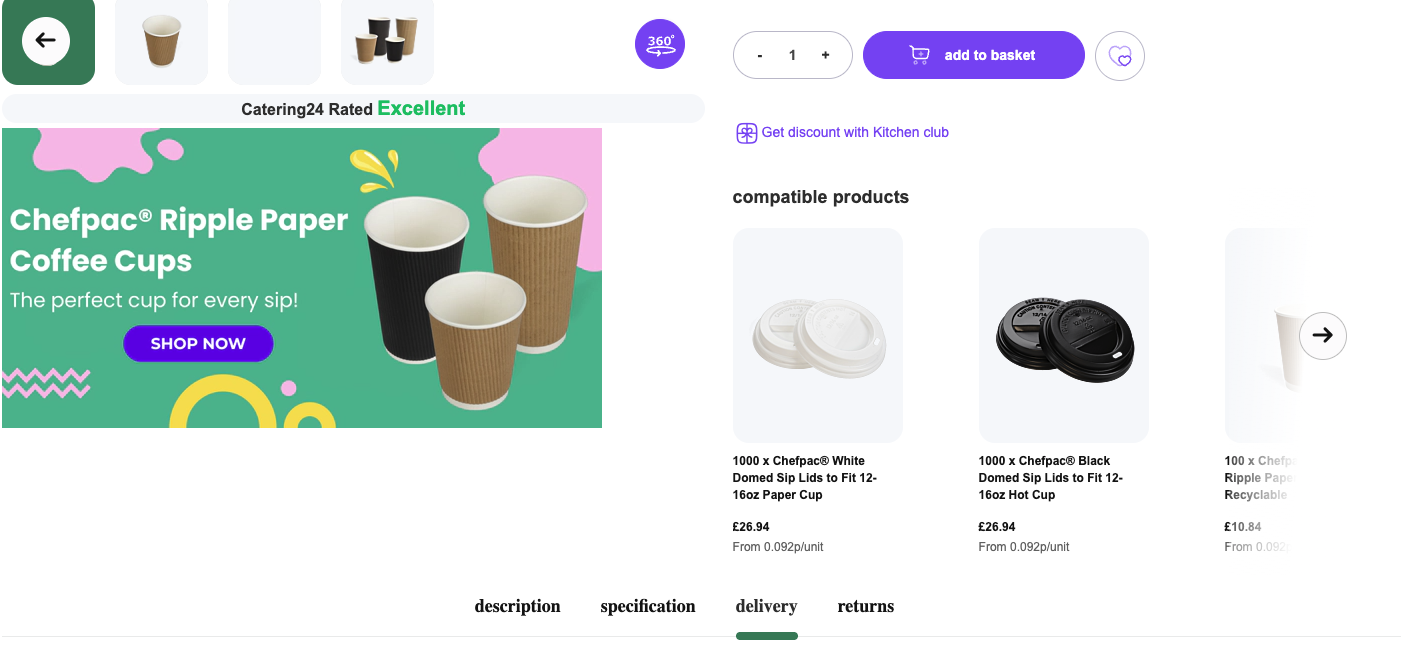
Trust signals will help increase your conversion rates and will ultimately show people they can trust your website and purchase the products they need from you. With so many SCAM websites around these are important to establishing your credibility.
Clear Call-to-Actions
Giving your users clear guidance on where they should navigate to complete an order or complete a specific conversion will ultimately increase the number of conversions you receive.
Optimising to ensure it is clear to your website users is important when creating page designs.
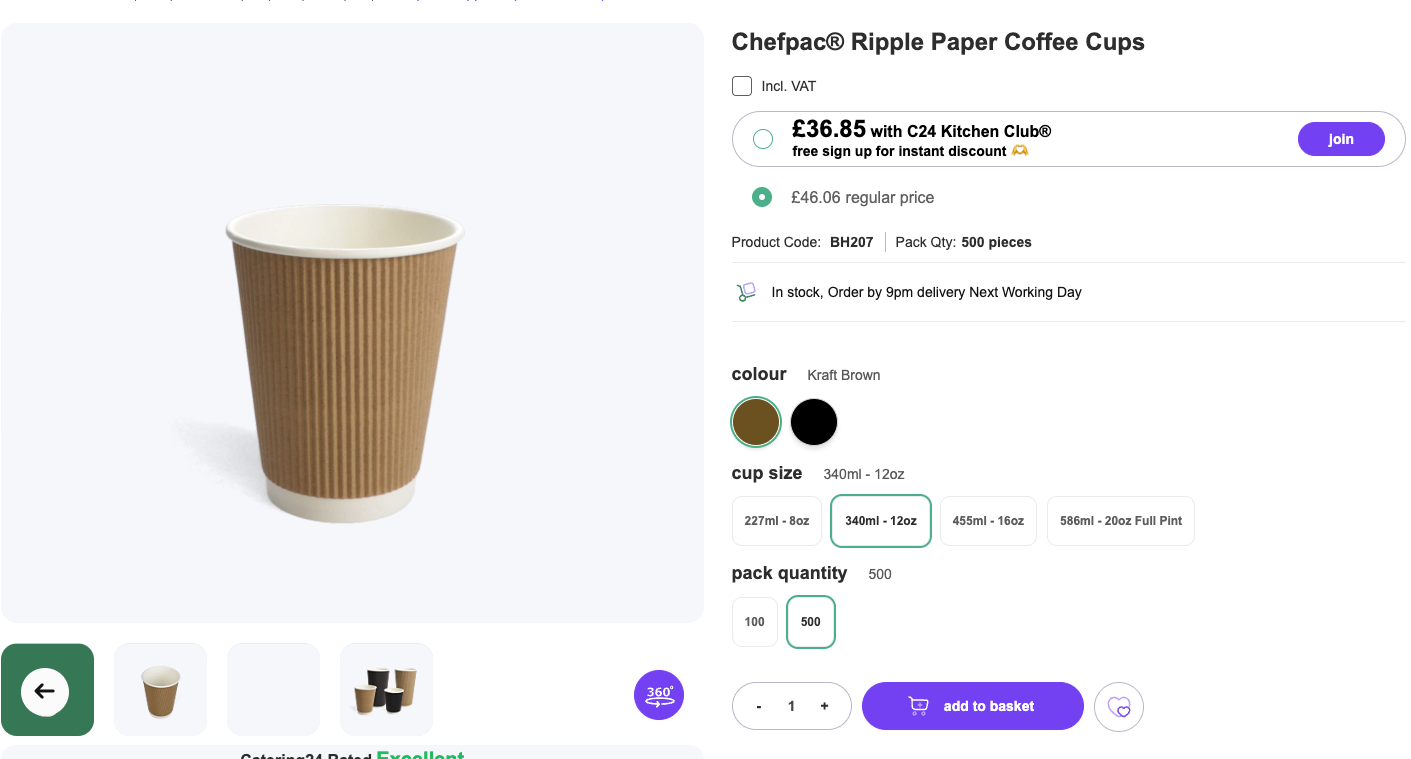
Having clear and visible ‘add to cart’ buttons that stand out on the page, or like the example above, using a clear button to join a subscription or discount club is a call to action. Your goal is to make it visible and easy to find so users can continue their journey on your website.
Common On-Page SEO Mistakes in Adobe Commerce
Adobe Commerce is brilliant for building state of the art websites for scalability, solving complex issues that would be next to impossible to achieve on a standard Wordpress or Shopify store. But with great capabilities comes great difficulties at times for SEO on Adobe Commerce stores.
-
Duplicate content issues, you can read more about technical issues on our blog.
-
Add canonical tags
-
Create SEO friendly URLs
-
Leverage robots.txt file
-
Overlooking on-page optimisation, which is discussed in this article.
-
Ignoring site hierarchy and internal linking.
-
Leverage breadcrumb navigation
-
Use descriptive product and category URLs
-
Use minimal sub categories if possible
-
Utilise HTML sitemaps
-
Failing to optimise product content, which we discuss in this article.
-
Neglecting mobile optimisation
-
Ensure your Magento theme is fully responsive
-
Optimise images, CSS and Javascript
-
Test and improve mobile usability signals
-
Faceted navigation hurdles. Whilst precise product filtering can be a good thing for consumers, it can also spawn numerous URLs, leading to duplicate content issues, it can waste crawl budgets and also dilute link equity.
-
Use canonical tags
-
Use robots.txt effectively
-
No-index rules
Now you know some of the most common on-page SEO issues in Adobe Commerce you can be aware of the problems that may arise when building your stores. Remember, we cover all of these issues in our other blog posts so have a look through our website to find the answers you are looking for.
Summary
To summarise everything that we have discussed in this article, when building your website, remember to do it with on-page SEO in mind, here are some reminders:
-
Write unique, detailed and helpful product descriptions and category pages using customer-centric language.
-
Avoid thin or duplicated content on your pages.
-
Regularly update stale listings, using reviews is a good way to do this.
-
Avoid keyword stuffing, write with the user in mind, short paragraphs with clear topics.
-
Structure content with H1, H2s, H3s and H4s to improve crawability, ensuring logical hierarchies.
-
Use descriptive alt tags on your images.
-
Serve images in WebP or AVIF file formats, compressing images and using lazy loading when possible.
-
Deep link to pages with keyword rich anchor text.
-
Optimise page title tags and meta descriptions, including keywords when possible.
-
Keep your URLs clean and readable, avoiding dynamic parameters when you can.
-
Add reviews to product pages to enhance long-tail keyword reach, for your trust signals and to keep your pages fresh.
-
Add user generated content such as frequently asked questions to address customer queries.
-
Structure content with schema for Google Rich Results.
-
Ensure you are checking page speed and optimising for good load times.
-
Display shipping information, returns and security badges to enhance trust signals.
-
Have clear call to actions to keep your website users on their journeys.
With all this being said, this is just your on page optimisation, you have other areas to consider when optimising your website for search engines. Technical SEO, off-page SEO and accessibility are just some of the other things to consider besides your on-page optimisations.
For more information you can read our other articles on our website blog or you can download our full PDF guide: SEO Strategies for Adobe Commerce: Beyond the Basics.
Optimise every page with on-page SEO for Adobe Commerce
On-page SEO is critical for visibility and conversions. We guide Adobe Commerce stores in optimising product pages, landing pages, and content for search engines and users alike.
Contact us today to improve your on-page SEO and start ranking higher in Google search results.