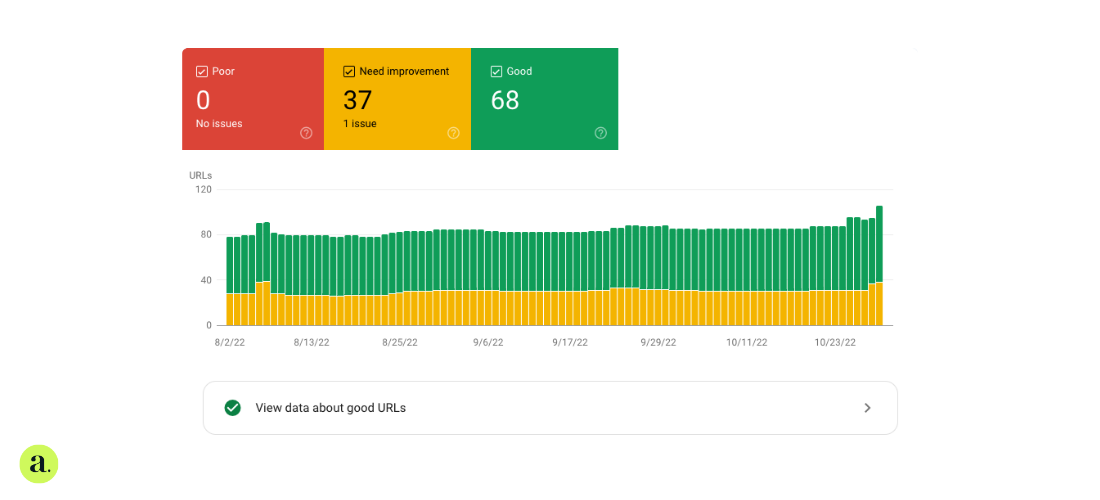
What are Core Web Vitals?
Core Web Vitals are Google's way of measuring whether your site delivers a decent user experience. They focus on three things: how fast your content loads, how quickly the site reacts when someone clicks, and whether the layout stays put while everything loads.
In plain terms, they show whether your site feels smooth or clunky.
The key metrics:
Largest Contentful Paint (LCP)
This tracks how long it takes the main chunk of content to load. Think hero images or big headlines. Anything over 2.5 seconds is too slow.
Interaction to Next Paint (INP)
This is replacing First Input Delay. It measures how fast your site responds when someone interacts with it. Under 200 milliseconds is ideal.
Cumulative Layout Shift (CLS)
This looks at how much stuff moves around on the page while it’s loading. A good score is under 0.1. If elements jump about, users get annoyed and leave.
Why Core Web Vitals matter for SEO
Google uses these scores as part of its ranking algorithm. If your site is laggy or unstable, it can hurt your position in search results. But it’s not just about SEO. A faster site means people stay longer, convert more, and bounce less.
How to measure Core Web Vitals
Use the right tools to keep an eye on your scores and spot what needs fixing.
PageSpeed Insights
Gives you a breakdown of your vitals and practical improvement tips.
Web Vitals Chrome extension
Let's you monitor LCP, INP, and CLS live as you browse.
GTMetrix
Combines Lighthouse data with extra insights in a full performance report.
Chrome DevTools and CrUX Report
For developers who want to dig deeper into technical details.
Improving each metric
LCP: make sure content loads fast
-
Compress and lazy-load images. Use modern formats like WebP.
-
Use a CDN to serve content from locations closer to your users.
-
Set image and ad dimensions in advance so nothing shifts while loading.
-
Prioritise the most important content with fetchpriority.
INP: make your site respond instantly
- Reduce third-party scripts that block the main thread.
- Defer or minimise non-critical JavaScript.
- Cut down on HTTP requests.
- Use Lighthouse audits to spot performance bottlenecks.
CLS: keep layouts stable
- Set fixed widths and heights for images and videos.
- Reserve space for ads with CSS containers.
- Load fonts properly to avoid visual jumping.
- Avoid clutter from third-party widgets that disrupt the layout flow.
Why user experience matters
People expect speed. If your site feels sluggish or unstable, they’ll leave. Get Core Web Vitals right and you’ll improve retention, reduce bounce, and increase conversions.
How UX and SEO work together
Google rewards fast and user-friendly sites with better rankings. But more than that, performance boosts conversion. Even small improvements in loading time can make a visible difference to your bottom line.
Stay ahead of algorithm updates
Google keeps shifting the goalposts. Sites that are tested, optimised and fast will adapt. Those who ignore Core Web Vitals risk dropping off the map.
Give users what they expect
Today’s users expect instant loading and seamless interaction. Keeping your Core Web Vitals in check is not optional. It’s essential if you want to keep your audience and stay competitive in search.