
Skip To A Section
SEO Extensions and Tools for Adobe Commerce
Organic Search is still a crucial channel for eCommerce stores, it helps to connect you with your audience when they are researching or looking to buy certain products. If your website isn’t optimised you are likely missing out on valuable traffic and sales opportunities.
Adobe Commerce already includes a strong foundation for SEO, offering many built-in features like customisable URLs, metadata fields, XML sitemaps and canonical tags. However, in today's competitive landscape, for many eCommerce stores these built in features are not enough.
There are a number of free and paid SEO extensions available to Adobe Commerce stores, from automating repetitive optimisation tasks to implementing advanced features, and, with the growth of AI powered tools the number continues to grow.
In this guide we will explore what we think are the best SEO extensions and tools available, we will cover the benefits of certain tools, the pricing and more.
Why Use SEO Extensions for Adobe Commerce?
The Built-in SEO Capabilities of Adobe Commerce
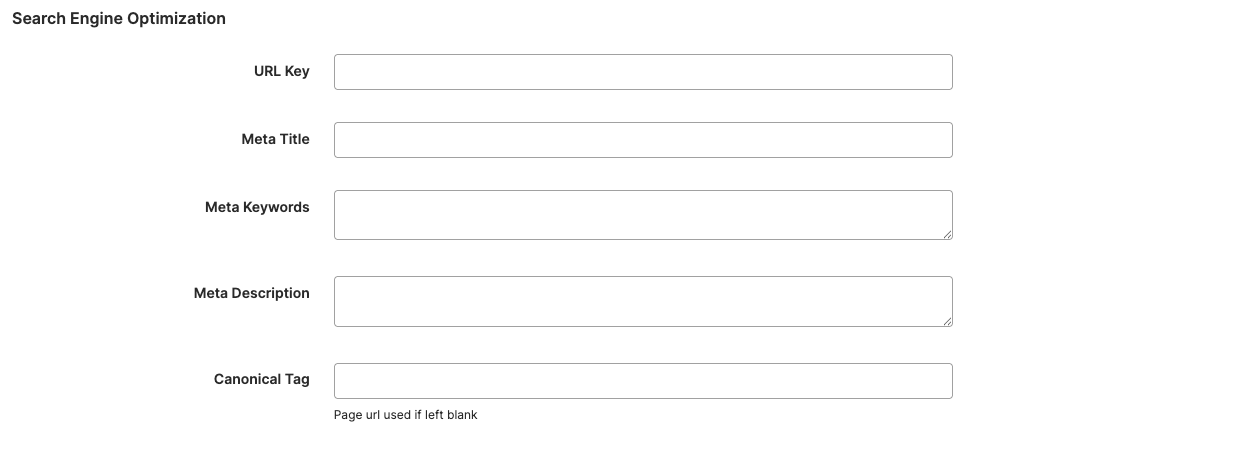
Adobe Commerce offers some essential built-in SEO features such as:
-
Metadata - letting you customise metadata such as meta titles and descriptions
-
Sitemaps - allowing for better indexation of pages
-
URL rewrites - allowing you to optimise your URL structure
-
Robots.txt - Adobe Commerce lets you customise your robots file within the dashboard
-
Canonical tags - which allows you to instruct search engines the preferred version of a page
Whilst all these are great and cover the essentials, they have limitations, especially for larger eCommerce stores with thousands of SKUs, multiple store views or complex filtering options.
Benefits of SEO Extensions
SEO extensions are designed to bridge the gap between the built in SEO functionality of Adobe Commerce and the demands and requirements for SEO in a competitive search environment, the main advantages of using SEO extensions are:
-
Automation of repetitive tasks - Automatically generate meta titles, descriptions and alt tags for large product catalogues which will save hours of manual work.
-
Advanced technical features - Implement structured data, manage hreflang tags for international SEO, fix duplicate content from layered navigation and improve indexation which will increase your visibility on search engines.
-
Performance enhancements - Image compression, lazy loading and CSS/JS minification, all of which will improve SEO and user experience.
-
Scalability - Extensions allow you to handle SEO tasks efficiently across multiple websites or store views from a single interface.
-
Improved reporting and insights - Access advanced analytics dashboards for tracking issues and SEO health and scores from a single interface.
By combining Adobe Commerce’s core SEO tools with carefully chosen extensions, you can create a flexible, scalable optimisation framework that grows with the business.
Key SEO Areas to Address in Adobe Commerce
Before deciding which SEO extensions and tools to install, it is important to understand the core areas of SEO that directly affect an Adobe Commerce store. Each area contributes to how search engines crawl, index, and rank your site, as well as how users experience it. By focusing on these pillars, you can identify the right solutions to strengthen your overall SEO strategy.
Technical SEO
Technical SEO ensures that search engines can efficiently crawl and index your website. Adobe Commerce stores are often large and complex, which can make technical SEO particularly challenging. Read our full guide about technical SEO for Adobe Commerce by clicking the link.
Key considerations include:
-
Crawlability and Indexation: Ensuring search engines can access your important pages while excluding duplicate or low-value URLs.
-
Canonicalisation: Preventing duplicate content issues caused by faceted navigation, layered filters, or multiple product URLs.
-
Structured Data: Implementing schema markup so search engines better understand your products and categories.
-
Robots.txt and XML Sitemaps: Directing crawlers to the right areas of your site and keeping sitemaps updated.
Extensions that enhance technical SEO can automate much of this work, reducing errors and helping large stores maintain search visibility at scale.
On-Page SEO
On-page optimisation is what most people first think of when it comes to SEO: the content, titles, and internal structure of your site. Adobe Commerce provides a good starting point with metadata fields, but additional tools are often needed to optimise large catalogues efficiently. You can read our full guide about on-page optimisation for Adobe Commerce by following the link.
Best practices include:
-
Meta Titles and Descriptions: Writing unique, keyword-focused metadata for every product and category.
-
Product Descriptions: Ensuring descriptions are unique, informative, and free from duplication.
-
Internal Linking: Building a clear site hierarchy with contextual links between related products and categories.
-
Heading Structure: Using H1, H2, and H3 tags consistently to guide both users and search engines.
Extensions in this area often automate metadata generation, suggest keywords, and provide bulk editing capabilities, saving merchants significant amounts of time.
Performance & Core Web Vitals
Google now places heavy emphasis on Core Web Vitals, a set of metrics designed to measure page experience. A slow, clunky store not only deters customers but also risks losing rankings. Adobe Commerce, being a robust platform, can become resource-heavy without proper optimisation.
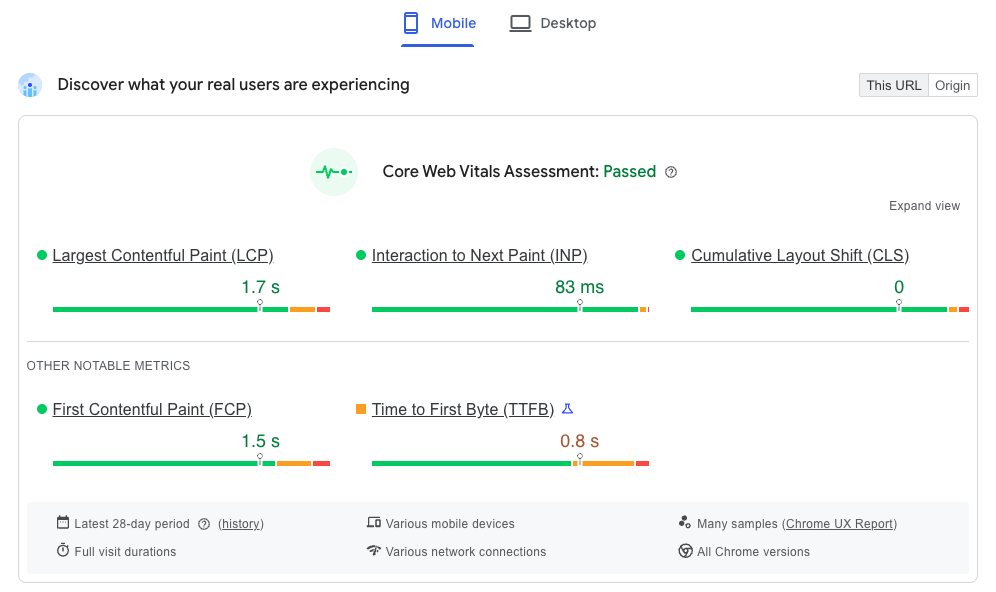
Focus areas include:
-
Page Load Speed: Faster sites rank better and convert more.
-
Mobile Responsiveness: Mobile-first indexing means a poor mobile experience will harm your SEO.
-
Image Optimisation: Compressing and converting images into modern formats such as WebP.
-
Caching and Code Minification: Reducing server requests for smoother performance.
Performance extensions and third-party tools are crucial in meeting Core Web Vitals requirements.
Analytics & Reporting
Data-driven SEO is more effective than guesswork. Without accurate insights, it’s impossible to understand whether your SEO strategy is working. Adobe Commerce integrates with Google Analytics but extensions and specialist tools can provide much deeper insights.
Areas to track include:
-
Keyword Rankings: Monitoring position changes for key search terms.
-
Traffic Sources: Identifying which channels deliver the most visitors and conversions.
-
Conversion Rates: Understanding how SEO contributes to sales performance.
-
SEO Health Audits: Highlighting broken links, redirect issues, and duplicate content.
Extensions that enhance reporting consolidate data directly within the admin panel, helping merchants make informed optimisation decisions without juggling multiple platforms.
Best SEO Extensions for Adobe Commerce
Adobe Commerce offers a solid SEO foundation, but out of the box it lacks many advanced optimisation features. Extensions fill these gaps, helping store owners automate tedious tasks, fix technical issues, and gain valuable visibility in search results. Below, we’ll explore the best SEO extensions for Adobe Commerce, broken down into categories with their benefits, features, pricing, and practical use cases.
Comprehensive All-in-One SEO Extensions
All-in-one SEO extensions are designed to cover most on-page and technical SEO needs in a single package, saving you from having to install multiple smaller modules.
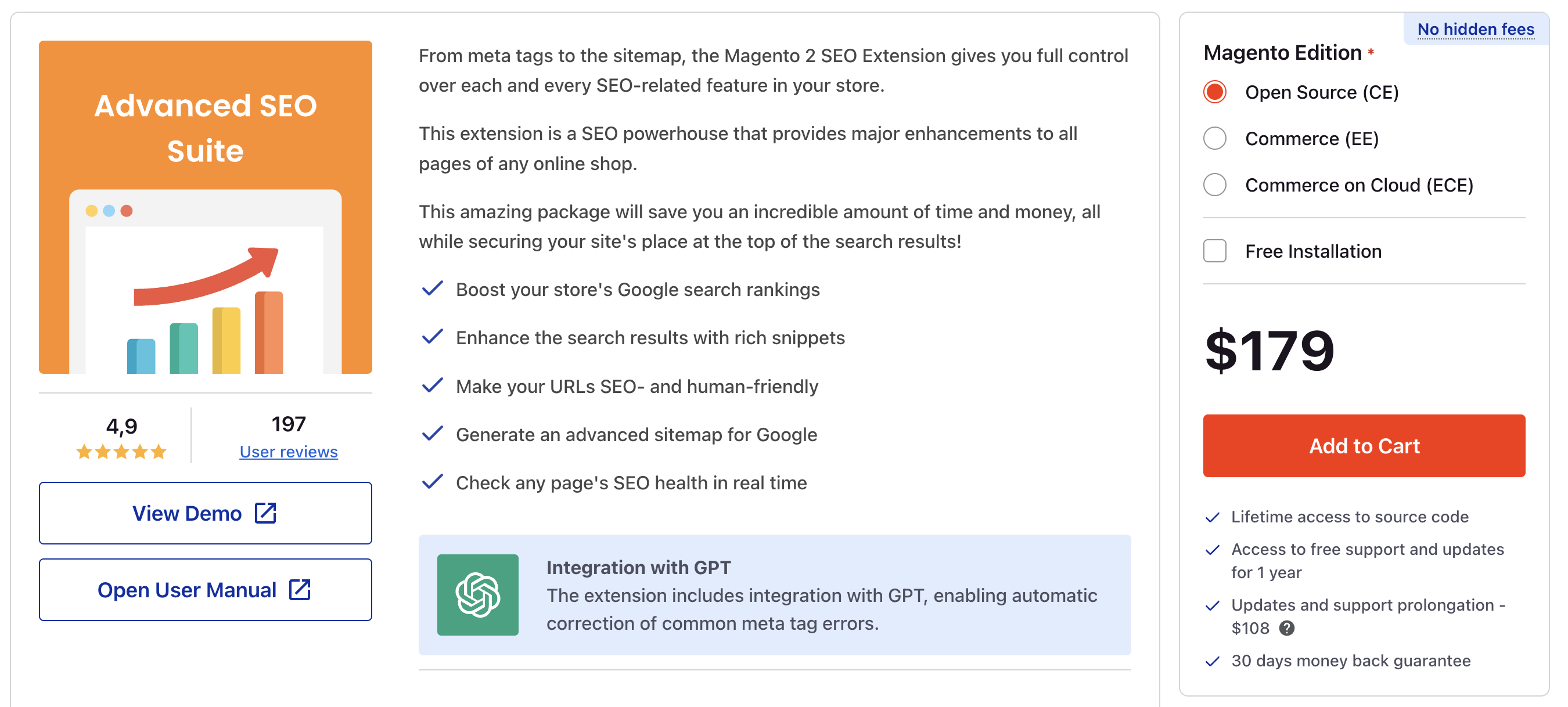
Mageworx SEO Suite Ultimate, Amasty SEO Toolkit, Mageplaza Magento 2 SEO extension and Mirasvit SEO Suite. These four are widely regarded as the top full-featured SEO toolkits for Adobe Commerce.
Key Features
-
Automated meta tags (titles, descriptions, keywords) for products and categories.
-
Canonical URL management to fix duplicate content issues.
-
XML & HTML sitemaps for better crawlability.
-
Rich snippets for product reviews, pricing, and availability.
-
Redirect management (301/302/404 handling).
-
Robots.txt and meta robots control.
-
Hreflang support for international SEO.
Best For
-
Large or enterprise-level stores with thousands of products.
-
Businesses that need automation for SEO across large catalogues.
-
Multi-store or multi-language websites requiring granular canonical and hreflang rules.
Pricing Considerations
-
Mageworx SEO Suite Ultimate: from $299 one-time license, with 12 months of updates and support.
-
Amasty SEO Toolkit: starts at $379 one-time for the community package, ranging to $979 for enterprise, includes 12 month support.
-
Mirasvit SEO Suite: From $179 to $448 one-time fee, including 1 year support.
-
Mageplaza Magento 2 SEO Extension: From $89 to $495.
You can see this Reddit thread for a more in-depth discussion and the reasons why people tend to navigate towards Amasty or Mageworx.
Site Speed & Performance Optimisation Extensions
Page speed is a direct ranking factor, and Core Web Vitals have made performance optimisation a must for SEO.
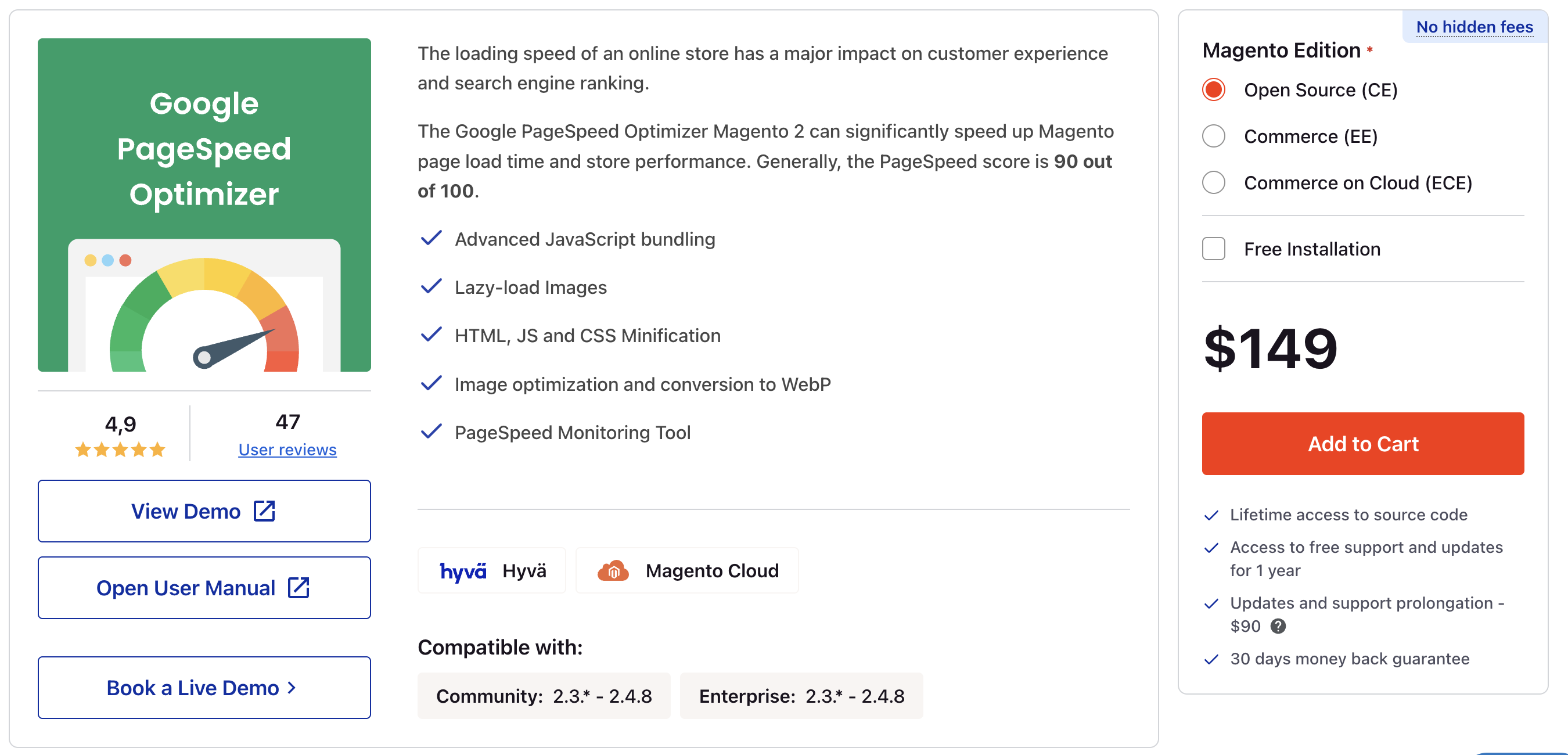
Welt Pixel Magento 2 Page Speed Optimisation Extension, Mirasvit Google Page Speed Optimiser for Magento 2 and Amasty Google Page Speed Optimiser Pro are all highly recommended extensions for Magento and Adobe Commerce websites.
Benefits
-
Increase engagement rate and reduce cart abandonment.
-
Improve rankings with better Core Web Vitals.
-
Deliver faster user experience, especially on mobile.
Features
-
Lazy loading for images and videos.
-
Image compression and next-gen formats (WebP, AVIF).
-
Advanced caching mechanisms.
-
CSS and JavaScript minification and bundling.
-
CDN integration for global performance.
Pricing Considerations
-
Welt Pixel is a $199 to $599 one-time fee with a 30 days money back guarantee.
-
Mirasvit page speed optimiser starts at $149 ranging to $539 with a 30 days money back guarantee and 1 year of support.
-
Amasty page speed optimiser is $199 to $799 with 1 year of support.
Third-Party SEO Tools to Complement Adobe Commerce
Keyword Research Tools
Successful keyword research is essential in ensuring you build your website to target the correct audiences and search intent. There are a number of free and paid tools available, but here are our top suggestions.
SEMrush, Ahrefs, Moz, Ubersuggest and Google Keyword Planner.
Keyword research tools help identify the queries your customers are searching for, highlight content opportunities, and uncover gaps in your current product, category, blog and landing pages.
Benefits
-
SEMrush: Excellent for competitor keyword research, content gap analysis, and monitoring SERP features.
-
Ahrefs: Known for its backlink analysis and large keyword index, useful for identifying high-value long-tail terms.
-
Moz: Offers keyword suggestions, SERP analysis, and difficulty scoring to guide content planning.
-
Ubersuggest: Offers a free and paid version, it is a comprehensive tool that is always being updated and the paid plan is very cost effective.
-
Google Keyword Panner: This is a free tool, whilst the predicted monthly search volume is much broader than the others, getting keyword data directly from the source is not a bad option, especially when it's free to use.
Pricing Considerations
-
SEMrush: From $117 to $416 per month, billed annually.
-
Moz: From $49 to $299 per month.
-
Ahrefs: £99 to £359 per month.
-
Ubersuggest: £29 to £99 per month, comes with a 7 day free trial.
-
Google Keyword Planner: This tool is free, you just need to log in with your Google Ads account.
Site Audit Tools
Site Audit Tools
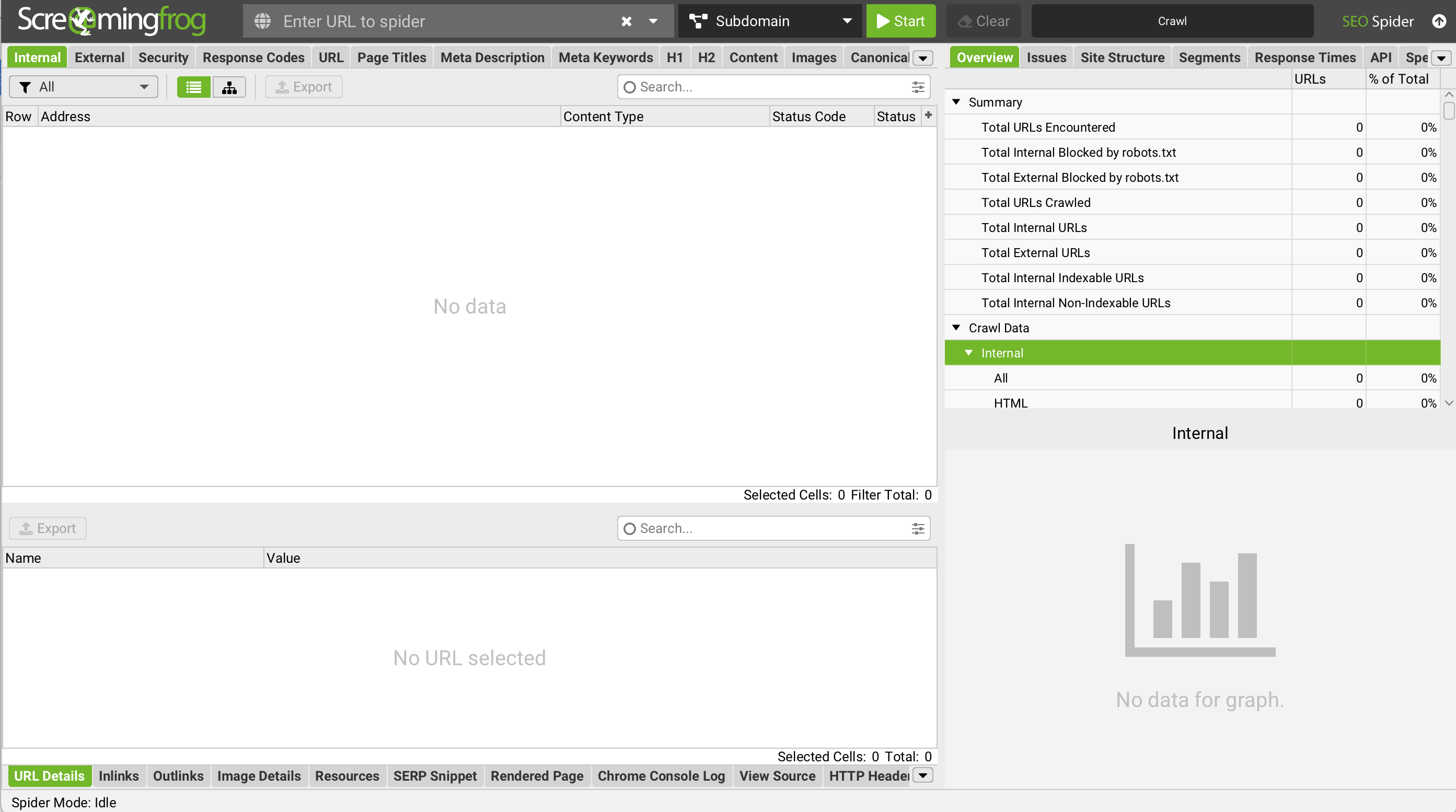
Auditing a website is crucial to pick up on any issues that might be affecting how the website is performing on search engines, there are a number of ways this can be done, some tools go more in-depth than others. We recommend running a website SEO audit at least 3 times per year, every 4 months.
The two main tools in this space that provide an in-depth analysis are Screaming Frog and Sitebulb, although tools like SEMrush, Ubersuggest, Moz and others provide a less detailed site crawl.
Site audit tools crawl your Adobe Commerce store in the same way a search engine would, highlighting issues that could hinder indexation or rankings.
Benefits
-
Ensure no critical pages are blocked by robots.txt or meta robots.
-
Identify duplicate, short or long meta data and thin or duplicate content across pages.
-
Check for orphaned pages with no internal links.
-
Check page load times across the full site.
-
Find broken links and pages returning errors.
-
Check for pages missing canonical tags.
Plus many other benefits, these tools are essential for crawling large websites with 1000s of products and pages. You would struggle to do an SEO audit for a large site using SEMrush or something similar.
Rank Tracking Tools
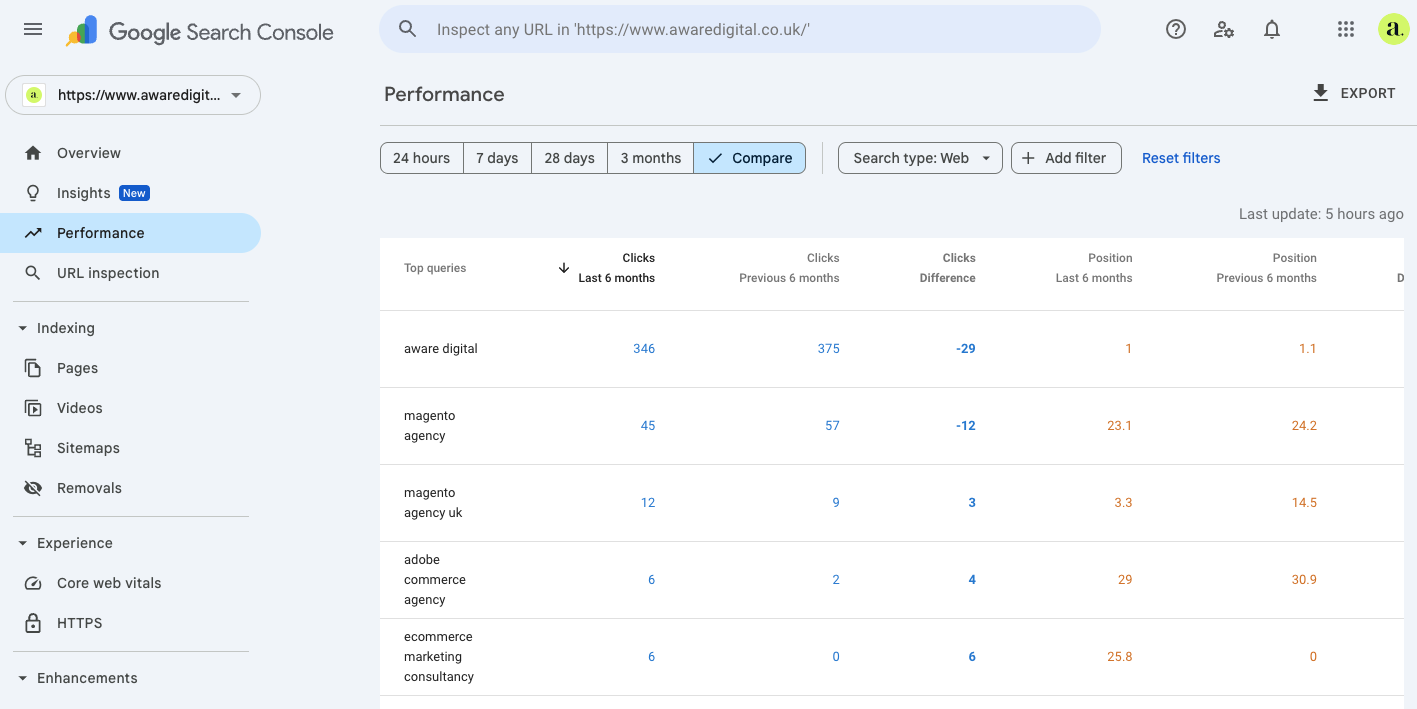
Monitoring keyword performance over time is essential to measuring the success of your SEO strategy. Rank trackers provide visibility on your most important keywords across different search engines and locations.
AccuRanker, SERPWatcher, SEMrush, Ubersuggest and Search Console are amongst the best ways to monitor your rankings.
Why It Matters
-
Quickly identify when rankings drop due to algorithm updates or site issues.
-
Measure the impact of optimisation changes (e.g., new product descriptions).
-
Track local vs. global performance for multi-store or international setups.
Analytics & Tag Management
Analytics and tag management tools ensure you’re collecting the right data to measure SEO success.
Google Analytics and Google Tag Manager are popular, for Analytics you also have options like Adobe Analytics and Microsoft Clarity. All these analytic tools have different features and tracking metrics but they do all cover the standard metrics you need to track.
Benefits
-
Track organic traffic to website pages.
-
Set up conversion tracking for add-to-cart, checkout, or completed orders.
-
Deploy remarketing tags across multiple channels with ease.
-
Identify revenue generated from organic search.
Core Web Vitals & Page Speed Testing
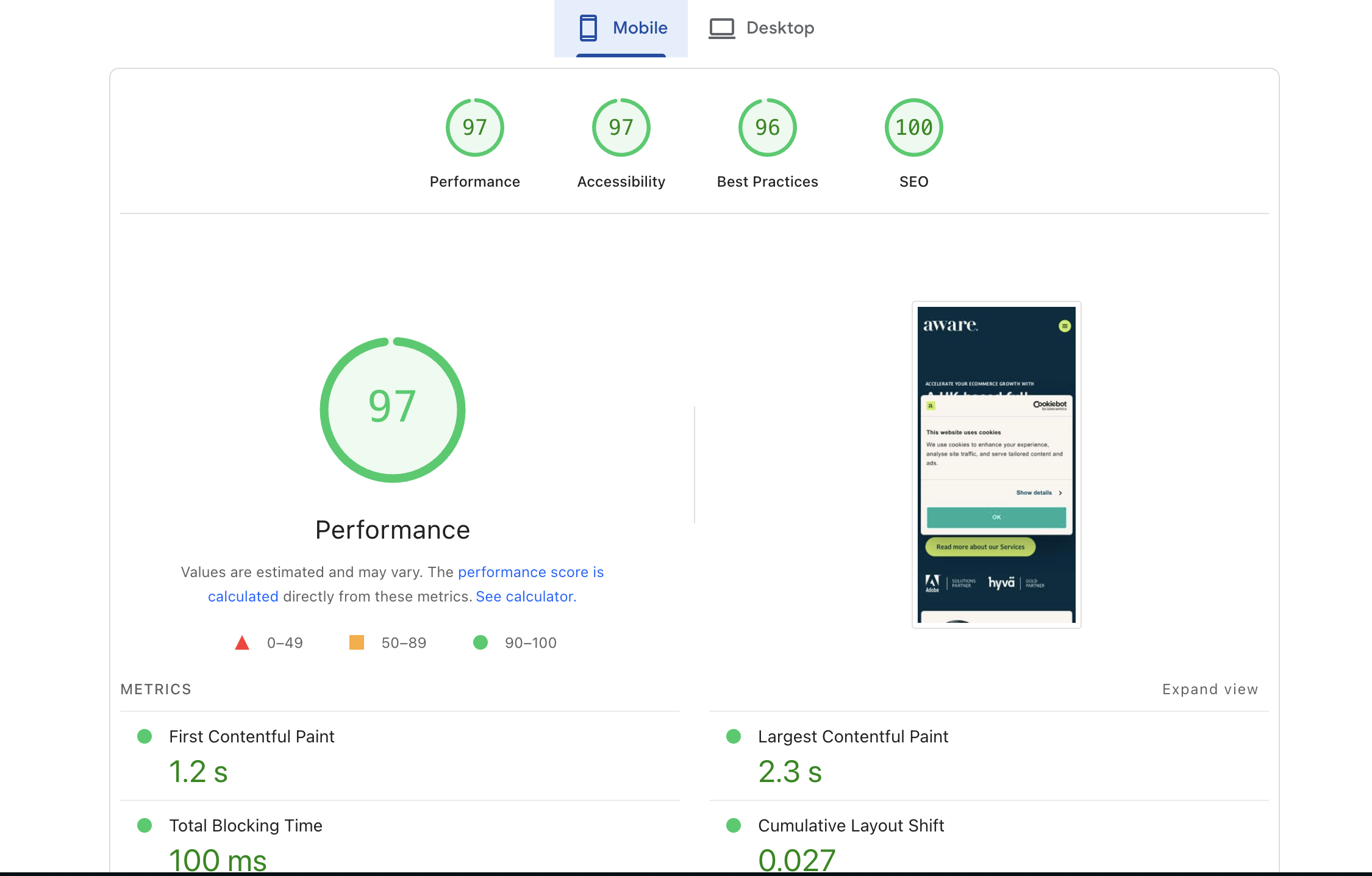
Core Web Vitals are now an official Google ranking factor, making speed and user experience critical. Testing tools provide actionable diagnostics for front-end optimisation.
Page Speed Insights and GT Metrix are amongst the two tools that we use often to test core web vitals and page speed.
Best Practices
-
Test product and checkout pages, not just the homepage.
-
Prioritise mobile speed optimisation, since Google indexes mobile-first.
-
Integrate findings with Adobe Commerce performance extensions mentioned earlier in the article.
Link Building Tools
Backlinks remain a core part of SEO success. While Adobe Commerce extensions optimise your store internally, external link-building tools help you identify opportunities, track backlinks, and monitor competitors.
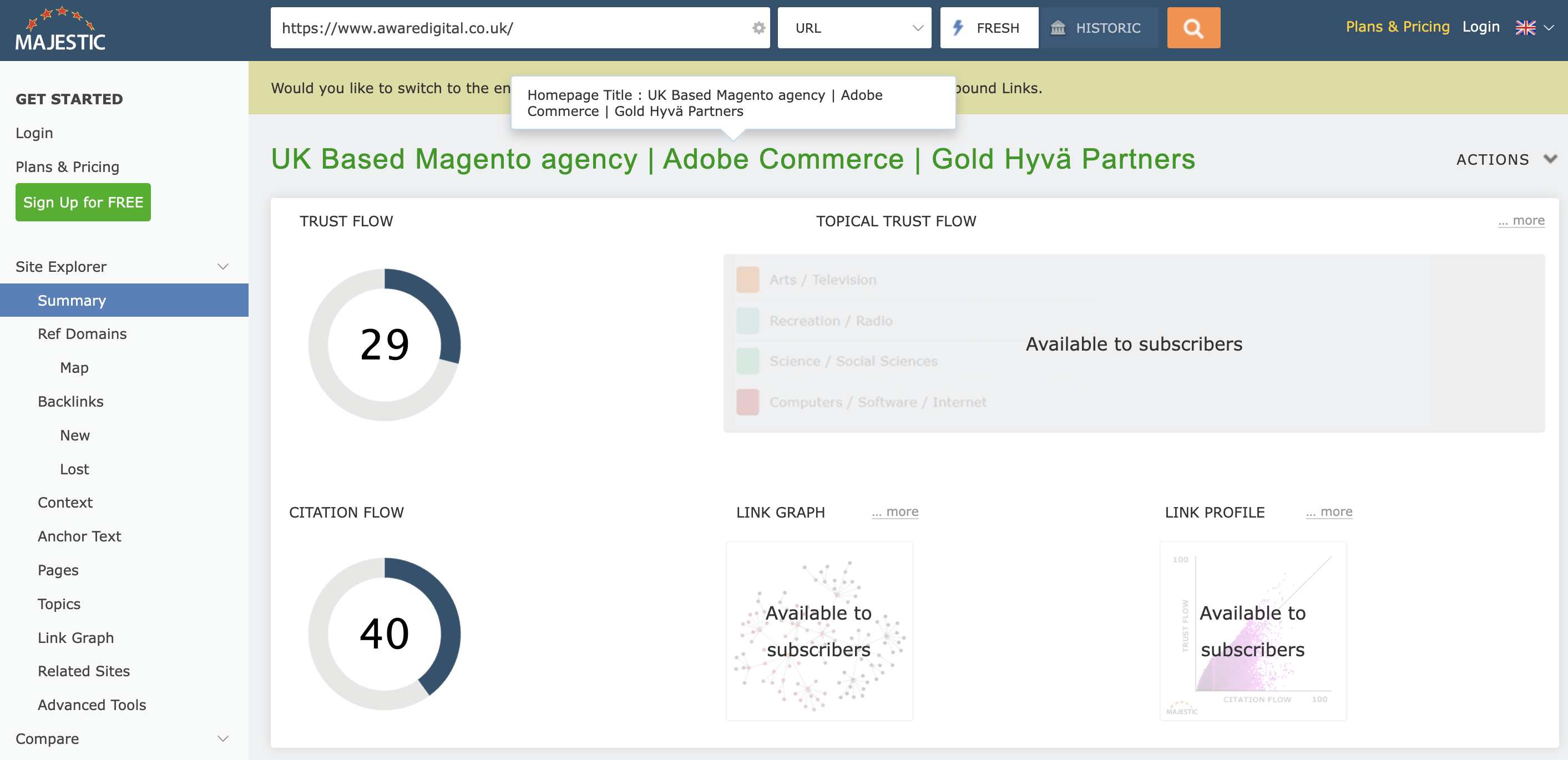
Ahrefs, Majestic, Moz and SEMrush.
-
Ahrefs: Excellent backlink analysis with detailed metrics such as Domain Rating (DR), referring domains, and anchor text profiles.
-
Majestic: Known for its Trust Flow and Citation Flow metrics, useful for evaluating backlink quality.
BuzzStream: A relationship management tool for outreach campaigns, helping you build and manage contacts with bloggers, publishers, and influencers.
Benefits
-
Monitor your store’s backlink profile to catch toxic or spammy links.
-
Discover competitor backlinks to replicate successful strategies.
-
Manage outreach campaigns for guest posts, partnerships, or PR-driven links.
Why It Matters
Even the most optimised Adobe Commerce store won’t rank without strong off-site signals. Combining on-site SEO extensions with external link-building tools ensures your store has both technical strength and authority in the eyes of search engines.
How to Choose the Right SEO Extensions and Tools
With so many Adobe Commerce SEO extensions and third-party tools available, the challenge isn’t finding options, it’s knowing which ones are the right fit for your store. The wrong choice can lead to wasted budget, performance issues, or features that go unused. The right choice, on the other hand, can streamline workflows, boost organic traffic, and directly contribute to increased revenue.
Here are the key considerations when selecting SEO extensions and tools for Adobe Commerce:
Define Your SEO Goals
Before investing in any tool, clarify what you want to achieve with SEO.
-
Technical SEO: Do you need to fix duplicate content, optimise sitemaps, or manage redirects? If so, look for comprehensive SEO suites such as Mageworx SEO Suite Ultimate or Amasty SEO Toolkit.
-
On-page optimisation: If your focus is on structured data, product descriptions, or landing page optimisation, dedicated extensions for rich snippets or internal linking may be the best fit.
-
Performance: Stores struggling with slow load speeds should prioritise performance optimisation extensions like Amasty Page Speed Optimiser.
-
All of the above: Enterprise-level stores often need a multi-layered approach, combining all-in-one SEO suites with specialised tools for performance, analytics, and reporting.
Defining goals helps prevent over-purchasing and ensures your chosen extensions align with measurable outcomes.
Consider Store Size & Complexity
The size and complexity of your Adobe Commerce store should guide your SEO toolkit choices.
-
Small to Medium Stores: A lighter toolkit (such as Mageplaza SEO extension) may be enough to handle core needs. These setups benefit from simplicity and lower costs.
-
Enterprise-Level Stores: Large catalogues with thousands of SKUs, multi-store environments, or multi-language setups often require comprehensive SEO suites, dedicated redirect managers, and enterprise-grade analytics integrations.
Think about whether your store needs scalability. If you plan to expand to multiple storefronts or countries, it’s wise to invest in tools that can grow with you.
Check Compatibility & Support
Not every extension will work seamlessly with your Adobe Commerce setup.
-
Magento Version Compatibility: Always confirm whether the extension supports your version. Outdated extensions may not function correctly or could introduce security issues.
-
Theme Compatibility: If you’re using modern themes such as Hyvä or headless/PWA front-ends, ensure the extension is compatible or offers alternative integration.
-
Support SLAs: Paid extensions should come with reliable support. Check whether the vendor offers guaranteed response times, knowledge bases, or priority support options.
Regular updates are especially important in SEO, as search engine algorithms and Core Web Vitals requirements evolve.

Pricing & ROI
SEO extensions are an investment, not just a cost. The key is weighing pricing against potential return on investment. When evaluating ROI, consider:
-
How much organic traffic could you gain by fixing technical issues?
-
Would faster load times reduce bounce rates and increase sales?
-
Could richer snippets or improved rankings offset the cost of the extension in a few months?
-
How important is competitor research to you and how much do you want to track keyword positions?
-
How much do you value finding and optimising your website for new opportunities?
Implementation Best Practices
Installing SEO extensions and tools can transform the performance of your Adobe Commerce store, but only if they’re implemented correctly. Poor setup can lead to conflicts, security issues, or wasted investment. The following best practices will help ensure smooth deployment and long-term success.
Test Before Going Live
Always implement new SEO extensions in a staging environment before rolling them out to your live store.
Why It Matters
Extensions modify critical site elements such as metadata, sitemaps, and URLs. A misconfiguration could break navigation, cause indexing problems, or even bring down your checkout.
Best Practice
-
Use a staging site that mirrors your live setup.
-
Test changes with tools like Google Search Console’s URL Inspection to ensure pages are still indexable.
-
Involve developers and SEO specialists in QA before pushing updates live.
Avoid Extension Conflicts
Running multiple SEO extensions can create overlaps and conflicts.
Common Risks
-
Two extensions adding duplicate structured data.
-
Conflicting canonical rules or robots.txt directives.
-
Performance slowdowns from overlapping caching modules.
Best Practice
-
Choose one all-in-one SEO suite rather than stacking similar extensions.
-
Disable unused modules after installation.
-
Document all installed extensions and their purpose to avoid redundancy.
Monitor Results
Installing an extension is only step one - you must measure its impact.
-
Set benchmarks before installation: page speed scores, organic traffic levels, keyword rankings, bounce rates.
-
Track post-install performance with tools like Google Analytics 4, Search Console, and PageSpeed Insights.
-
Measure over time: Some benefits (like improved crawling) may take weeks, while ranking boosts can take months.
This approach ensures you know which tools deliver ROI and which may need further tweaking.
Keep Extensions Updated
SEO and security are fast-moving areas, and outdated extensions can quickly become a liability.
Why It Matters
-
Search engines regularly change structured data requirements.
-
Security vulnerabilities in old extensions can expose your store.
-
Adobe Commerce version updates may break compatibility with outdated modules.
Best Practice
-
Keep extensions updated to the latest version.
-
Follow vendor release notes for new SEO-related features.
-
Renew support contracts if you rely on enterprise-grade tools for critical SEO functionality.
Future Trends in Adobe Commerce SEO Tools
The SEO landscape is constantly evolving, and Adobe Commerce merchants must adapt quickly to maintain visibility and growth. Extensions and third-party tools are also advancing, offering smarter, faster, and more integrated solutions. Below are the trends shaping the future of SEO tools in Adobe Commerce.
AI Powered SEO Features
Artificial intelligence is becoming a driving force in SEO, and extensions are starting to incorporate AI capabilities.
-
Automated meta generation: AI-driven modules can analyse product attributes, categories, and search data to automatically generate optimised meta titles and descriptions at scale.
-
AI keyword suggestions: By leveraging natural language processing, AI tools can recommend long-tail keywords, semantic variations, and even content outlines to better align with search intent.
Predictive insights: Some advanced suites may begin forecasting performance outcomes based on historical trends, helping merchants make smarter content and optimisation decisions.
What It Means For Merchants
AI-driven SEO features reduce manual work, particularly for large catalogues, while ensuring consistency and ongoing optimisation.
Core Web Vitals-First Tools
Google’s Core Web Vitals (LCP, FID, CLS) are now critical ranking signals. Future SEO tools will be built with these performance metrics as a baseline rather than an afterthought.
-
Extensions with speed baked in: Expect more modules that automatically optimise images, preload key resources, and minimise render-blocking scripts.
-
Real-time monitoring dashboards: Tools will integrate directly with Core Web Vitals APIs to give store owners actionable alerts when pages fall below thresholds.
Mobile-first focus: As the majority of traffic comes from mobile, extensions will prioritise responsive, lightweight design by default.
What It Means For Merchants
Staying competitive will require continuous monitoring and optimisation of performance metrics, making these built-in features invaluable.
Integration with Headless Commerce
Headless commerce and Progressive Web Apps (PWAs) are redefining how Adobe Commerce stores are built and optimised.
-
New SEO challenges: Decoupled front-ends like PWA Studio can create crawlability issues if not implemented correctly. Extensions must evolve to handle rendering, structured data injection, and canonicalisation in headless setups.
-
API-first SEO tools: Expect to see SEO extensions that communicate directly with APIs to provide metadata, schema, and redirects, ensuring consistency across multiple front-ends (desktop, mobile, apps).
Futureproofing: As more stores adopt headless for flexibility and speed, SEO tools will need to bridge the gap between traditional HTML rendering and modern JavaScript frameworks.
What It Means For Merchants
Choosing extensions that support headless architectures will help ensure your SEO strategy remains future-proof.
Conclusion
Optimising an Adobe Commerce store for search engines goes far beyond the platform’s built-in features. By combining powerful SEO extensions with external tools, merchants can cover every aspect of optimisation, from technical SEO and structured data to performance, analytics, and link building.
Success in eCommerce SEO is not a one-time project. It requires continuous monitoring, testing, and adaptation. Search engines evolve, Core Web Vitals standards shift, and customer behaviour changes. Regularly reviewing your SEO stack ensures your store remains competitive.
A smart approach is to begin with a comprehensive all-in-one SEO suite to cover the fundamentals, then add targeted extensions for areas like site speed, image optimisation, and rich snippets. Pairing these with third-party tools for keyword research, site auditing, and backlink monitoring will give you both the technical strength and authority signals needed to outperform competitors.
In short, the right combination of Adobe Commerce extensions and external SEO tools equips your store to rank higher, convert better, and scale sustainably.
Boost your store’s visibility with SEO tools for Adobe Commerce
Finding the right SEO extensions can be overwhelming. We guide Adobe Commerce stores in selecting tools that drive rankings, traffic, and sales without adding technical debt.
From structured data to automated meta management, our approach ensures your store is optimised for search engines while keeping user experience front and centre.