
Skip To A Section
Key Takeaways
-
Local SEO drives high-intent, location-based traffic
-
Your Google Business Profile is critical
-
Consistency with NAP (Name, Address and Phone Number) is key
-
Reviews and local links impact rankings
-
Ongoing optimisation is required
What is Local SEO?
Local SEO is optimisation to market your business to a local audience.
An example would be, when someone uses a search engine to perform a search, such as “digital marketing company” and they have location settings set to “Manchester”, search engines such as Google will display a list of local businesses.
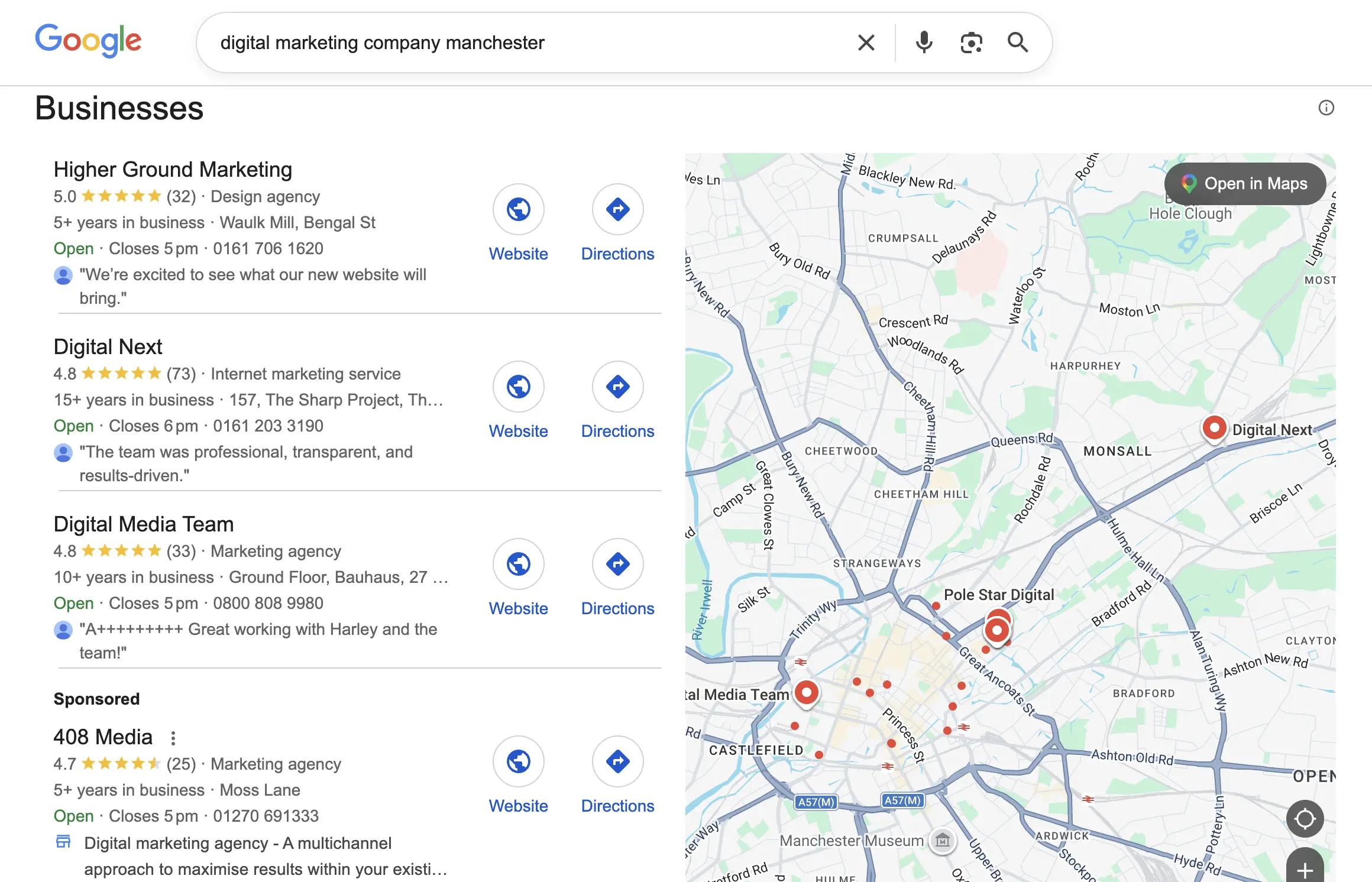
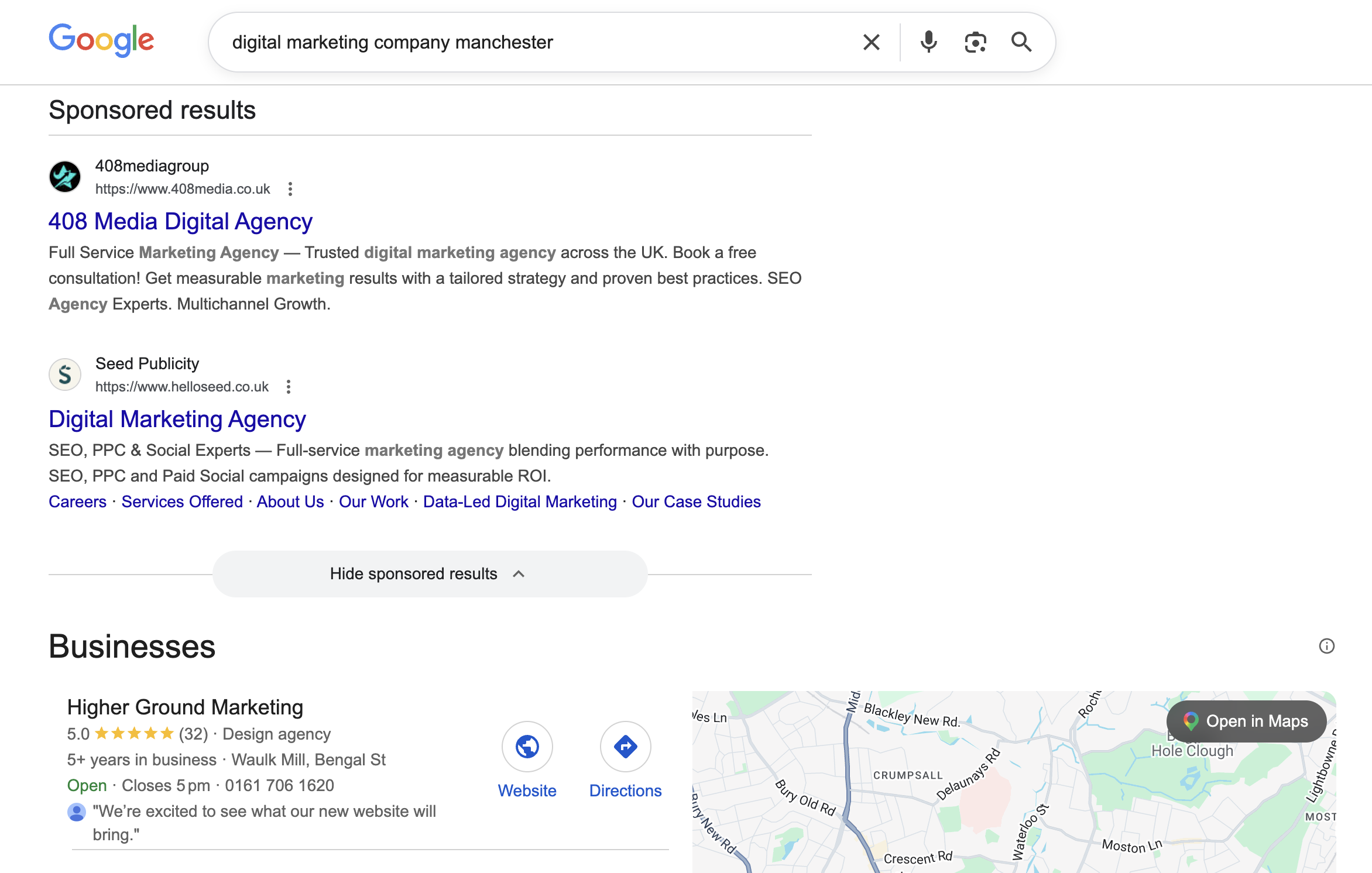
This also works when putting the location in the search bar, eg: “digital marketing company Manchester”, if you don’t have location settings on. Search engines will usually display sponsored results, the map pack, then organic listings.
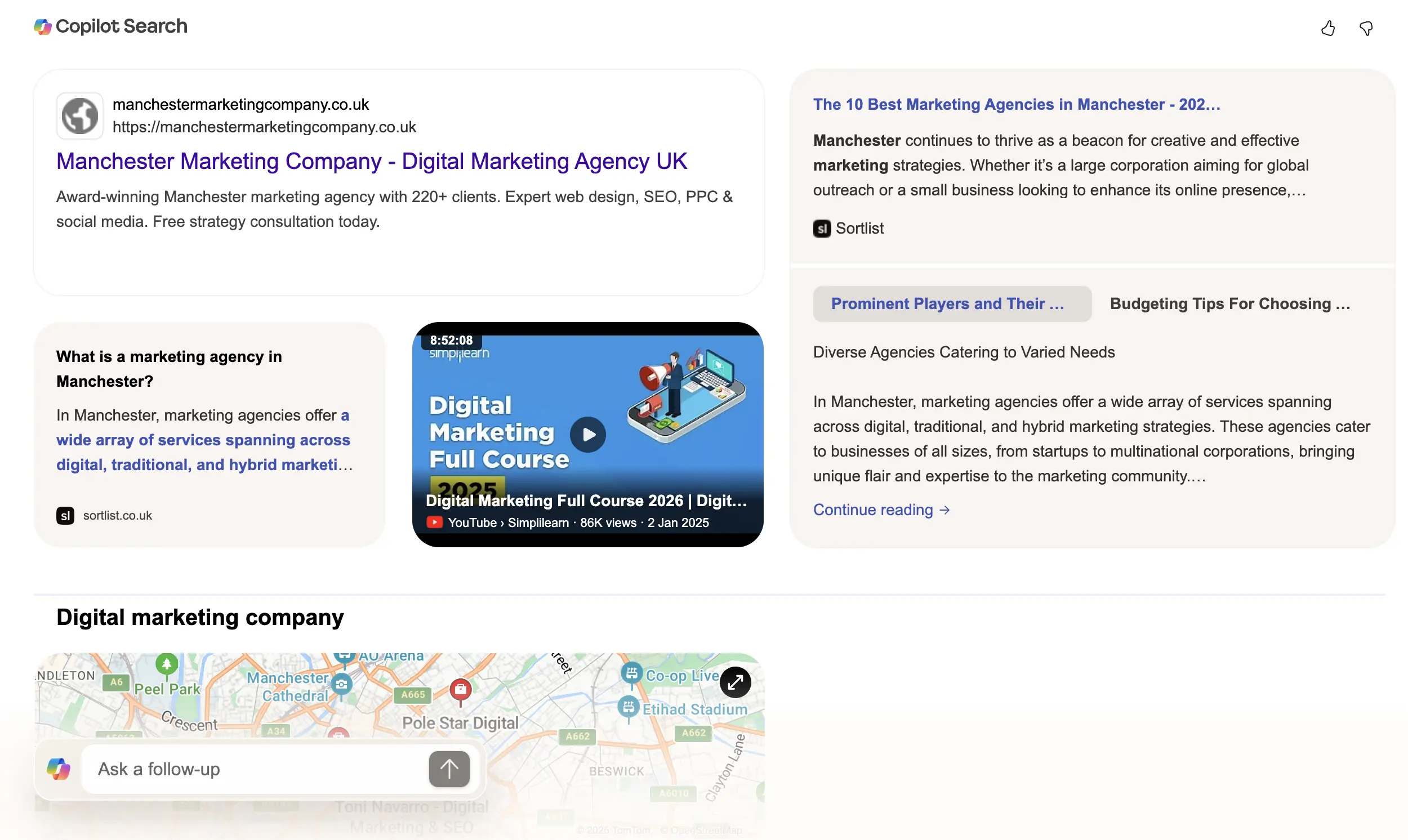
Sometimes they will use the AI overviews to try and give you a rundown of companies in the area, but most of the time when AI overviews are talking about the local businesses, the data is pulled from the map pack.
This doesn’t happen just on Google, other search engines such as Bing also display local results on the SERP (search engine results page).
The map pack as we have referred to it above is the top 3 results, search engines tend to only display 3 results in the map pack and then sometimes a 4th which is sponsored. Users then have the option to click to see more listings.
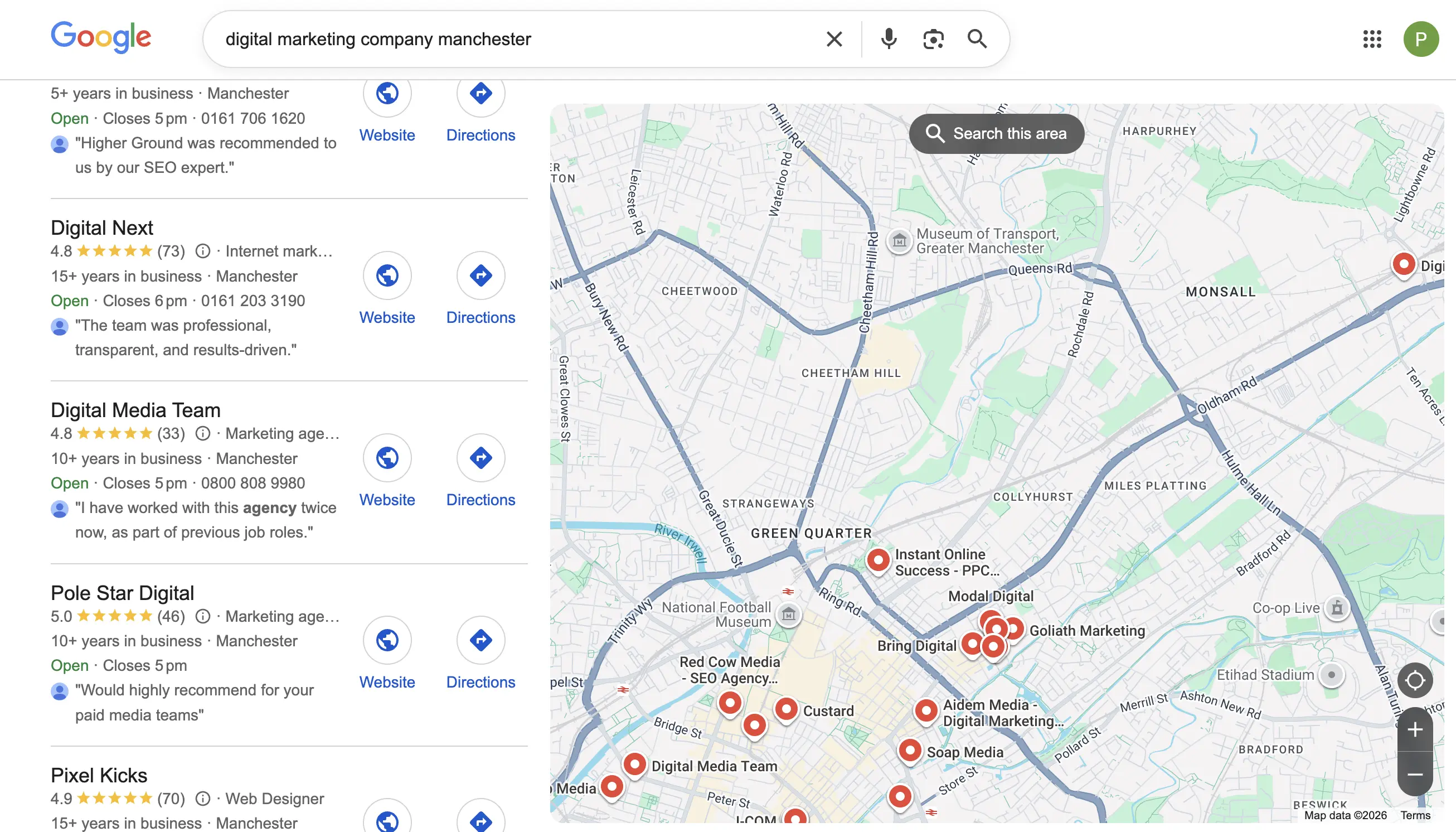
Ideally, you want your business in the map pack (the top 3), and to do this you need Local SEO.
Local SEO can also be defined by the organic results underneath the map pack. Some businesses optimise landing pages to target certain areas using keyword and content optimisation, this also gives them a chance of being found in local search results.
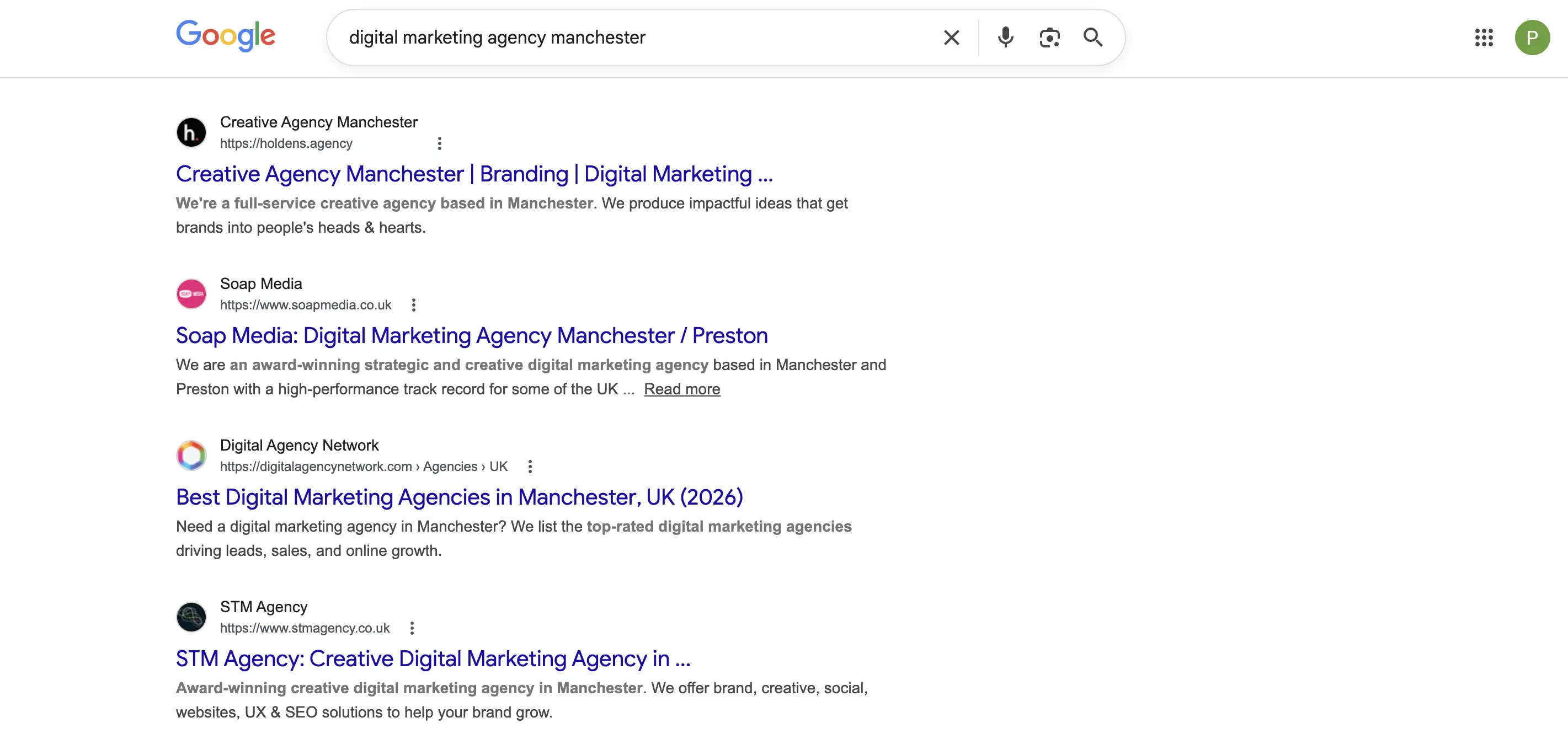
Using this strategy allows businesses to expand and offer their services in locations they may not actually be based but want to provide services in. Although not as effective as the map pack, it still works.
So, what is local SEO? Local SEO is the process of optimising your website, your business profiles and your off-page strategy to ensure you are being found in local search results.
We have a post explaining more about What Local SEO is, follow the link to see the full article. The post also has an infographic which provides a nice visual explanation to local SEO.
How Local SEO Works
Google support platform explains local SEO like this:
“When a customer searches for a business or place near their location, they’ll find local results on Google Maps and Search. For example, a customer might find local places near them if they search for 'Italian restaurant' on their phone. Google tries to show customers the kind of nearby business that they’d like to visit.”
The support platform offers guidance into how to improve the position of your local listing, these are the key factors they mention:
Keep Your Business Information Up-To-Date
Google says businesses with complete and accurate information are more likely to show up in local search results.
“If your business info isn’t accurate, your Business Profile might not show up for relevant searches in your area.”
The kind of information you should keep up to date with your Google business profile is:
-
Your full address, if your business has a location that customers can visit
-
Your phone number
-
What kind of business you are
-
Other details such as parking or Wi-Fi availability
They also go on to explain that you should:
-
Respond to reviews
-
Add photos and videos
-
Add in-store products
All of this can be done by navigating to your business profile, within the Google My Business dashboard.
Local Ranking Factors
Google support explains that:
“Local results are mainly based on relevance, distance and popularity. Together, these factors help Google find the best match for customers’ searches.”
Relevance
Relevance is determined by how well a listing matches what someone is searching for. This is part of the reason they ask you to provide and keep your business information up to date.
It seems quite obvious but if someone is looking for a “dog walker in Manchester”, Google doesn’t want to display all the “dog groomers in Manchester” as it is not relevant.
Distance
Distance refers to how close the business is to the user performing the search. If Google cannot determine the user's exact location, they will use information they already know about that user.
An example would be, if I have my location settings turned on, I am in Manchester city centre and I search for “bakery”, Google wants to show me the closest bakery to me in my location. There are lots of bakeries in Manchester so they want to give me the closet results, not one that will take half an hour to walk to.
Prominence
Google describes prominence as such:
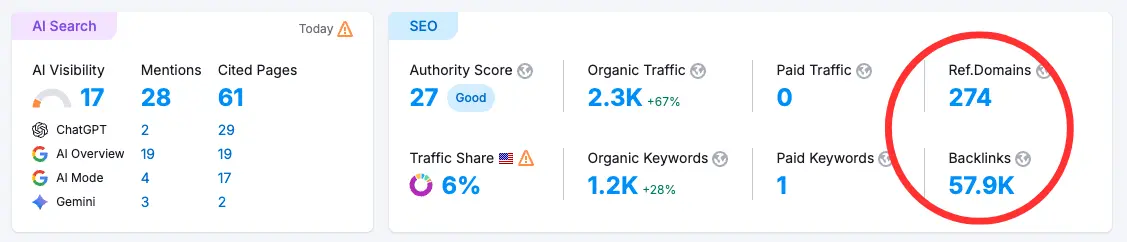
“Prominence means how well-known a business is. Prominent places are more likely to show up in search results. This factor’s also based on info like how many websites link to your business and how many reviews you have. More reviews and positive ratings can help your business’s local ranking.”
Backlinks are a big ranking factor in traditional organic search, likewise they are also a big ranking factor in local search. If you have a good number of local directories and websites linking to your website this will help with your position in local search.
Reviews build trust, if you have a good, consistent review profile, Google will come to the conclusion that your business is active, does a good job and people like the service/products you provide, therefore they will try to include you higher up in local search results when possible.
I will go into each of these points in a little more detail later.
Setting Up and Optimising Your Google Business Profile
To set up a Google business profile you need to navigate to Google My Business and sign up or access your existing account.
When setting up a new account you need to put in the name of your business:
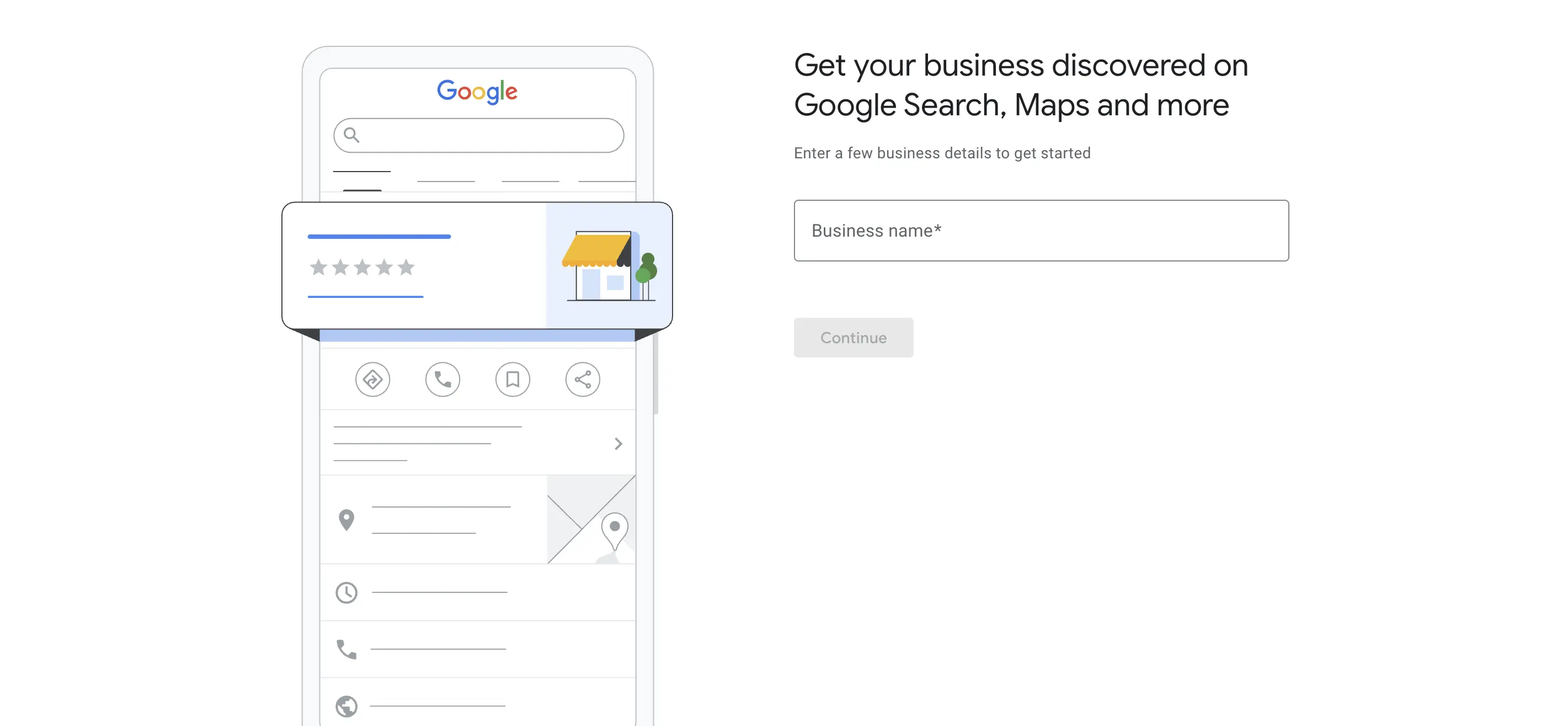
Then either select your business from the drop down if a profile already exists or click on “create a business with this name”.
The next steps are as follows:
Choose your business type - depending on the business type the following steps may differ. You will either be presented with:
-
Add your business website or business category
-
Then add your business address and/or country
-
If you selected online store for business type they will then ask you to try merchant centre or send you to input your business contact details
-
The next step will then ask you to verify your details with either a text message or email
-
It will then ask you to select your services
-
Then select your country
-
And opening hours
Depending on the business type you selected it will also ask you for more information including locations, if you offer delivery/home visits, the areas you serve, business opening hours, business description, store front photos, business photos and logo.
Once you have added all of these details and your profile has been verified you can go on to edit your Google business profile which will allow you to add more details or edit previous details, such as:
-
Business name
-
Business category
-
Description
-
Opening date
-
Phone number
-
Chat (Like WhatsApp link)
-
Website
-
Social profiles
-
Location and areas
-
Service area
-
Opening hours
-
Accessibility
-
Amenities
-
Crowd
-
Parking
-
Place page attributes
-
Planning
-
Service options
-
Photos
Through the Google business profile manager you can also add products, posts, ask for reviews, manage reviews, view bookings and add more profiles or locations.
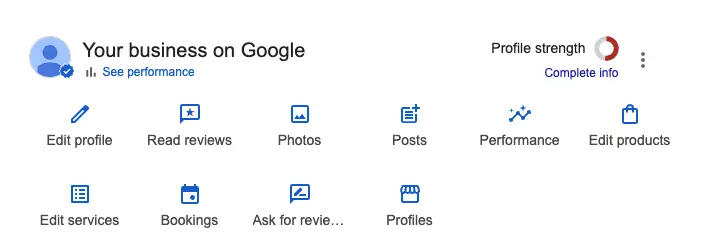
You can also view the performance of your Google business profile which will show you an overview, the number of calls, the number of bookings, how many people asked for directions and the number of clicks to your website that have come from your business profile.
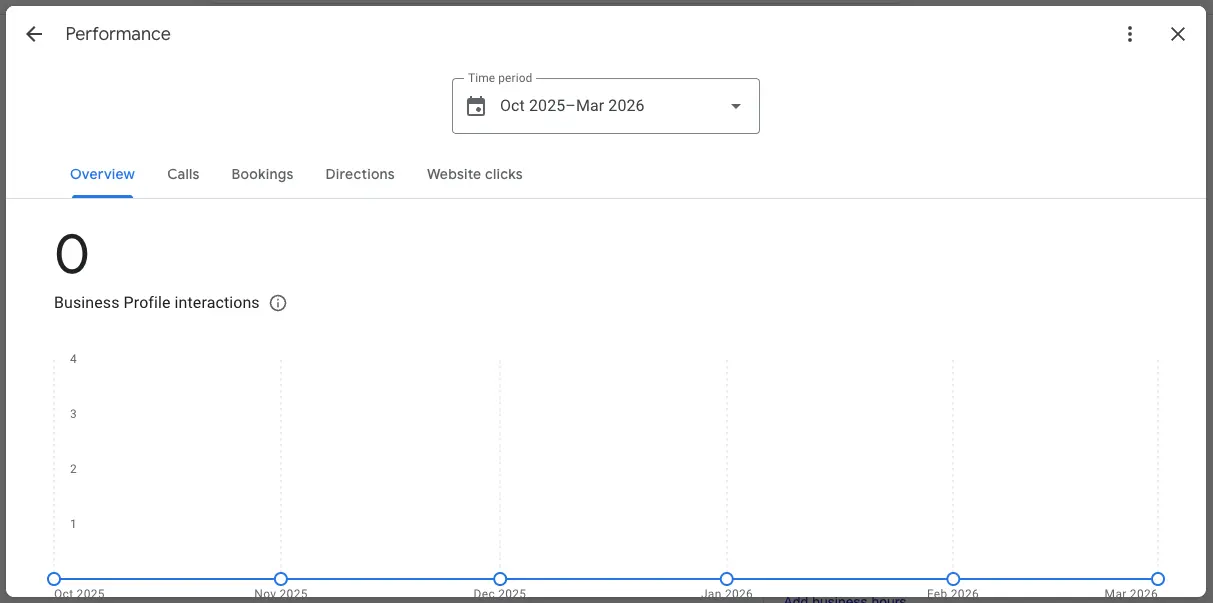
Remember, Google says to include as much information as possible to give your business profile the best chance of being found in local search.
On-Page Local SEO Optimisation
As mentioned earlier in the article, when a user performs a search in a specific location, Google will display the map pack and local businesses but then underneath this they will display organic local listings.
Your business can be found here for multiple reasons. For example, if you are based in Manchester and someone searches for your service in Manchester, you have the chance of your homepage appearing in the organic results just below the map pack.
All of the things mentioned above will ultimately help with this, your business address, your backlink profile, your NAP consistency and also using location based keywords on your homepage.
Another good way of appearing in the organic results for local searches is by creating optimised landing pages with location specific keywords. This works good for service based businesses that want to target different locations.
An example would be, a digital marketing agency with an office in Manchester but they also want to appear organically on Google for people searching in surrounding towns like Oldham, Rochdale, Bury etc. To do this, the first thing they would need is location optimised landing pages (or actual addresses in the locations).
Homepage
SEO Title: Digital Marketing Agency Manchester | Aware Digital
Meta Description: Boost your business with Aware Digital, a top digital marketing agency in Manchester. Offering SEO, PPC, web design, and CRO services tailored to your needs.
URL: The homepage URL
Content: Mentions and optimised for the focus keyword: “Digital Marketing Agency Manchester”
Location Optimised Landing Page
SEO Title: Digital Marketing Agency Oldham | Aware Digital
Meta Description: Grow your business with Aware Digital, a leading digital marketing agency covering Oldham. We specialise in SEO, PPC, web design, and CRO to drive results.
URL: https://www.awaredigital.co.uk/digital-marketing-agency-oldham
Content: Mentions and is optimised for the focus keyword: “Digital Marketing Agency Oldham”
On the locations you do have actual offices and addresses, using LocalBusiness schema mark up is another good way of telling Google where your business is based. LocalBusiness schema is the code below:
{
"@context": "https://schema.org",
"@type": "LocalBusiness",
"name": "",
"url": "",
"logo": "",
"image": "",
"description": "",
"address": {
"@type": "PostalAddress",
"streetAddress": "",
"addressLocality": "",
"addressRegion": "",
"postalCode": "",
"addressCountry": ""
},
"telephone": "",
"email": "",
"sameAs": [
""
],
"priceRange": "",
"openingHours": "",
"aggregateRating": {
"@type": "AggregateRating",
"ratingValue": "",
"reviewCount": ""
},
"geo": {
"@type": "GeoCoordinates",
"latitude": "",
"longitude": ""
},
"contactPoint": {
"@type": "ContactPoint",
"contactType": "customer service",
"telephone": "",
"areaServed": "",
"availableLanguage": "English"
},
"socialMedia": {
"facebook": "",
"twitter": "",
"linkedin": "",
"instagram": "",
"youtube": ""
}
}
To find out more about doing on-page SEO and optimising a landing page for a certain keyword you can read our blog: on-page SEO for Adobe Commerce. It is tailored around Adobe Commerce websites but the process is similar no matter which platform your website is built on.
NAP Consistency and Local Listings
NAP = name, address and phone number. Backlinks are a very important ranking factor for organic search, and for local search, but to increase your chances of appearing higher in the local search results, having consistent information across key business directories is important.
What this basically means is ensuring your business name is spelt correctly and the same on all directories, that your phone number matches across all your directory listings and that your address is the same across all directories and listings. There are tools you can use to check this, we tend to use SEMrush local and Yell local.
When building local backlinks, there are many you can use, but having a scan to see what directories are available in your area is a good idea. An example would be, for a digital marketing agency in Manchester, using directories like:
A quick search on Google for “Business directories location” will return loads of results you can use to start.
You then have the standard directories, which are national but allow you to include your business address and contribute to your local SEO efforts. Directories like:
Again, performing a quick search on Google for business directories in your country, you will be able to find a comprehensive list of directories you can use to input your business details.
Reviews and Reputation Management
This factor is quite an obvious one, businesses that have better review profiles and engaged business responses tend to achieve better rankings in local search. Even when it is a bad review, responding and showing that your company is trying to rectify the issue also plays a part, you should always respond to positive and negative reviews.
Here are some key factors which contribute to a good review profile:
-
Quantity and Frequency - A large number of reviews is good, but having a steady flow of new reviews works better.
-
Quality and Detail - Detailed and authentic reviews are prioritised over generic “good service” reviews.
-
Local Guides - Reviews from trusted “local guides” can hold more weight.
-
Keyword Content - Reviews mentioning specific services, products or locations helps Google understand the business better.
-
Multi-Platform Diversity - While Google is key, having reviews on other review platforms also helps.
You should always push for new reviews from customers, this will help with the frequency. It is statistically proven that customers are more likely to leave you a review if they had a negative experience: see this post from Ombea for more statistics around reviews.
Here are some pointers on how to leverage reviews to help improve your local SEO strategy:
-
Ask for feedback
-
Monitor and respond
-
Ask customers to talk about the specific service or product in their review
If your customers leave reviews directly on your website as well as on Google and other review platforms, you can use review schema to help display these in search results. An example of review schema is shown below:
<script type="application/ld+json">
{
"@context": "https://schema.org",
"@type": "Review",
"name": "Review title here",
"reviewBody": "Your review text goes here.",
"datePublished": "2026-03-27",
"author": {
"@type": "Person",
"name": "Reviewer Name"
},
"itemReviewed": {
"@type": "Product",
"name": "Name of what is being reviewed"
},
"reviewRating": {
"@type": "Rating",
"ratingValue": "4.5",
"bestRating": "5",
"worstRating": "1"
}
}
</script
Local Link Building
As mentioned earlier, using local business directories is a great way of earning backlinks from location specific websites. There are however more ways to increase your local backlink profile.
You can utilise specific location based news websites by performing PR campaigns, you can partner with other local businesses and ask for links from their website or you could sponsor some local clubs/events such as a football team and ask for a link from their website to yours.
A good example of a local PR website that is free to submit your business story to is: yourworld.net
Content For Local SEO
Your blog contributes to your overall SEO strategy in helping build up relevance, experience and topical authority in a certain subject. The same applies for local search, utilising your blog strategy to help your local SEO efforts is always a great idea.
Here are some ways you can use your blog to increase your local SEO:
-
Local guides
-
Local case-studies
-
Community content
-
FAQs targeting local queries
An example of this would be, a digital marketing company in Manchester could write a blog post about the local search awards show that was held in Manchester recently, or they could write a blog about an event in Manchester that was for students looking to get into tech careers.
Localised content strategies send signals that build up your authority in your service area and help improve your local search presence.
Technical SEO For Local Websites
Technical SEO is a part of SEO that is important for your website even if you are not trying to rank in local search results, it's just a given that websites should be technically sound to improve your SEO strategies in general and across local search.
Ensuring page speed and core web vitals is good, ensuring your website is optimised across mobile, tablet and desktop devices. Having a good site architecture and using structured data all contribute to your technical SEO efforts and will in turn play a part in your local strategy.
We have a guide called technical SEO for Adobe Commerce which goes into detail about technical SEO, again, mainly focused around Adobe Commerce websites but there are some important factors that are standard no matter which platform you use.
Local SEO Checklist
Google Business Profile Optimisation Checklist
NAP Consistency Checklist
Ensure NAP is identical across:
Local Directory Checklist
Reviews & Reputation Management Checklist
On-Page Local SEO Checklist
Technical SEO Checklist
Local Link Building Checklist
Local Content Strategy Checklist
Quick Local SEO Wins Checklist
Conclusion
Remember, local SEO is an on-going process, in order to achieve the best results, as with anything, consistency is key. Keep going, keep pushing for reviews, keep pushing for new local backlinks, continue posting localised content and the results will come.
If you need help with setting up your local SEO so it is in a good position to grow, or if you want on-going management to help improve your local SEO results you can always reach out to the team at Aware Digital as we have packages to do just this.
Common Questions
What is local SEO and why does my business need it?
Local SEO is the process of optimising your online presence so your business appears in search results when people nearby look for your products or services. Almost half of all Google searches have local intent, meaning potential customers are actively looking for businesses like yours in their area. Without it, you're essentially invisible to those people.
How long does local SEO take to show results?
Local SEO typically takes 3-6 months to show significant results depending on your competition level and starting point. Some improvements - particularly to your Google Business Profile visibility can appear within weeks, but the most substantial gains in rankings and enquiries usually develop over the full period.
What are the most important local SEO ranking factors?
There are three factors that are absolutely critical: proximity to the user, prominence of your business (how well it ranks in traditional organic search), and relevance to the user's query. In short - are you nearby, are you credible, and does your business answer what the person is searching for?
How important is my Google Business Profile for local SEO?
It's one of the most important things you can do. Your Google Business Profile is what helps your business show up in local search results on Google Maps and the Map Pack. If someone searches "plumber near me", it's the Google Business Profile listings that appear at the top of the results.
What are local citations and do they matter?
Citations are mentions of your business information - name, address, and phone number on third-party websites like online directories and review sites. Consistency across all these listings is critical. Mismatched details confuse Google and can hurt your rankings.
How do I get more Google reviews and do they affect rankings?
Request reviews politely through emails, follow-up messages, or direct conversations, and make it easy by providing a direct link to your Google Business Profile review section. Reviews are a confirmed local ranking signal - the number of reviews and their overall score both play a role in where you appear.
Can I remove a negative Google review?
You cannot directly remove Google reviews from your Business Profile - only the reviewer themselves can delete their own review. However, if a review violates Google's content policies (such as fake reviews or spam), you can report it to Google for potential removal. Responding professionally to negative reviews is always worthwhile.
What is the Google Local Pack?
The Local Pack is a highlighted map-based listing that displays three local businesses in search results, prioritising them based on proximity, relevance, and prominence. Appearing in the Local Pack dramatically increases your visibility compared to standard organic results.
Does my website need to be mobile-friendly for local SEO?
Absolutely. Most local searches are done via smartphones, so a mobile-optimised site that loads fast and is easy to navigate is essential for maintaining high local rankings.
What's the difference between local SEO and regular SEO?
Local SEO targets local search intent by using location-based keywords and strategies, whereas organic SEO targets broader, non-geographically specific searches. Local SEO also heavily involves off-site factors like your Google Business Profile, citations, and reviews - not just your website.