
Skip To A Section
Expanding into new markets is one of the most effective ways for eCommerce brands to scale. However, reaching international audiences successfully requires more than just translating product pages - it demands a well-structured international SEO strategy that ensures your store appears in the right search results for each region and language.
Adobe Commerce (formerly Magento) provides a powerful foundation for global commerce, offering multi-store architecture, language pack integrations, and region-specific configuration options that allow businesses to manage multiple markets from one central platform. Yet, without the right SEO setup, even the most advanced multi-store implementation can struggle to achieve visibility across different countries.
International SEO focuses on helping search engines understand which version of your site to show to which audience. This involves technical configuration, content localisation, and an understanding of how regional search behaviours differ. When done correctly, it ensures that users in France see your French content, those in Germany see your German store, and that Google recognises these as unique, relevant experiences, not duplicates.
Key Challenges in Multi-Region SEO
Managing SEO across multiple regions and languages introduces a unique set of complexities. While Adobe Commerce offers powerful multi-store capabilities, global SEO success depends on understanding and addressing the technical and strategic challenges that come with targeting different audiences around the world.
Duplicate Content Across Regions
One of the most common issues in international eCommerce SEO is duplicate content. When product pages in different regions share the same, or highly similar content, search engines can struggle to determine which version to index or rank - often leading to both pages performing poorly.
For instance, your UK store might have a product available at:
example.com/uk/product
and your French store at:
example.com/fr/product
If both versions contain identical product descriptions, titles, and metadata (simply in English), Google may interpret them as duplicate pages rather than regional variants. This can dilute ranking signals and cause the wrong version to appear in search results.
Best practice: ensure each regional page features unique, localised content. Even minor adjustments, such as local pricing, language, or spelling variations (e.g., “colour” vs “color”) can help differentiate regional versions. Pair this with accurate hreflang implementation to clearly signal the intended audience to search engines.
Hreflang Tag Implementation
The hreflang attribute is essential for international SEO, as it tells search engines which language and regional version of a page to serve to users. For example:
<link rel="alternate" href="https://example.com/fr/product" hreflang="fr-fr" />
<link rel="alternate" href="https://example.com/uk/product" hreflang="en-gb" />
When implemented correctly, hreflang ensures that French users see the French version of your product page and British users see the English version.
However, errors in hreflang configuration are extremely common and can negate the benefits entirely.
Typical mistakes include:
-
Missing tags on some regional pages, causing Google to ignore the relationship.
-
Incorrect self-referencing (each page should reference itself as well as its regional variants).
-
Inconsistent URLs or mismatched hreflang values that break the connection between versions.
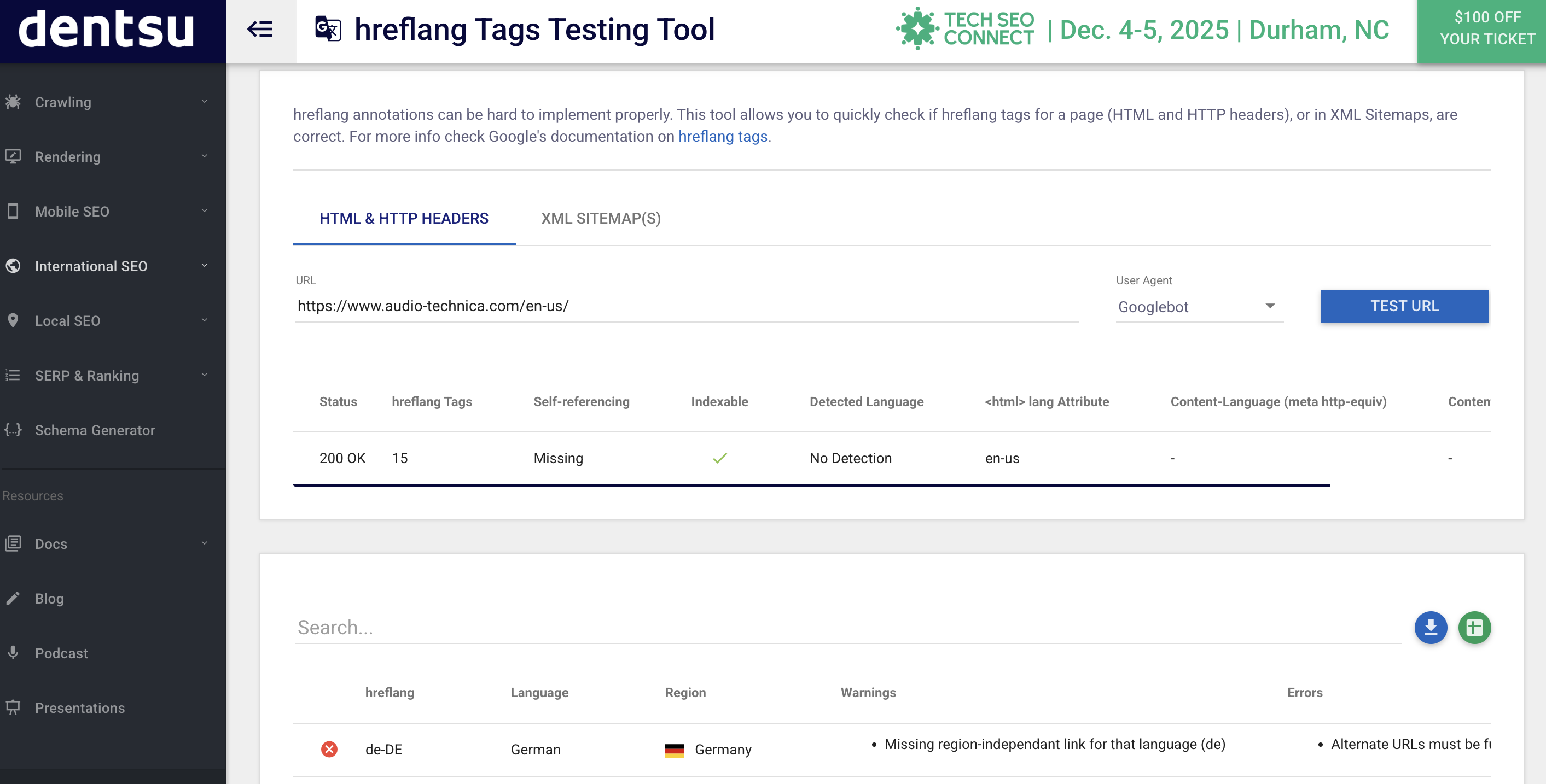
Tip: Always validate your hreflang setup using tools like Technical SEO, HrefLang Checker or Screaming Frog SEO Spider. For large Adobe Commerce stores, consider using an SEO extension that automates hreflang generation and updates.
Country-Specific Domains & Subdirectories
Deciding on the right URL structure for international SEO is one of the most strategic choices you’ll make. Adobe Commerce supports several configurations:
ccTLDs (Country Code Top-Level Domains) - example.fr
-
Positive: Strongest signal to search engines and users of regional targeting.
-
Negative: Requires more resources and link-building per domain.
Subdomains - fr.example.com
-
Positive: Easier to manage under a single root domain.
-
Negative: Slightly weaker geo-targeting signal than ccTLDs.
Subdirectories - example.com/fr/
-
Positive: Simplest to maintain, with consolidated domain authority.
-
Negative: Relies on other GEO targeting factors rather than domain-level cues.
Best Practice: Choose the structure that balances your business scale and resources. For most Adobe Commerce merchants, subdirectories offer a practical middle ground - allowing unified SEO authority while still distinguishing regional content.
Content Localisation vs Translation
A literal translation of your product catalogue isn’t enough to engage or convert international audiences. Localisation goes beyond language - it adapts your content to reflect local culture, shopping habits, and expectations.
For example:
-
Pricing should reflect local currencies and tax rates.
-
Measurements (e.g., inches vs centimetres) must align with local standards.
-
Product imagery and tone should fit regional preferences.
-
Payment options (like Klarna, Alipay, or local credit cards) can affect trust and conversion rates.
Simply translating English content into French or German may make your site readable, but localised content makes it relatable - and search engines reward that relevance.
In short: effective localisation not only improves user experience but also strengthens organic visibility by aligning your content with regional search intent.
Technical SEO for International Stores
A well-planned technical foundation is critical for international SEO success. Adobe Commerce’s flexible architecture allows merchants to manage multiple regions and languages, but without a sound technical setup, even the best localisation strategy can struggle to gain visibility.
The following areas: site structure, canonical, hreflang management, and multilingual sitemaps are essential for search engines to properly understand and index your global store.
Site Structure & Navigation
The structure of your Adobe Commerce store plays a major role in how search engines crawl and interpret your international pages. A logical, consistent URL hierarchy makes it easier for both users and search engines to navigate between regions and languages.
Best practice URL formats include:
-
Country and language subdirectories:
-
example.com/uk/
-
example.com/fr/
-
example.com/de/
-
Clear and consistent patterns across all regions (e.g., /fr/product-name/ should mirror /uk/product-name/).
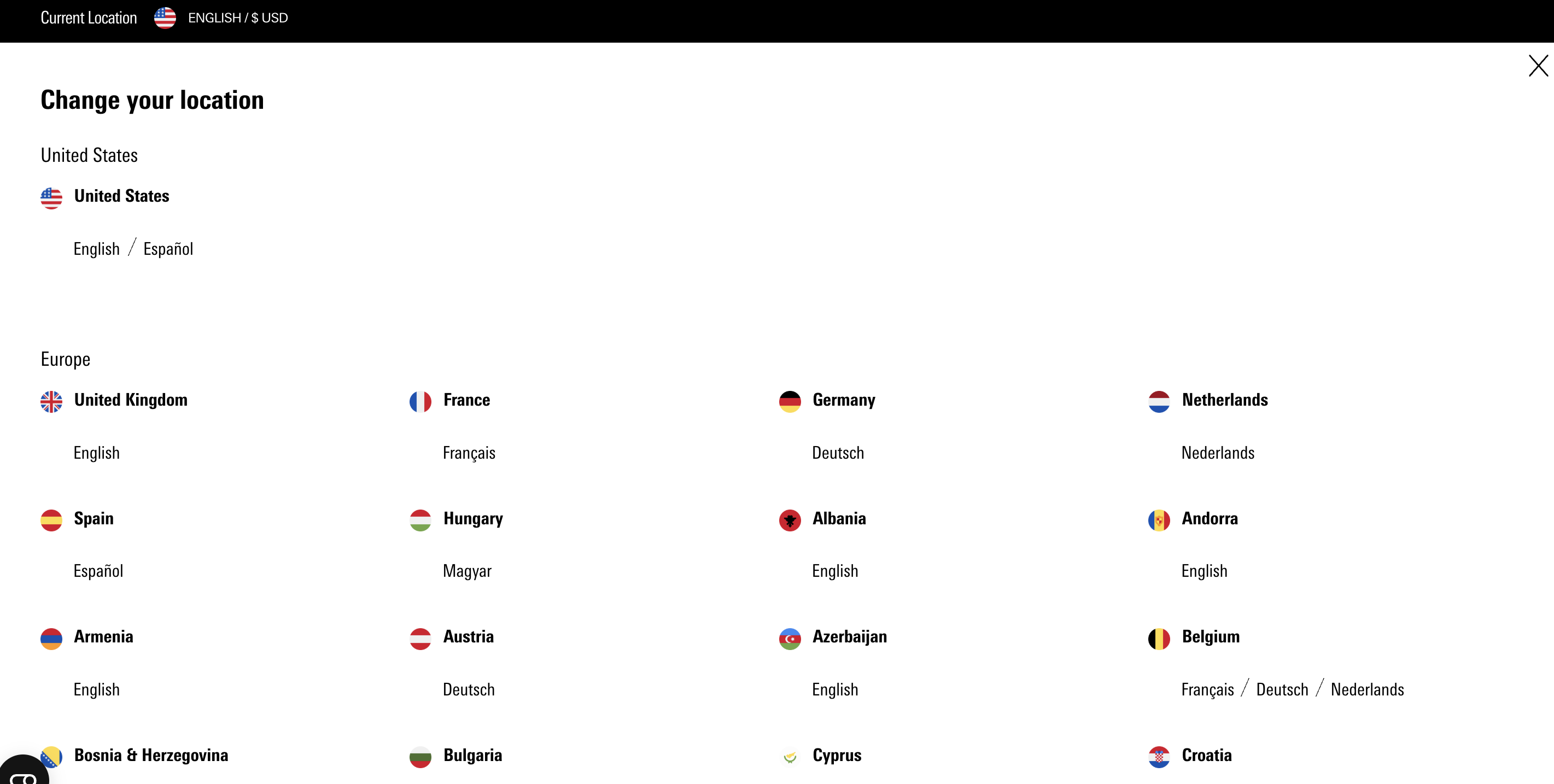
This structure should be complemented by internal linking that connects regional versions. For example, include language switchers or regional selectors that allow users (and crawlers) to easily move between local stores.
Key recommendations:
-
Use absolute URLs in navigation to ensure correct linking across stores.
-
Implement breadcrumbs consistently across regions for better crawlability and user experience.
-
Avoid deep nesting (e.g., /en/europe/uk/products/...) which can dilute link equity and slow down crawling.
A clear, unified structure helps Google understand the relationship between your international stores and ensures every region gets the visibility it deserves.
Canonical & Hreflang Management
For multi-region stores, proper canonicalisation and hreflang setup are essential to avoid duplicate content issues and to clearly indicate the relationship between different language versions.
Canonical tags signal to search engines which version of a page is the “master” copy. In a multi-region setup, each store view typically has its own URL, but when similar content exists across regions, canonical tags prevent competing pages from being indexed incorrectly.
Example:
<link rel="canonical" href="https://example.com/uk/product" />

Hreflang tags, on the other hand, indicate which language and region a page targets. They work alongside canonicals to ensure users are shown the correct localised version in search results.
<link rel="alternate" href="https://example.com/fr/product" hreflang="fr-fr" />
<link rel="alternate" href="https://example.com/uk/product" hreflang="en-gb" />
<link rel="alternate" href="https://example.com/uk/product" hreflang="x-default" />
Adobe Commerce’s built-in features allow you to set canonical URLs per store view and configure hreflang manually. However, for larger catalogues or complex multi-store setups, dedicated SEO extensions such as:
-
MageWorx SEO Suite Ultimate
-
Amasty SEO Toolkit
-
Mirasvit SEO Suite
can automate the process, dynamically generating hreflang and canonical tags across thousands of products.
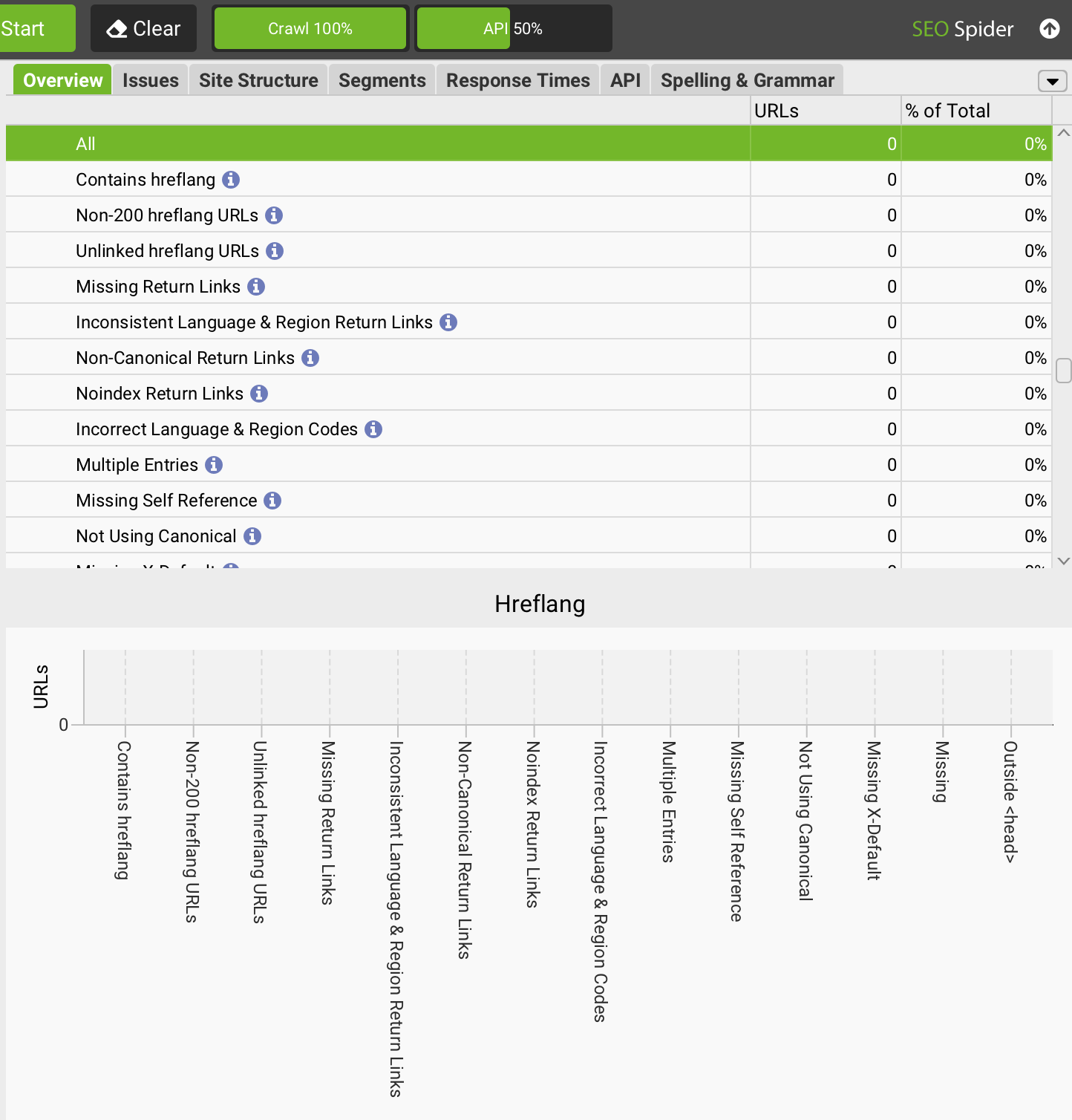
Tip: Always validate your hreflang and canonical setup using crawlers like Sitebulb or Screaming Frog to catch errors early.
Multi-Language Sitemaps
Search engines rely heavily on sitemaps to discover and index your pages. For international stores, having a well-organised set of XML sitemaps per language or region is vital.
Each sitemap should contain only the URLs relevant to that region or language - for example:
-
example.com/sitemap_en-gb.xml
-
example.com/sitemap_fr-fr.xml
-
example.com/sitemap_de-de.xml
This segmentation helps Google crawl your content more efficiently and understand how your site is structured geographically and linguistically.
Best practice steps:
-
Generate individual sitemaps for each store view within Adobe Commerce.
-
Include hreflang annotations within sitemaps if supported by your SEO tool.
-
Submit each regional sitemap to Google Search Console under its corresponding property (e.g., one for /fr/, another for /de/).
-
Update sitemaps automatically whenever new pages are added or URLs change.
Proper sitemap management not only enhances discoverability but also ensures that all your international content is indexed quickly and accurately - a crucial step for scaling SEO visibility across global markets.
For more help about technical SEO for Adobe Commerce you can read the article linked.
Content Strategy for International SEO
Technical SEO lays the groundwork for visibility, but it’s your content strategy that determines how well you connect with each market. To succeed internationally, Adobe Commerce merchants need to create content that reflects local search behaviour, language nuances, and cultural context - not just translated text.
An effective international content strategy ensures that every region’s version of your store feels authentic, relevant, and optimised for both search engines and users.
Keyword Research Per Market
Keyword research is the foundation of international SEO. Each region has its own linguistic subtleties, cultural references, and search patterns - meaning the same English keyword may perform differently abroad.
Example: A UK-based user might search for “takeaway boxes”, while in the US the equivalent term would be “to-go containers”. Using the wrong terminology can lead to missed search opportunities.
Best practice tools:
-
Google Keyword Planner - Free and reliable for identifying search volumes and language variations per country.
-
SEMrush - Great for competitor keyword analysis and identifying market-specific opportunities.
-
Ahrefs - Ideal for understanding keyword difficulty, intent, and regional trends.
Tips for success:
-
Conduct keyword research independently for each language or region, rather than relying on translations.
-
Focus on search intent: what users are actually looking for in that market.
-
Create keyword maps aligned with local product catalogues, landing pages, and blog content.
Understanding how customers search in each region allows you to tailor both your content and metadata, ensuring that every market’s store speaks its audience’s language - both literally and semantically. For more information on how to perform keyword research, you can read our on-page SEO for Adobe Commerce article.
Localised Landing Pages
Your product and category pages are the heart of your international eCommerce presence. To perform well globally, they must be fully localised, not simply duplicated with translated text.
Best practices include:
-
Regional language & currency: Use the local language variant (e.g., French for France, not Canada) and display prices in the correct currency.
-
Localised metadata: Write unique meta titles, descriptions, and headers for each regional store to reflect local search intent and terminology.
-
Adjust imagery and messaging: Ensure that visuals, tone, and product presentation align with cultural expectations.
-
Optimise for local SEO signals: Include addresses, delivery information, and shipping options specific to each region.
Example:
example.com/fr/product might highlight “Livraison rapide en France métropolitaine” (fast delivery within mainland France), while example.com/uk/product emphasises “Next-day UK delivery”.
This level of localisation not only improves rankings in local SERPs but also builds trust and improves conversion rates by showing users content tailored to their needs.
Blog & Resource Content
Beyond product pages, blog posts and resource content play a crucial role in building authority and attracting organic traffic in each market. Localised blogs help target region-specific keywords, seasonal trends, and cultural moments that resonate with your audience.
Strategies for success:
-
Research regional search trends using tools like Google Trends and AnswerThePublic.
-
Create unique editorial calendars per market - for example, focusing on “summer outdoor dining” in the UK, versus “Christmas catering supplies” in Germany.
-
Use blogs to build backlinks from local publications, directories, and partner sites. Local backlinks strengthen domain authority and improve local relevance signals.
Example:
A Catering24 France blog could publish an article on “Les meilleures solutions d’emballage écologique pour les traiteurs français”, optimised with local terminology, currency, and product examples.
By consistently producing regionally relevant, value-driven content, Adobe Commerce merchants can increase visibility, authority, and engagement across multiple countries - driving both organic traffic and trust from local customers.
SEO Extensions & Tools for Multi-Region Optimisation
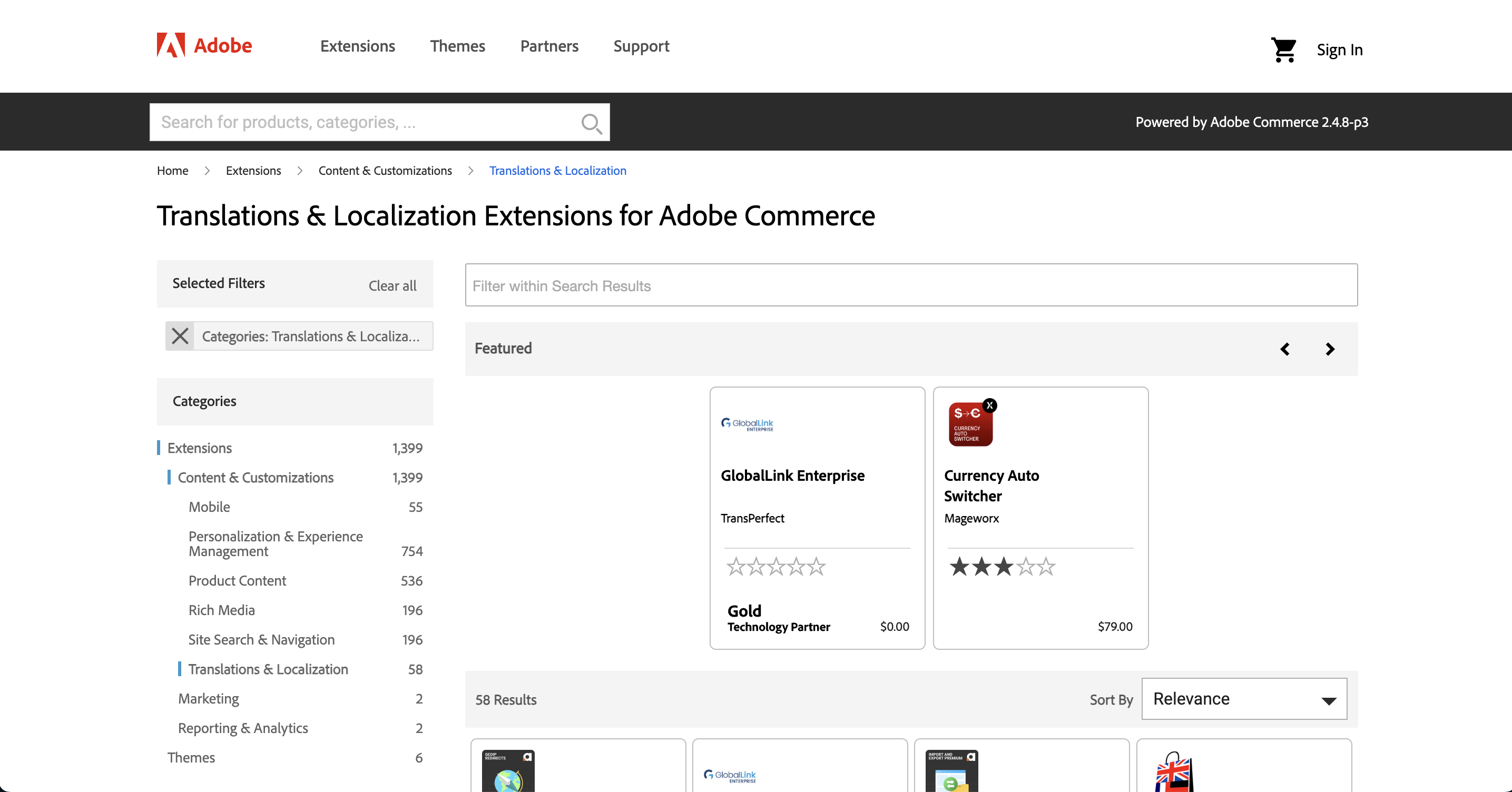
Managing SEO across multiple countries and languages can quickly become complex. Adobe Commerce provides a strong foundation for multi-store management, but to achieve consistent optimisation across all regions, it’s essential to enhance its capabilities with the right extensions and third-party tools.
These tools streamline hreflang implementation, translation workflows, and regional performance tracking, ensuring that each international store is properly targeted and monitored for organic growth.
For a deeper dive into recommended SEO tools and extensions, see our article on SEO Extensions and Tools for Adobe Commerce.
Hreflang & Multi-Language Extensions
Handling hreflang tags manually across multiple stores can be time-consuming and error-prone. Dedicated SEO extensions automate this process, helping you manage language targeting, regional URLs, and canonicalisation rules at scale.
Recommended extensions include:
-
MageWorx SEO Suite Ultimate - Offers automated hreflang tag generation for multi-store environments, canonical tag management, and metadata templates.
-
Amasty SEO Toolkit - Comprehensive SEO package featuring hreflang management, cross-domain canonical URLs, and sitemap generation per region.
-
Mageplaza SEO Extension - Lightweight tool focusing on multi-language optimisation, with automatic metadata creation and multi-store configuration support.
Key Features:
-
Automatic hreflang tag generation across stores and languages
-
Custom canonical URL rules for duplicate content prevention
-
XML and HTML sitemaps by region
-
Multi-store and multi-domain compatibility
These extensions reduce the likelihood of hreflang errors and ensure that each regional version of your site is correctly indexed and displayed in the appropriate local search results.
Translation Management Tools
Effective international SEO goes beyond simple translation - it requires efficient localisation workflows. Integrating Adobe Commerce with translation management systems helps maintain accuracy, consistency, and speed when handling multi-language content.
Popular solutions include:
-
Crowdin - Cloud-based localisation platform ideal for managing large translation projects collaboratively.
-
Weglot - Quick integration for automatic translation and content synchronisation across store views.
-
Adobe Commerce Language Packs - Magento’s native solution for adding predefined language packs to each regional store view.
Best Practices for Translation Management:
-
Create a centralised workflow where translators and SEO teams can collaborate efficiently.
-
Maintain translation memory to ensure consistent terminology across all content.
-
Manually review automated translations to align tone, local keywords, and brand messaging.
-
Implement translation QA processes to avoid indexing errors or broken links between language versions.
Well-managed translation processes ensure your brand message stays authentic across markets - while maintaining SEO integrity and preventing content duplication.
Analytics & Rank Tracking
Monitoring SEO performance at a regional level is essential for long-term success. Using analytics and rank-tracking tools enables you to measure visibility, engagement, and conversions per market, and adapt your strategy accordingly.
Recommended tools:
-
Google Search Console (per region) - Set up individual Search Console profiles for each country-specific domain or subdirectory. This allows for detailed insights into impressions, clicks, and indexing status per region.
-
Google Analytics 4 (GA4) - Use regional segmentation and event tracking to measure user behaviour across international stores. Combine data with Google Tag Manager for enhanced tracking accuracy.
-
AccuRanker and SEMrush - Monitor keyword positions per country, evaluate SERP features, and compare visibility against regional competitors.
Pro Tip:
Tag URLs by region in your rank-tracking tool (e.g., /uk/, /fr/, /de/) to easily monitor performance and visibility across markets.
Local SEO for Regional Stores
For Adobe Commerce merchants with physical locations or region-specific operations, local SEO is an essential component of an international strategy. While global visibility drives brand awareness, local optimisation ensures your stores and services appear prominently in regional search results, particularly for users looking for nearby solutions or country-specific offers.
Implementing a strong local SEO framework helps connect your regional stores with nearby customers, improves conversions through trust signals, and enhances discoverability across Google Maps and local search listings.
Google Business Profiles
Setting up Google Business Profiles (GBPs) for each regional or physical store location is one of the most effective ways to improve local visibility. Each verified profile allows your business to appear in Google Maps, local pack results, and location-based searches (e.g., “food packaging supplier in Manchester”).
Best Practices:
-
Create individual profiles for each location or region your business operates in.
-
Ensure consistent NAP data (Name, Address, Phone) across all listings, websites, and citations.
-
Add localised descriptions that reflect each store’s offerings, service area, and product focus.
-
Include local imagery such as storefronts, staff, or regional-specific packaging.
-
Regularly post updates or offers through your profile to increase engagement and maintain freshness.
Adobe Commerce’s multi-store functionality makes it easier to link each regional store’s web pages to their respective GBP listings, ensuring consistency between your website and Google’s local results.
Structured Data for Local Search
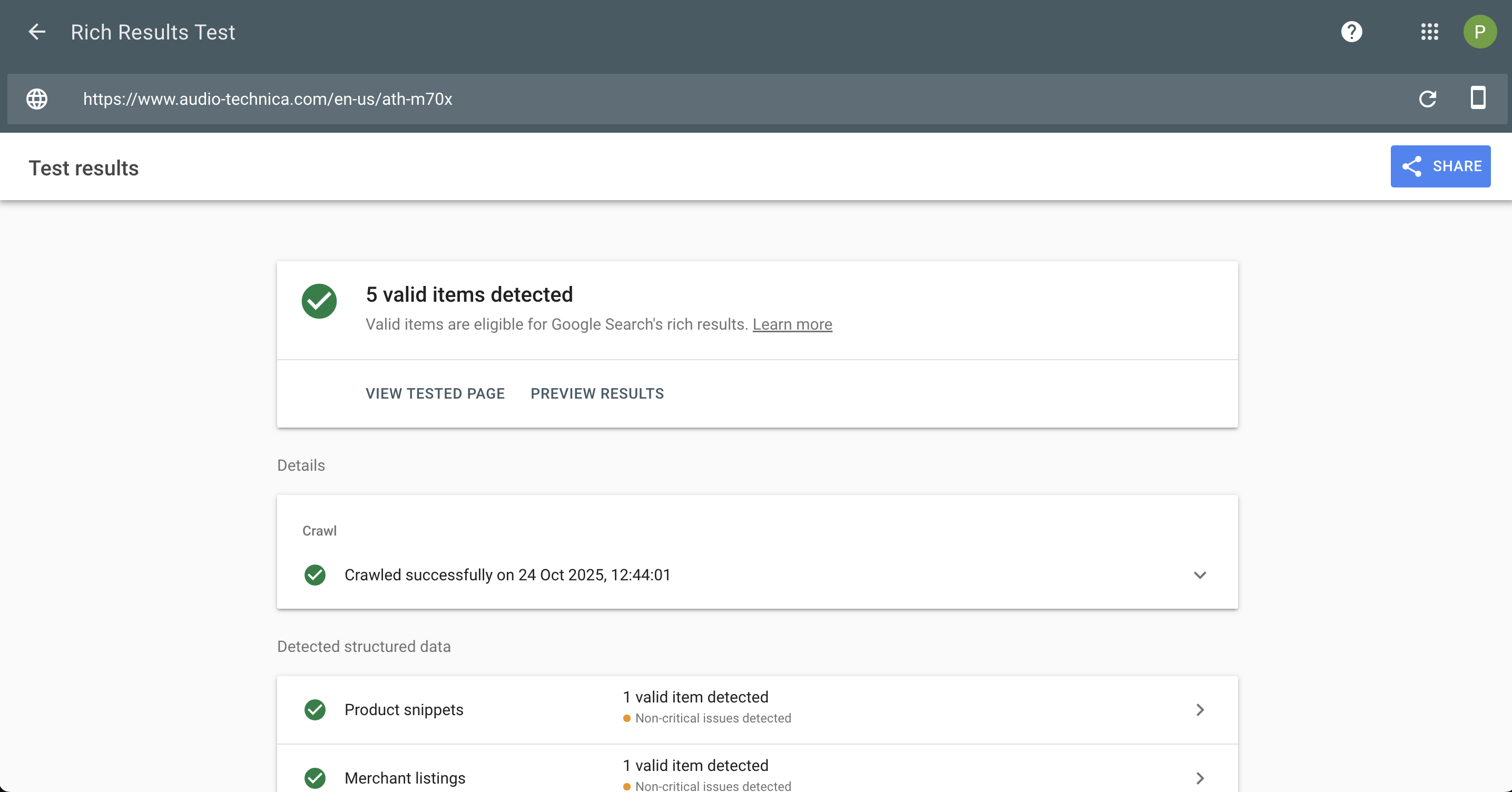
Structured data (schema markup) helps search engines understand your regional stores and surface rich information in local SERPs. Implementing LocalBusiness schema and Product schema can boost visibility and click-through rates for region-specific searches.
Recommended Schema Types:
-
LocalBusiness - Include business name, address, opening hours, contact number, and geo-coordinates.
-
OpeningHoursSpecification - Helps users see when a regional store is open or closed directly in search results.
-
Product schema - Highlight locally available products, pricing, and availability per region.
Example Implementation:
{
"@context": "https://schema.org",
"@type": "LocalBusiness",
"name": "Aware Digital",
"address": {
"@type": "PostalAddress",
"streetAddress": "111 Picadilly",
"addressLocality": "Manchester",
"addressCountry": "GB"
},
"telephone": "+441782 499530",
"openingHours": "Mo-Fr 09:00-17:00"
}
Tools to check schema
-
View page source: Using the view page source tool, you can hit search and look for the tag <schema> to see any structured data that has been implemented on the page.
-
Google rich results test and Schema validator: These tools will scan the webpage for you and pull out any schema they find.
Tip:
Extensions such as Amasty SEO Toolkit and MageWorx SEO Suite Ultimate can automatically add structured data across regional stores - saving time while maintaining consistency.
Backlink Strategy for Local Markets
Building region-specific backlinks is critical for strengthening your store’s local authority and relevance. Search engines consider the geographical origin of backlinks, so links from local directories, blogs, and news outlets can significantly improve rankings for that region.
Key Tactics:
-
Local directories & chambers of commerce - Submit your regional business listings to verified local directories or trade networks.
-
Partnerships & sponsorships - Collaborate with regional suppliers, event organisers, or community groups for natural backlinks and exposure.
-
Local content marketing - Publish regionally focused blog content or press releases that naturally attract local backlinks.
-
Influencer & PR outreach - Engage with local bloggers, reviewers, or industry publications to feature your brand in region-specific content.
Example:
A UK catering supplies business could earn backlinks by sponsoring a local food festival, while its French counterpart might collaborate with a Paris-based chef blog or sustainability directory.
By focusing on location relevance and authenticity, these backlinks strengthen your domain authority and improve visibility within local SERPs, helping each regional store outperform competitors in its own market.
If you need some help with your local SEO strategy, feel free to reach out.
Monitoring, Testing & Maintenance
International and multi-region SEO isn’t a one-time setup - it’s an ongoing process that requires consistent monitoring, testing, and refinement.
Search behaviour, competitor strategies, and regional algorithm updates evolve over time, so maintaining visibility means regularly auditing your Adobe Commerce stores to ensure everything remains technically sound, fast, and locally relevant.
Regular Crawls and Audit
Routine crawling and auditing are essential to identify and resolve technical issues before they impact your rankings. Tools like Screaming Frog SEO Spider and Sitebulb are ideal for large, multi-store Adobe Commerce setups, offering granular insights across each regional domain or subdirectory.
What to Check:
-
Hreflang validation - Ensure all language and regional variations are correctly referenced, self-referencing, and reciprocated.
-
Duplicate content - Detect and fix content overlaps between regional pages (e.g., /uk/ and /us/).
-
Broken internal links - Especially after product updates or URL structure changes.
-
Canonical tags - Confirm that canonicalisation rules are correctly implemented to prevent indexation conflicts.
-
XML sitemaps - Verify that each regional or language sitemap is accessible and submitted correctly to Google Search Console.
Pro Tip:
Run full crawls at least once per quarter and before launching new markets or major site updates. Keeping an audit schedule ensures you can address technical issues quickly and maintain international search performance.
Performance Tracking
Once your international SEO strategy is live, performance tracking becomes the backbone of optimisation. It’s not enough to know you’re getting traffic - you need to understand where it’s coming from, how it converts, and how each market performs individually.
Metrics to Monitor:
-
Organic traffic per region - Segment reports in Google Analytics 4 (GA4) by country, language, or domain.
-
Keyword rankings per market - Use rank-tracking tools such as AccuRanker, SEMrush, or Ahrefs for localised SERPs.
-
Conversion rates and revenue by region - Identify which countries drive the highest ROI and where optimisation is needed.
-
Core Web Vitals performance - Use Google PageSpeed Insights, Lighthouse, or CrUX data to track loading speed (LCP), interactivity (INP/FID), and visual stability (CLS) for each locale.
Insight:
A store that performs well in the UK may struggle in Germany due to server latency or translation issues. Regularly reviewing metrics ensures every regional store meets both SEO and user experience standards.
Continuous Improvement
The international SEO landscape is constantly changing - from seasonal shopping trends to evolving Google algorithms. Maintaining momentum means adopting a culture of continuous improvement across your global Adobe Commerce stores.
Ongoing Optimisation Strategies:
-
Seasonal and regional updates - Refresh product descriptions, promotions, and imagery for holidays or events unique to each region (e.g., Black Friday vs. Bastille Day).
-
Technical adjustments - Revisit hreflang, canonical, and sitemap configurations when adding new languages or markets.
-
Content refinement - Review metadata and headings for evolving search intent and regional keyword trends.
-
Competitor analysis - Regularly benchmark against local competitors to identify new opportunities.
-
Extension updates - Keep all SEO, translation, and performance extensions current for maximum compatibility and security.
By building a structured monitoring and maintenance workflow, Adobe Commerce merchants can ensure their multi-region SEO strategy remains resilient, adaptive, and future-proof - driving long-term organic growth across all markets.
Conclusion
Successfully optimising an Adobe Commerce store for multiple regions and languages requires more than just launching translated pages. It demands a holistic approach that combines technical SEO, content localisation, and ongoing monitoring. Each component works together to ensure your international stores are visible, relevant, and competitive in their respective markets.
A practical approach is to start small - for example, focus on one region or language first. Use this initial setup to refine your processes, validate hreflang configurations, test content strategies, and monitor performance. Once proven, you can systematically scale to additional regions while maintaining consistency and SEO integrity.
Finally, international SEO is not a set-and-forget task. Continuous testing, reporting, and adaptation are essential to respond to evolving search behaviour, algorithm changes, and market trends. By following these principles, Adobe Commerce merchants can build a robust global SEO strategy that drives long-term visibility, engagement, and conversions across every region.