
Skip To A Section
Site migrations on Adobe Commerce can be a tricky task, especially when you have thousands of URLs, complex tracking, schema markup, canonicals, redirects and other factors in place.
Moving your website from one platform, domain, or version to another can bring many benefits, but, if not done correctly, it can create significant risks to your search engine visibility. In this article, we will help you mitigate these risks and provide you with helpful tools to ensure your migration goes as smooth as butter.
We also have a glossary on our website which you can use if we mention any terms throughout the article that you may not be familiar with.
Key Takeaways
-
SEO Migrations Must Be Planned, Not Reactive: Structured pre-migration planning, including audits, URL mapping, redirects, and content preservation is essential to prevent traffic and ranking loss.
-
Adobe Commerce Migrations Carry Unique Technical Risks: Multi-store setups, layered navigation, faceted URLs, and complex product structures require careful handling to avoid duplicate content, broken links, and indexing issues.
-
Data-Driven Monitoring Ensures Stability and Recovery: Using tools such as Screaming Frog, Sitebulb, Google Search Console and GA4 allows ongoing monitoring, quick issue resolution, and sustained search performance.
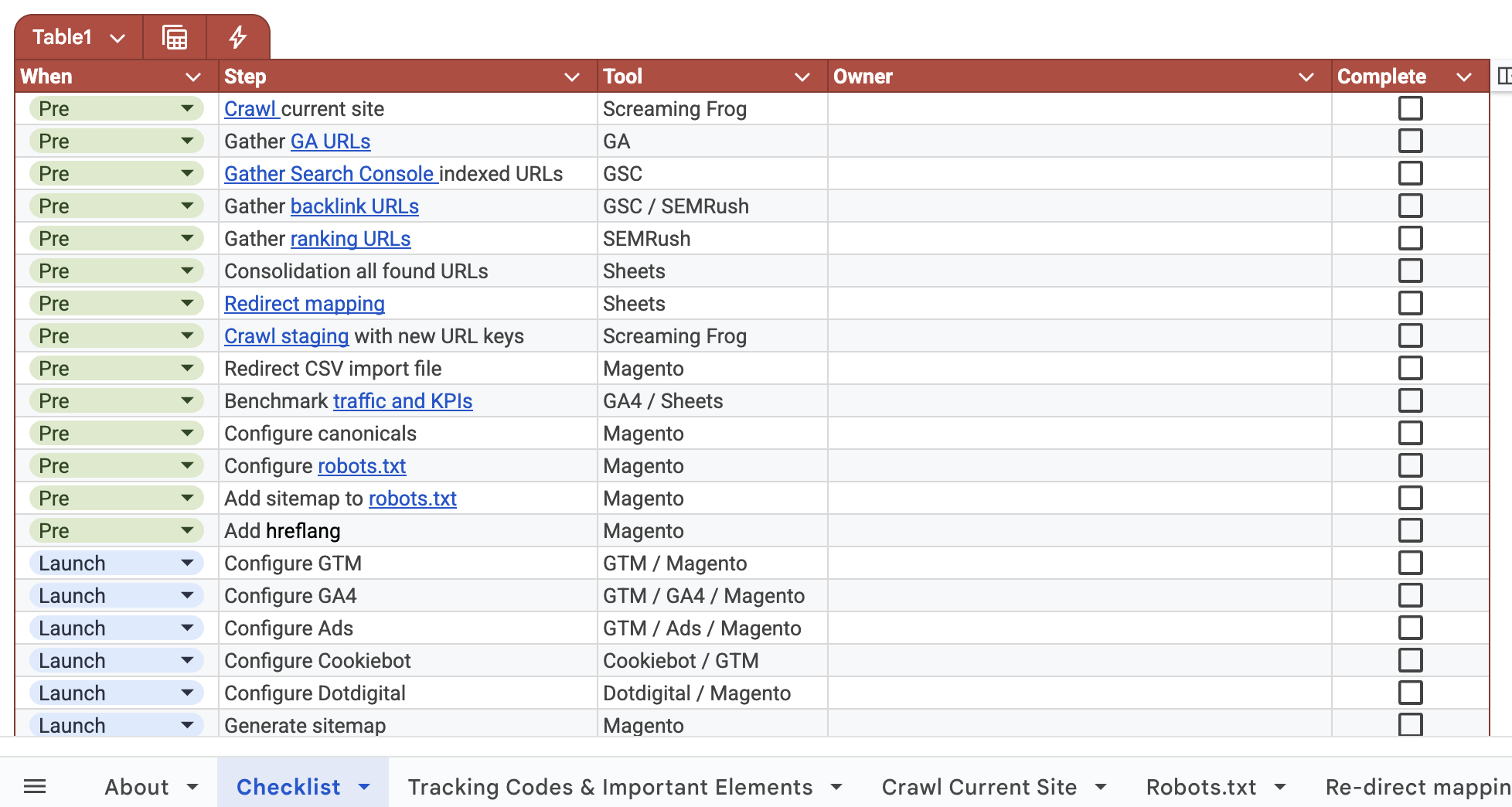
Use our free-resource: Our migration checklist gives you a comprehensive list of checks for pre launch, launch and post launch to ensure your migration runs smooth and you don’t miss any important factors.
Introduction to Adobe Commerce Site Migrations
Common reasons for undertaking an Adobe Commerce migration include:
-
Replatforming or upgrades: Moving from an older version of Magento to the latest Adobe Commerce platform for enhanced features, security, and scalability.
-
Website redesigns: Updating the look, feel, or user experience of your store, often involving changes to site architecture, URLs, or templates.
-
Infrastructure changes: Switching hosting providers, implementing new server environments, or adopting cloud-based solutions to improve performance.
-
International expansion: Launching multi-region or multi-language stores, which requires careful SEO setup to maintain visibility in different markets.
SEO risk management is critical during migrations because even minor oversights can lead to dropped rankings, lost organic traffic, or reduced revenue. By carefully planning URL structures, redirects, internal linking, and content preservation, businesses can safeguard their search visibility while taking advantage of the improvements that a migration offers.
Types of Adobe Commerce Migrations
Not all Adobe Commerce migrations are the same. Each type presents its own SEO risks, technical challenges, and planning requirements. Understanding the type of migration you’re undertaking is the first step towards effective SEO risk management.
Platform Upgrades
Platform upgrades typically involve moving from Magento Open Source to Adobe Commerce, or upgrading between major Adobe Commerce versions. These migrations often introduce changes to core functionality, extensions, and database structures. From an SEO perspective, platform upgrades can impact page rendering, canonical logic, indexation rules, and Core Web Vitals, making thorough testing essential before launch.
Domain Changes
Domain migrations include scenarios such as switching from HTTP to HTTPS, consolidating multiple domains into one, or restructuring international sites (for example, moving from example.fr to example.com/fr). These changes require precise 301 redirect mapping, updated internal links, and correct canonical and hreflang configuration to preserve existing rankings and authority.
URL Structure Changes
Changes to URL structures - whether intentional or as a byproduct of a migration - can have a major impact on organic visibility. Adjustments to category paths, product URLs, or pagination logic must be handled carefully to avoid broken links, duplicate content, or lost link equity. A full URL mapping and redirect strategy is critical in these cases.
Theme Redesigns and UX Overhauls
A site redesign often alters HTML structure, internal linking, navigation, and content placement. While improved UX can boost engagement and conversions, it can also affect crawlability, page hierarchy, and on-page SEO signals if not managed correctly. Preserving headings, internal links, and key content elements is essential during design changes.
Infrastructure & Hosting Migrations
Infrastructure migrations involve moving to new hosting environments, cloud solutions, or CDNs. These changes can affect site speed, server response times, and availability - all of which influence SEO performance. Proper staging environments, performance benchmarking, and post-launch monitoring are vital to avoid ranking fluctuations.
Multi-Store, Multi-Language, or International Expansions
Expanding an Adobe Commerce store to support multiple regions or languages adds complexity to site architecture and SEO management. Incorrect hreflang implementation, duplicate content across regions, or poor internal linking between stores can negatively impact visibility. International migrations require careful planning around URL structures, localisation, and regional SEO signals.
SEO Risks Associated With Adobe Commerce Migrations
Adobe Commerce migrations carry inherent SEO risks if not planned and executed carefully. Even small technical changes can have a disproportionate impact on organic visibility, traffic, and revenue. Understanding these risks allows teams to put safeguards in place before launch.
Traffic and Ranking Loss
One of the most common risks during a migration is a sudden drop in organic traffic and keyword rankings. This often occurs when search engines struggle to understand the new site structure or when key SEO signals are lost during the transition. Poor redirect strategies, missing metadata, or altered internal linking can all contribute to ranking volatility.
Indexation Issues
Migrations can inadvertently introduce indexation problems such as pages being blocked by robots.txt, incorrect noindex tags, or changes to canonical URLs. These issues can prevent important pages from being crawled or indexed, reducing search visibility until corrected.
Broken URLs and Lost Link Equity
When URLs change without proper 301 redirects, inbound links from external sites lose their value. This results in lost link equity and weakened authority signals. Even internal links pointing to outdated URLs can negatively impact crawl efficiency and user experience.
Duplicate Content Risks
Adobe Commerce migrations often involve staging environments, multi-store setups, or international expansions, all of which can create duplicate content if not handled correctly. Incorrect canonical tags, missing hreflang attributes, or multiple accessible URL versions can confuse search engines and dilute ranking signals.
Crawl Budget Inefficiencies
Large Adobe Commerce stores rely on efficient crawling to ensure key pages are indexed regularly. Migration-related issues such as excessive parameters, broken internal links, or bloated URL structures can waste crawl budget, preventing search engines from prioritising high-value product and category pages.
Loss of Structured Data and Rich Results
Theme changes, extension conflicts, or template updates can remove or break structured data markup. This can lead to the loss of rich results such as product ratings, pricing, and availability in search listings, directly impacting click-through rates and visibility.
Pre-Migration SEO Planning
Effective SEO risk management for Adobe Commerce migrations starts well before any development work begins. The pre-migration phase is where performance baselines are established, risks are identified, and success is defined. Skipping or rushing this stage is one of the most common causes of post-migration traffic loss.
Full SEO Audit of the Existing Site
A comprehensive SEO audit of the current Adobe Commerce site provides a clear understanding of what must be protected during the migration. This audit becomes the benchmark against which post-launch performance is measured.
Crawl Analysis
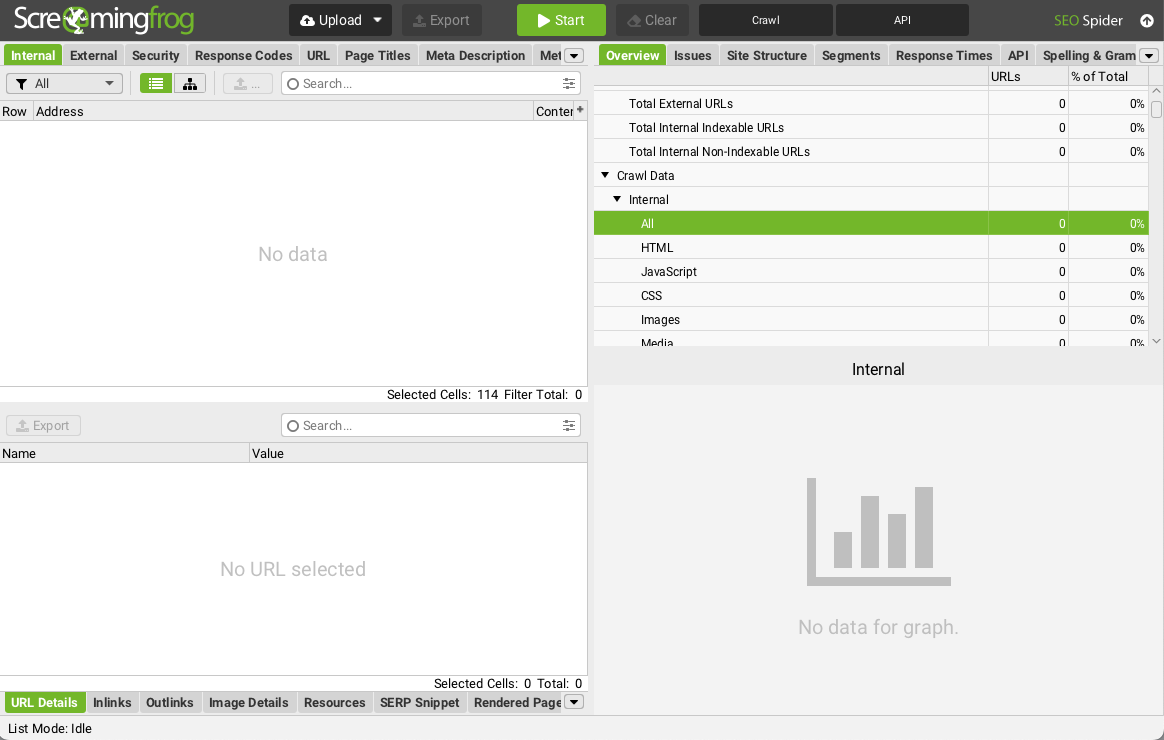
Run a full crawl of the existing site using tools such as Screaming Frog or Sitebulb to document all live URLs, status codes, canonical tags, indexation rules, and internal linking structures. This ensures no critical pages are accidentally removed or blocked during the migration.
Top-performing Pages and Keywords
Identify pages driving the most organic traffic, conversions, and revenue. Mapping these high-value URLs and their ranking keywords ensures they receive priority during URL mapping, content migration, and redirect planning.
Backlink Profile and High-Value URLs
Analyse the backlink profile to identify URLs with strong inbound link equity. These pages must be preserved or redirected accurately to avoid losing authority and rankings built over time.
Technical SEO Baseline
Record current technical performance metrics, including Core Web Vitals, site speed, mobile usability, indexation levels, and structured data coverage. Establishing this baseline allows you to validate that the new Adobe Commerce environment delivers equal or improved SEO performance post-migration.
URL Mapping & Redirect Strategy
A robust URL mapping and redirect strategy is essential to ensure that both users and search engines can navigate the new Adobe Commerce site without losing value from existing pages. Poorly planned redirects are one of the leading causes of traffic and ranking loss during migrations.
One-to-One URL Mapping
Every old URL should be matched to a corresponding new URL wherever possible. This ensures that users and search engines are directed to the correct page, preserving both user experience and SEO value.
301 Redirect Planning
Implement 301 (permanent) redirects for all changed URLs. This signals to search engines that the content has permanently moved, transferring link equity from the old page to the new one. Temporary or 302 redirects should generally be avoided for migrated pages, as they do not pass full SEO value.
Handling Discontinued or Merged Pages
Pages that are no longer relevant should either be consolidated into related pages or redirected to the closest matching content. Avoid redirecting all obsolete URLs to the homepage, as this can confuse users and dilute link equity.
Avoiding Redirect Chains and Loops
Redirect chains (multiple consecutive redirects) and loops (a URL redirecting to itself or back to another URL in the chain) can significantly slow down site crawls and reduce SEO value. Carefully review redirect rules to ensure they are clean, efficient, and properly implemented.
Information Architecture & Site Structure Planning
Maintaining a clear, logical site structure during an Adobe Commerce migration is critical for both SEO and user experience. A well-planned architecture ensures that search engines can crawl and index important pages efficiently while helping users navigate the store intuitively.
Category and Product Hierarchy
Map out categories and product pages to ensure a consistent hierarchy in the new site. Avoid unnecessary depth in navigation, as pages buried too deep may struggle to rank. Preserve high-performing category and product URLs whenever possible.
Faceted Navigation Handling
Faceted navigation is common in ecommerce but can create duplicate content and crawl inefficiencies if not managed correctly. Plan how filters and attributes will be handled in the new site, using canonical tags, noindex rules, or parameter handling to prevent SEO issues.
Pagination and Filtering Considerations
Ensure pagination links follow best practices (e.g., rel="next/prev" or logical URL patterns) and that filtered views do not generate unnecessary duplicate pages. Proper handling of pagination preserves crawl efficiency and ranking signals.
Internal Linking Structure
Maintain or improve internal linking between categories, products, and related content. Internal links help distribute authority across the site and guide both users and search engines to high-value pages. Audit existing links and replicate or enhance them in the new architecture.
Content Preservation & Optimisation
Preserving and optimising content during an Adobe Commerce migration is crucial to maintain organic rankings, traffic, and user engagement. Without careful planning, high-performing pages can lose their SEO value, and duplicate content issues can arise.
Retaining High-Performing Content
Identify top-performing pages, including product, category, and blog content, using analytics and search console data. Ensure that these pages are migrated accurately, preserving their URLs where possible, along with metadata, headings, and internal links.
Content Consolidation and Pruning
During migration, take the opportunity to consolidate thin or low-performing pages into more authoritative pages. Remove obsolete or duplicate content to streamline the site, improve crawl efficiency, and enhance overall user experience.
Managing Duplicate Content Across Stores or Languages
Multi-store and multi-language setups are common in Adobe Commerce migrations and can introduce duplicate content risks. Implement canonical tags, hreflang attributes, or region-specific content strategies to prevent duplicate content penalties and ensure that search engines index the correct versions of each page.
Technical SEO Considerations for Adobe Commerce Migrations
Migrations often involve significant technical changes that can impact SEO if not carefully managed. Adobe Commerce sites, with complex product catalogues, faceted navigation, and multi-store setups, require meticulous attention to URL structure, canonicalisation, and indexing rules to maintain search visibility.
URL Structure & Canonical Management
Maintaining a consistent and SEO-friendly URL structure is essential during migration to preserve rankings and link equity.
Maintaining Consistent URL Formats
Ensure that product, category, and CMS page URLs follow a logical, consistent pattern. Avoid unnecessary changes to high-performing URLs unless absolutely necessary. If URL changes are required, implement precise 301 redirects to prevent traffic loss.
Canonical Tag Setup Post-Migration
Canonical tags help search engines understand the preferred version of a page, preventing duplicate content issues. Review and update canonical tags after migration to reflect the new URL structure, especially on category pages, filtered views, and multi-language stores.
Managing Parameterised URLs
Adobe Commerce often generates URLs with query parameters for filters, sorting, and tracking. During migration, implement proper parameter handling via canonical tags, robots.txt directives, or Google Search Console parameter settings to prevent duplicate content and crawl inefficiencies.
Hreflang & International SEO Setup
For Adobe Commerce stores with multi-store or multi-language configurations, proper hreflang implementation is crucial to ensure the right content is served to the correct audience, preventing duplicate content issues and improving international SEO performance.
Multi-Store and Multi-Language Hreflang Implementation
Map out all store views and languages, assigning the correct hreflang attributes to each page. This signals to search engines which language and regional version of a page should be displayed to users in different locations.
Country vs Language Targeting
Decide whether you are targeting users by country (e.g., example.com/fr for France) or language (e.g., example.com/en/fr for French speakers). Implement hreflang accordingly to avoid conflicts and ensure search engines understand your targeting strategy.
Testing Hreflang Accuracy
Use tools like Google Search Console, hreflang testing tools such as Technical SEO tool which is a favourite of mine, or site crawlers to verify that hreflang tags are correctly implemented. Check for common errors such as missing tags, self-referencing mistakes, or incorrect URLs to prevent indexing issues.

Structured Data & Schema Migration
Structured data is a key component of SEO for Adobe Commerce, helping search engines understand your content, products, and business information. During a site migration, ensuring schema is correctly implemented is vital to maintain rich results and visibility in SERPs.
Product, Organisation, Breadcrumb, and Local Schema
Audit and migrate all existing structured data, including product schema (price, availability, ratings), organisation schema (business details), breadcrumb markup, and local business schema. Consistent implementation ensures search engines can correctly interpret your content post-migration.
Ensuring Schema Parity Before and After Launch
Compare structured data on the old site with the new one to ensure nothing is lost or misconfigured. Any missing or misapplied schema can negatively impact rich results and organic visibility.
Validation and Testing
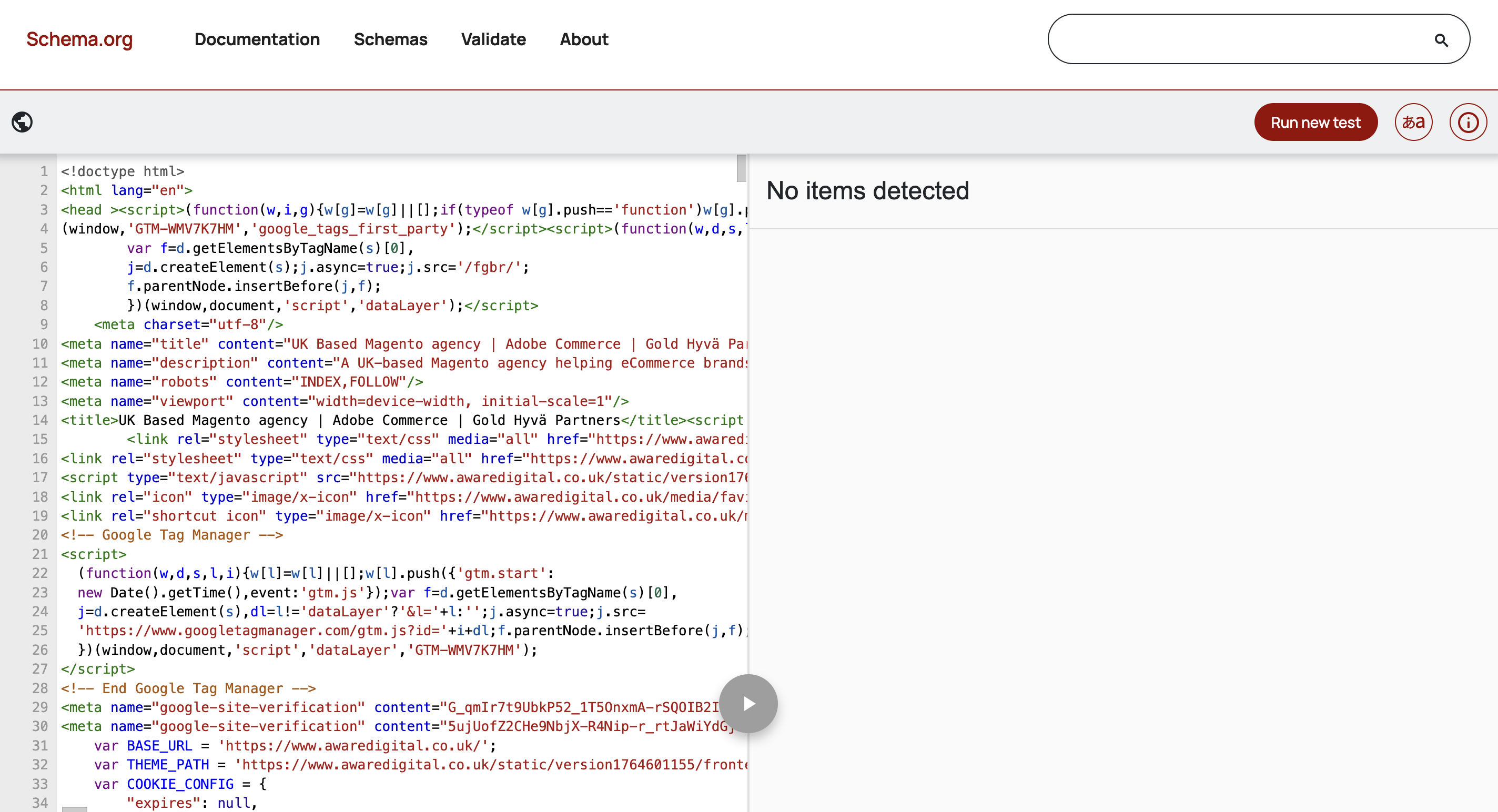
Use Google’s Rich Results Test, Schema Markup Validator, or other testing tools to confirm that all structured data is valid and properly deployed. Continuous testing helps prevent errors that could compromise search appearance after launch.
XML Sitemap Strategy
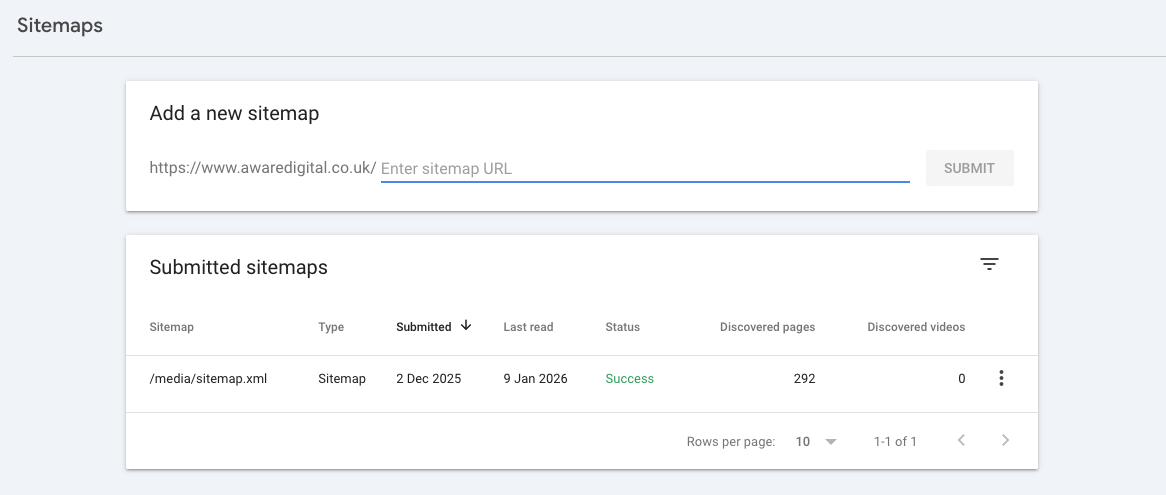
XML sitemaps are essential for guiding search engines through your Adobe Commerce site, particularly during a migration. Proper sitemap planning ensures that all important pages are discoverable and indexed quickly after launch.
Generating New Sitemaps Per Store/View
Create separate XML sitemaps for each store view, language, or regional version of your site. This helps search engines correctly index content tailored for different audiences and avoids confusion between multi-language or multi-region pages.
Removing Deprecated URLs
Audit the old site’s URLs and remove any that will no longer exist post-migration. Including obsolete URLs in the sitemap can lead to 404 errors, wasted crawl budget, and potential ranking drops.
Submitting Sitemaps to Google Search Console
Once the new sitemaps are generated, submit them to Google Search Console for each property/store view. Regularly monitor indexing status and errors to ensure that all high-value pages are being crawled and indexed correctly.
Robots.txt & Indexation Controls
Managing robots.txt and indexation rules is a critical step in an Adobe Commerce migration. Improper configuration can prevent search engines from crawling your site or accidentally index staging environments, leading to SEO issues.
Robots.txt Review and Migration
Audit your existing robots.txt file to identify any disallowed directories or URLs that should remain blocked. Migrate these rules carefully to the new site, ensuring that no important pages are accidentally restricted.
Noindex Handling for Staging and Production
Apply noindex tags to staging or development environments to prevent them from appearing in search results. Once the site goes live, remove these tags from production pages while maintaining them for non-essential or duplicate content.
Preventing Accidental Blocking
Double-check all directives to ensure that valuable pages: products, categories, and CMS content are not unintentionally blocked from crawling. Misconfigured robots.txt or meta robots tags can result in lost visibility and traffic.
Adobe Commerce-Specific Migration Considerations
Product & Category Page SEO
Adobe Commerce stores have complex product and category structures, and migrating these pages requires careful attention to ensure SEO value is preserved. Improper handling can lead to lost rankings, traffic, and conversions.
Meta Data Migration
Ensure all product and category page meta titles and descriptions are accurately migrated. Retain high-performing metadata from the previous site and update any outdated or non-optimised content to maintain search visibility.
Product Descriptions and Structured Content
Migrate product descriptions, specifications, and any rich content such as images, videos, and FAQ sections. This helps maintain user engagement and ensures that search engines continue to recognise the pages’ relevance.
Stock Status, Discontinued Products, and Redirects
Monitor stock availability and product status during migration. Discontinued products should be redirected appropriately to relevant alternatives using 301 redirects, ensuring that link equity is preserved and users are guided to active products. Avoid leaving deleted product pages live, as this can result in 404 errors and lost SEO value.
Layered Navigation & Faceted URLs
Adobe Commerce often generates multiple URLs for the same category or product pages due to layered navigation and filter options. Without careful management, these can create duplicate content issues and dilute SEO value.
Indexation Rules for Filters
Determine which filter combinations should be indexed and which should be blocked. Typically, only the main category pages should be indexed, while parameterised or filtered URLs should be controlled to avoid unnecessary duplication.
Canonicalisation and Noindex Strategies
Implement canonical tags on faceted URLs to point back to the primary category page. Use noindex meta tags selectively for pages with low SEO value or duplicate content. This ensures search engines focus on the most important pages while maintaining a crawl-efficient site structure.
Internal Linking & Navigation
Maintaining a clear and SEO-friendly internal linking structure is critical during an Adobe Commerce migration. Proper internal links help search engines discover pages, distribute link equity, and improve user experience across categories and products.
Menu Structures
Audit and replicate your site’s main navigation and footer menus, ensuring all key category and product pages remain accessible. Avoid broken links and keep the hierarchy consistent with the previous site.
Breadcrumbs
Preserve or implement breadcrumb trails on all relevant pages. Breadcrumbs improve user navigation, support search engine crawling, and can enhance search results with rich snippets.
Cross-Category and Related Product Links
Ensure that related products, upsells, and cross-category links are correctly migrated. These links not only improve user engagement but also strengthen internal link equity and help search engines understand your site’s structure.
Performance, UX & Core Web Vitals
Page Speed & Performance Testing
Maintaining fast page load times and optimal performance is crucial during an Adobe Commerce migration. Page speed directly impacts user experience, conversion rates, and Core Web Vitals, all of which are ranking factors in search engines.
Lighthouse and Core Web Vitals Benchmarks
Before migrating, record baseline performance metrics using Google Lighthouse and Core Web Vitals (LCP, FID, CLS). After migration, compare results to ensure that speed and user experience have not degraded.
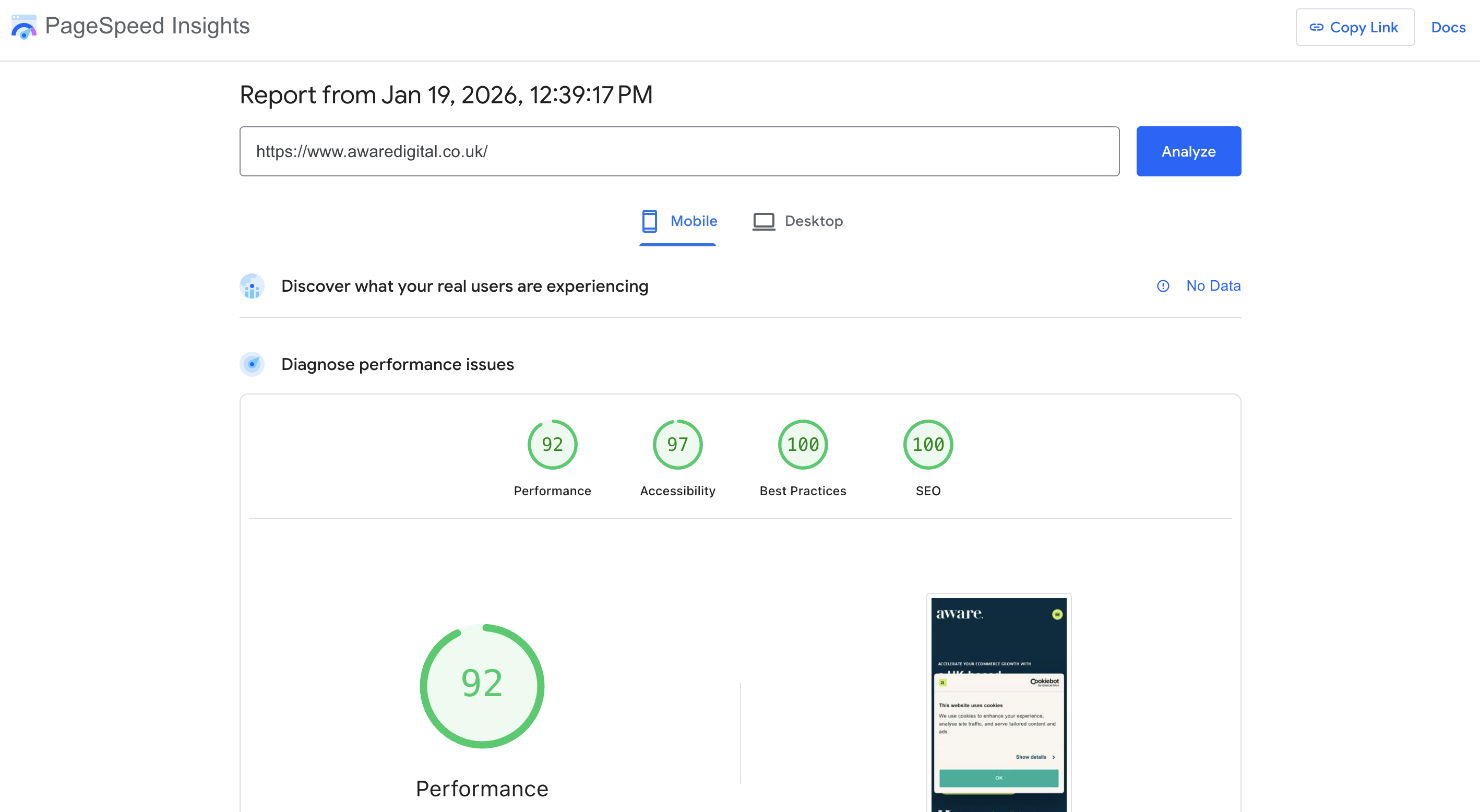
Image Optimisation
Ensure all product and category images are optimised for web delivery. Use appropriate formats such as WebP or Avif, compress images without quality loss, and implement responsive sizing to improve load times.
JavaScript and CSS Management
Review and optimise JavaScript and CSS files to reduce render-blocking resources. Minification, combining files, and deferred loading help ensure faster page rendering and improved Core Web Vitals scores.
Mobile & UX Considerations
Adobe Commerce migrations often involve template updates or redesigns that can impact mobile usability and overall user experience. Since Google now uses mobile-first indexing, ensuring a seamless mobile experience is critical for maintaining SEO performance.
Mobile-First Indexing Readiness
Verify that your new site is fully responsive, loads quickly on mobile devices, and provides a consistent user experience. Test using Google’s Mobile-Friendly Test and Core Web Vitals tools to confirm compliance with mobile indexing requirements.
Template Changes Affecting SEO
Template or theme changes can inadvertently remove or hide important SEO elements, such as headings, meta tags, or structured data. Ensure that all SEO-critical elements are preserved during the redesign.
UX Changes Impacting Conversion Rates
Navigation, product layouts, and call-to-action placements can affect both user engagement and conversions. Maintain or improve usability and accessibility to support both customer satisfaction and SEO metrics like dwell time and bounce rate.
Pre-Launch SEO Checklist
Staging Environment SEO Validation
Before launching your migrated Adobe Commerce site, it’s essential to validate all SEO-critical elements in a staging environment. This ensures a smooth transition without negatively impacting rankings or traffic.
Crawl the Staging Site
Use tools like Screaming Frog or Sitebulb to crawl the staging site. Identify broken links, missing pages, or any crawl errors that need resolving before launch.
Validate Redirects
Confirm that all planned 301 redirects are correctly implemented. Test both one-to-one mappings and bulk redirects for discontinued or merged pages to prevent link equity loss.
Check Meta Data, Canonicals, Hreflang, and Schema
Ensure all meta titles, descriptions, canonical tags, hreflang tags (for multi-language sites), and structured data are present and correctly configured. This prevents duplicate content issues and preserves international SEO signals where applicable.
QA Testing Before Go-Live
A thorough QA process is essential before launching a migrated Adobe Commerce site to ensure SEO and user experience are intact. This step prevents issues that could harm rankings, traffic, or conversions post-launch.
Manual Page Checks
Review a sample of key pages manually to ensure content displays correctly, internal links function, and product or category pages are accessible. Verify that redirects and canonical tags are working as expected.
Template and Layout SEO Checks
Check that new templates or design changes haven’t removed important SEO elements like headings, meta tags, structured data, or breadcrumbs. Ensure mobile responsiveness and page layouts support both SEO and user experience.
Analytics and Tracking Setup
Verify that Google Analytics, Google Tag Manager, and any other tracking systems are properly configured. Ensure goals, events, and conversions are accurately tracked to monitor post-launch performance.
Launch-Day SEO Actions
Redirect Deployment
On launch day, ensuring all redirects are correctly deployed is critical to preserving SEO value and avoiding traffic loss. Adobe Commerce migrations often involve numerous URL changes, making this step essential.
Activating Redirect Rules
Deploy all planned 301 redirects, including one-to-one URL mappings for moved pages, category changes, and discontinued products. Ensure that any automated redirect rules set during pre-migration planning are live.
Spot-Checking Priority URLs
Manually verify redirects for your highest-value pages, such as top-performing product and category URLs. Confirm that users and search engines are properly redirected and that there are no redirect chains or loops that could harm SEO.
Search Engine Signals
Once your Adobe Commerce site goes live, it’s critical to send clear signals to search engines to ensure proper crawling, indexing, and visibility.
Submit XML Sitemaps
Upload the updated XML sitemaps for all store views, categories, and products to Google Search Console and Bing Webmaster Tools. Ensure deprecated or old URLs are removed from the sitemap.
Request Key URL Indexing
Use Google Search Console’s URL Inspection tool to request indexing for top-priority pages, such as high-performing products, category pages, and newly migrated content. This helps accelerate their appearance in search results.
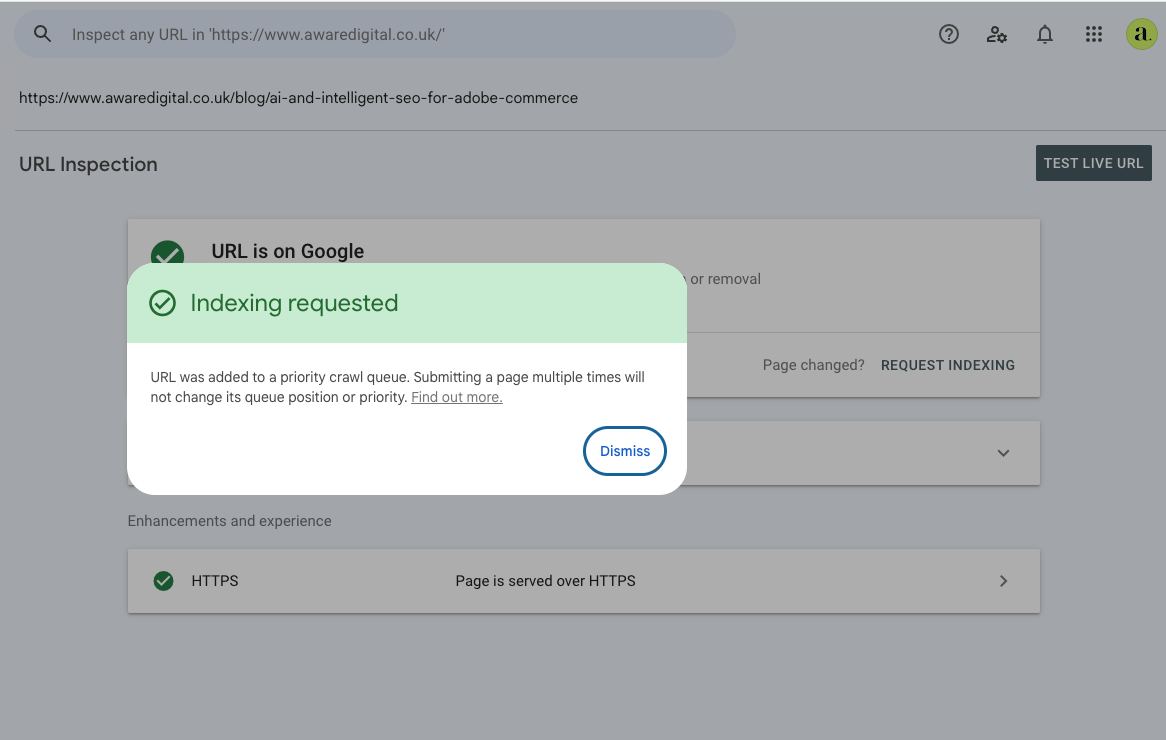
Update Google Search Console Settings
Verify that all properties, including international or multi-store setups, are correctly configured. Check preferred domain settings, hreflang validations, and any crawl errors to prevent indexing issues.
Post-Migration SEO Monitoring & Risk Management
Immediate Post-Launch Checks
After launching your migrated Adobe Commerce site, rapid monitoring is essential to catch and address any SEO issues before they impact rankings or traffic.
Crawl Error Monitoring
Use tools like Screaming Frog, Sitebulb, or Google Search Console to identify broken links, 404 errors, or redirect issues. Ensure that all redirects are functioning correctly and that no pages are unintentionally blocked.
Indexation Status
Check that key pages are indexed in Google and other search engines. Confirm that canonical and hreflang tags are correctly implemented for multi-language or international stores.
Traffic and Ranking Fluctuations
Monitor organic traffic and keyword rankings closely in the first few days and weeks post-launch. Look for unexpected drops in traffic, which may indicate redirect errors, duplicate content, or indexing problems.
Ongoing SEO Monitoring
Maintaining strong SEO performance after an Adobe Commerce migration requires continuous monitoring and analysis. Proactive tracking helps identify issues early and ensures your site retains and improves its search visibility.
Google Search Console Reports
Regularly review crawl errors, index coverage, and performance reports. Monitor impressions, clicks, and average positions for key pages to ensure rankings remain stable or improve post-migration.
Log File Analysis
Analyse server log files to track how search engine bots are crawling your site. Identify crawl inefficiencies, blocked URLs, or anomalies in bot behaviour that may affect indexing.
Rank Tracking and Visibility Trends
Monitor keyword rankings, organic traffic, and visibility trends over time using tools like SEMrush, Ahrefs, or AccuRanker. Early detection of drops allows timely corrective actions and ongoing optimisation.
Issue Resolution & Optimisation
After your Adobe Commerce migration, addressing issues promptly is essential to safeguard SEO performance and recover any potential ranking losses.
Fixing Broken Redirects
Identify and repair broken or misconfigured redirects to ensure link equity is preserved and users are seamlessly guided to the correct pages. Avoid chains or loops that can negatively impact rankings.
Recovering Lost Rankings
Monitor for any drops in keyword positions or traffic. Analyse the cause, whether it’s content changes, duplicate URLs, or technical issues and implement corrective actions to restore performance.
Refining Internal Linking
Review and optimise internal links to maintain crawl efficiency and distribute authority effectively across categories and products. Update navigation, breadcrumbs, and related product links to reflect any new site structure.
Migration Checklist
The team at Aware Digital uses a simple checklist for pre, launch and post migration checks. The checklist allows you to ensure you have considered all factors before, during and after your migration process. We are giving it you for free in the hope it makes your website migration run smoothly: [Make a Copy] Migration Checklist.
Common Adobe Commerce Migration Mistakes to Avoid
Migrating an Adobe Commerce site is complex, and even minor oversights can have major SEO consequences. Being aware of common mistakes helps prevent costly errors and traffic loss.
Launching Without Redirects
Failing to implement 301 redirects for changed URLs can result in broken links, loss of link equity, and significant drops in search rankings.
Blocking Search Engines Accidentally
Incorrect robots.txt configurations, staging site settings, or noindex tags can prevent search engines from crawling and indexing your new site, delaying SEO recovery.
Ignoring International SEO Setup
For multi-language or multi-region stores, neglecting hreflang, country-specific sitemaps, and localised content can lead to duplicate content issues and poor rankings in target markets.
Not Preserving Internal Links
Internal links distribute authority and improve crawl efficiency. Changing URLs or navigation without updating links can harm SEO and user experience.
Underestimating Testing Time
Rushing through QA checks and pre-launch audits increases the risk of missing critical SEO issues. Thorough testing for redirects, canonicals, meta data, structured data, and crawl behaviour is essential.
Tools for Managing Adobe Commerce SEO Migrations
Using the right tools is critical to successfully manage an Adobe Commerce migration while minimising SEO risks. These tools help you monitor, audit, and optimise every aspect of the migration process.
We also have a guide on the best SEO tools and extensions for Adobe Commerce, a lot of the tools in this article will also be helpful when doing a site migration.
-
Screaming Frog: Perform comprehensive site crawls to identify broken links, redirect issues, duplicate content, and meta data problems before and after migration.
-
Sitebulb: Provides in-depth technical audits, visualises site structure, highlights indexing issues, and helps track crawl efficiency for complex eCommerce sites.
-
Google Search Console: Monitor crawl errors, indexing status, and search performance. Submit updated XML sitemaps and track key pages to ensure proper search engine visibility.
-
GA4 (Google Analytics 4): Track organic traffic, conversions, and user behaviour post-migration. Compare historical metrics with new site performance to detect anomalies.
-
SEMrush: Track KPIs and benchmark keywords and backlink profiles.
How Our SEO Migration Services Reduce Risk
Migrating an Adobe Commerce site doesn’t have to be a high-risk process. Our specialised SEO migration services are designed to protect your search visibility, preserve rankings, and ensure a smooth transition.
SEO-Led Migration Planning
We start with a detailed SEO audit and migration roadmap, including URL mapping, redirect strategy, and content preservation plans to minimise disruptions.
Adobe Commerce-Specific Expertise
Our team understands the unique structure, layered navigation, and multi-store complexities of Adobe Commerce, ensuring technical and on-page SEO elements are correctly handled.
Pre and Post Migration Support
From staging environment audits to launch-day checks and immediate post-migration monitoring, we ensure your site is fully optimised and any issues are addressed promptly.
Ongoing Optimisation and Recovery
We continue monitoring traffic, rankings, and crawl behaviour after launch, making adjustments to recover lost rankings, refine internal linking, and optimise performance.
Extensive Experience
We have worked on many migrations over the years, allowing us to develop the best strategy to undertake them with minimum disruption to the business. We have migrated websites with hundreds of thousands of URLs and products, to smaller sites with a few thousand.
Conclusion
Migrating an Adobe Commerce site is a complex process that carries significant SEO risks if not carefully managed. Prioritising SEO throughout the migration from pre-planning to post-launch monitoring, is essential to maintain search visibility, preserve rankings, and protect traffic.
Engaging SEO experts early in the migration process ensures that technical, content, and on-page considerations are fully addressed, minimising potential disruptions and maximising the long-term success of your store.
We hope your migration runs smoothly with minimal errors. Feel free to reach out for help or just for some advice, we are always happy to help.